Tim Cook and Jimmy Fallon Talk iPhones and Hot Dog Predictions
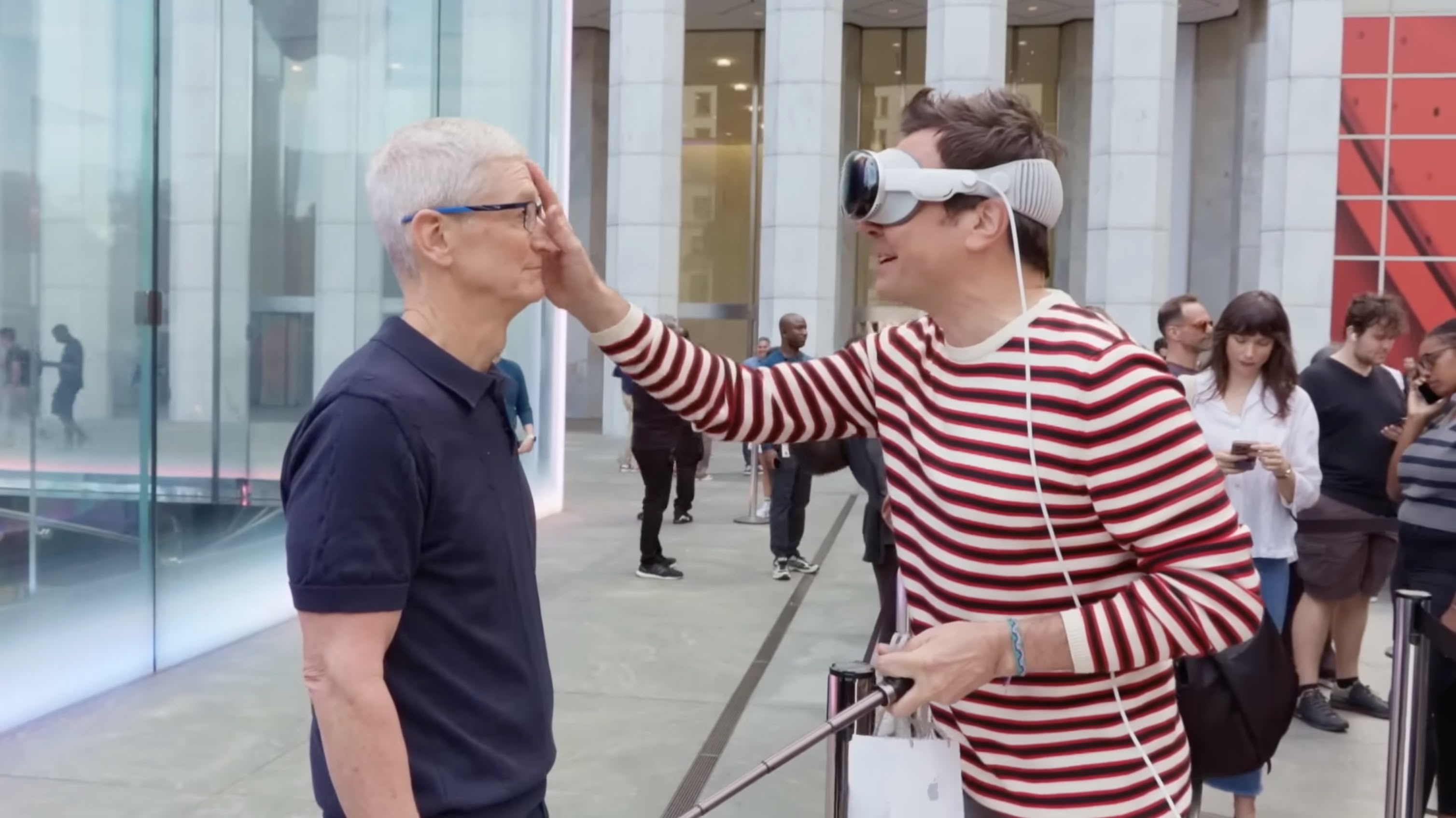 In a lighthearted walk-and-talk around New York City, The Tonight Show's Jimmy Fallon caught up with Apple CEO Tim Cook on Friday to chat about the new iPhone 16 and Cook's love for the iconic Fifth Avenue Apple Store. Fallon – wearing Apple Vision Pro – met Cook with mock disbelief while picking up his new iPhone, with Cook personally handing him the device.
As they strolled to Apple's Upper East Side store, Cook explained that he tries to visit the Fifth Avenue location during every major launch. Fallon joked about Cook's rockstar-like reception from fans, but Cook humbly attributed it to people's love for Apple.
The two discussed Cook's 27-year journey at Apple, during which Cook admitted he never expected to become CEO. On the tech front, Cook expressed excitement about Apple Intelligence, which is set to begin rolling out next month. Cook talked up upcoming features like automatic email summarization and fun new creative tools such as Genmoji and Image Playground.
The chat ended on a playful note, with Fallon showing off his "psychic" skills by guessing Cook's mustard preference on hot dogs, before gifting him some New York-themed swag — though not all of it made the cut for Cook's local look. You can watch the five-minute walk-and-talk in the video embedded above.
Tag: Tim Cook
This article, "Tim Cook and Jimmy Fallon Talk iPhones and Hot Dog Predictions" first appeared on MacRumors.com
Discuss this article in our forums
In a lighthearted walk-and-talk around New York City, The Tonight Show's Jimmy Fallon caught up with Apple CEO Tim Cook on Friday to chat about the new iPhone 16 and Cook's love for the iconic Fifth Avenue Apple Store. Fallon – wearing Apple Vision Pro – met Cook with mock disbelief while picking up his new iPhone, with Cook personally handing him the device.
As they strolled to Apple's Upper East Side store, Cook explained that he tries to visit the Fifth Avenue location during every major launch. Fallon joked about Cook's rockstar-like reception from fans, but Cook humbly attributed it to people's love for Apple.
The two discussed Cook's 27-year journey at Apple, during which Cook admitted he never expected to become CEO. On the tech front, Cook expressed excitement about Apple Intelligence, which is set to begin rolling out next month. Cook talked up upcoming features like automatic email summarization and fun new creative tools such as Genmoji and Image Playground.
The chat ended on a playful note, with Fallon showing off his "psychic" skills by guessing Cook's mustard preference on hot dogs, before gifting him some New York-themed swag — though not all of it made the cut for Cook's local look. You can watch the five-minute walk-and-talk in the video embedded above.
Tag: Tim Cook
This article, "Tim Cook and Jimmy Fallon Talk iPhones and Hot Dog Predictions" first appeared on MacRumors.com
Discuss this article in our forums
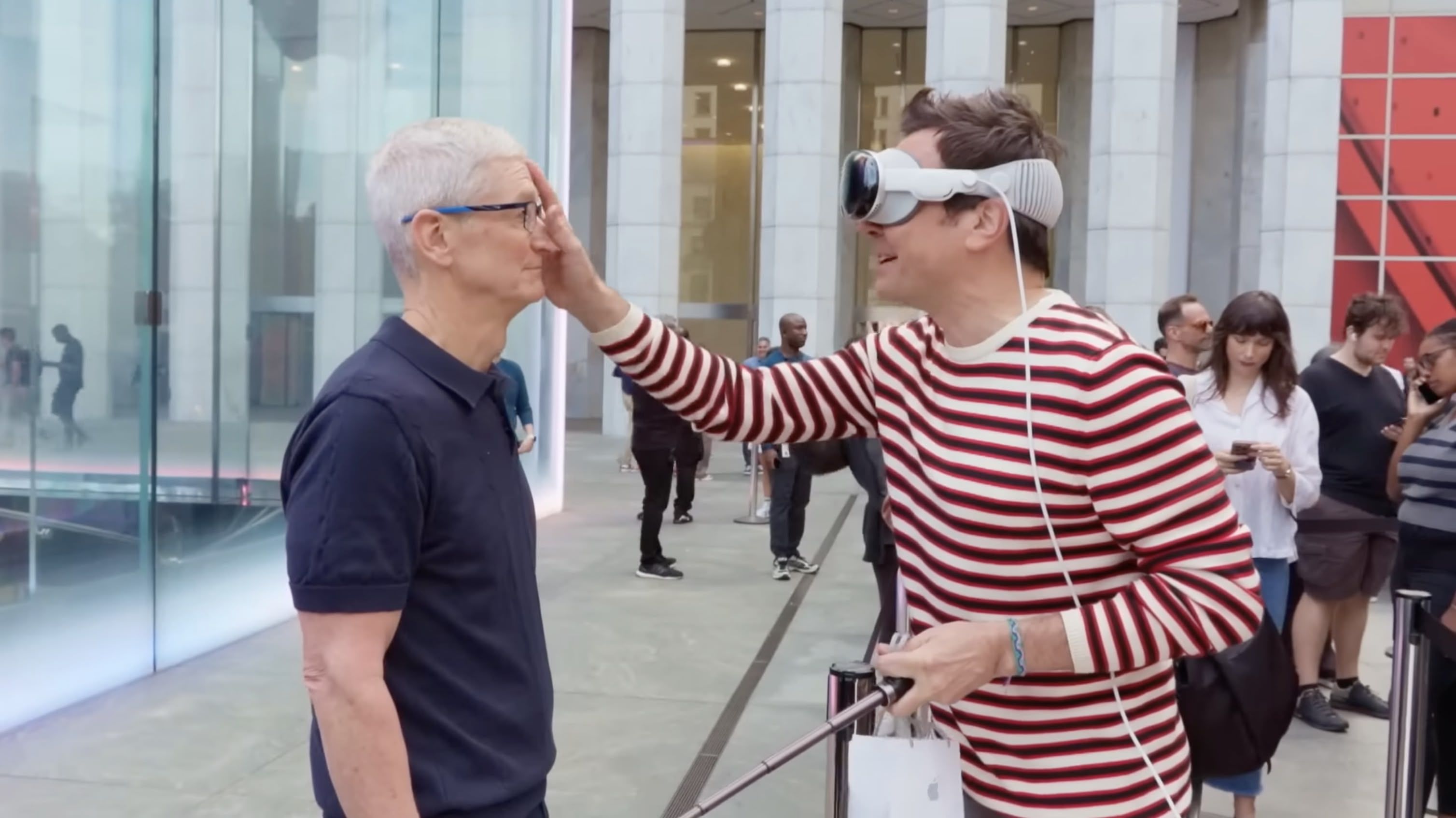
In a lighthearted walk-and-talk around New York City, The Tonight Show's Jimmy Fallon caught up with Apple CEO Tim Cook on Friday to chat about the new iPhone 16 and Cook's love for the iconic Fifth Avenue Apple Store. Fallon – wearing Apple Vision Pro – met Cook with mock disbelief while picking up his new iPhone, with Cook personally handing him the device.
As they strolled to Apple's Upper East Side store, Cook explained that he tries to visit the Fifth Avenue location during every major launch. Fallon joked about Cook's rockstar-like reception from fans, but Cook humbly attributed it to people's love for Apple.
The two discussed Cook's 27-year journey at Apple, during which Cook admitted he never expected to become CEO. On the tech front, Cook expressed excitement about Apple Intelligence, which is set to begin rolling out next month. Cook talked up upcoming features like automatic email summarization and fun new creative tools such as Genmoji and Image Playground.
The chat ended on a playful note, with Fallon showing off his "psychic" skills by guessing Cook's mustard preference on hot dogs, before gifting him some New York-themed swag — though not all of it made the cut for Cook's local look. You can watch the five-minute walk-and-talk in the video embedded above.
Tag: Tim Cook
This article, "Tim Cook and Jimmy Fallon Talk iPhones and Hot Dog Predictions" first appeared on MacRumors.com
Discuss this article in our forums
MacRumors
Tim Cook and Jimmy Fallon Talk iPhones and Hot Dog Predictions
In a lighthearted walk-and-talk around New York City, The Tonight Show's Jimmy Fallon caught up with Apple CEO Tim Cook on Friday to chat abou...
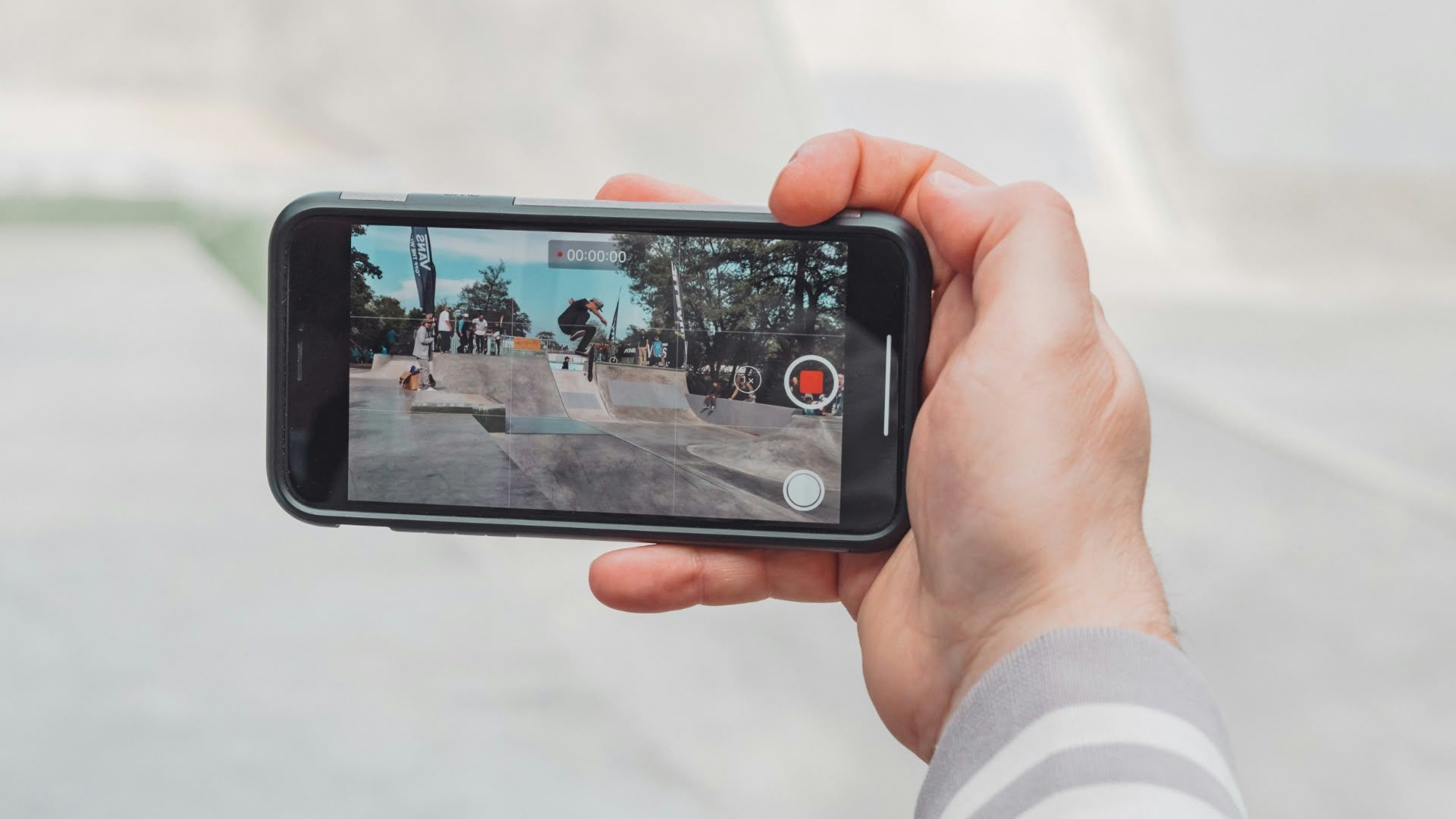
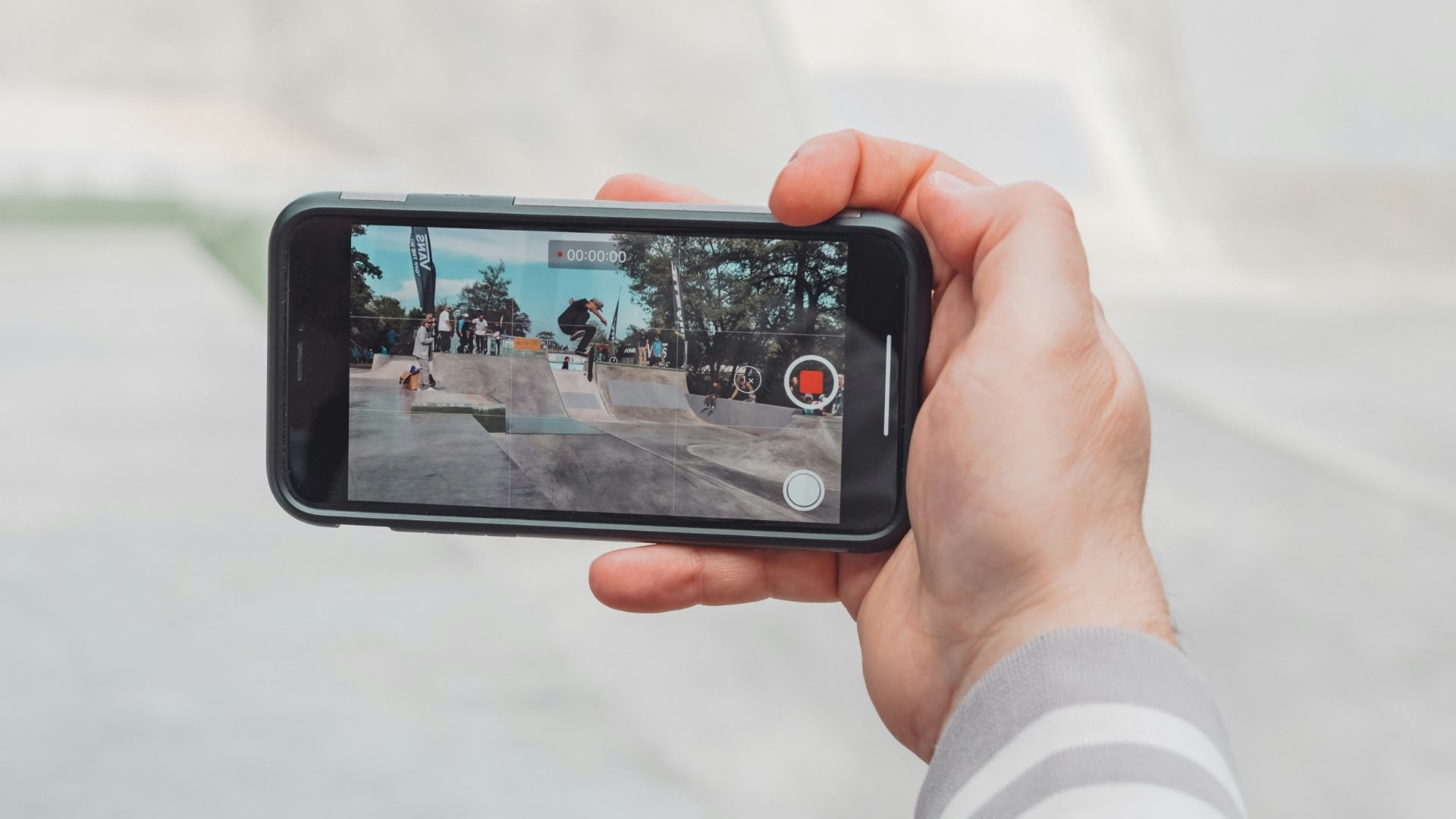 In iOS 18, Apple has introduced a new feature that allows you to continue playing audio from your iPhone's speakers while recording video in the Camera app. Whether you're creating a music video or simply want background music for your recordings, this new option offers you greater creative control over your iPhone videos.
Photo by Jan Kopřiva
Previously in iOS 17, starting a video recording would automatically pause any audio playback on your iPhone. However, iOS 18 allows you to change this behavior, thanks to a new Camera setting.
Here's how to enable audio playback during video recording in iOS 18:
Open the Settings app on your iPhone.
Scroll down and tap Camera.
Tap Record Sound.
Toggle on the Allow Audio Playback option.
Once enabled, your iPhone will no longer automatically pause audio when you start recording video in the Camera app. Bear in mind that when playing audio through your iPhone's speaker while recording, the audio will be captured in mono.
This article, "iOS 18: Capture iPhone Audio Playback When Shooting Video" first appeared on MacRumors.com
Discuss this article in our forums
In iOS 18, Apple has introduced a new feature that allows you to continue playing audio from your iPhone's speakers while recording video in the Camera app. Whether you're creating a music video or simply want background music for your recordings, this new option offers you greater creative control over your iPhone videos.
Photo by Jan Kopřiva
Previously in iOS 17, starting a video recording would automatically pause any audio playback on your iPhone. However, iOS 18 allows you to change this behavior, thanks to a new Camera setting.
Here's how to enable audio playback during video recording in iOS 18:
Open the Settings app on your iPhone.
Scroll down and tap Camera.
Tap Record Sound.
Toggle on the Allow Audio Playback option.
Once enabled, your iPhone will no longer automatically pause audio when you start recording video in the Camera app. Bear in mind that when playing audio through your iPhone's speaker while recording, the audio will be captured in mono.
This article, "iOS 18: Capture iPhone Audio Playback When Shooting Video" first appeared on MacRumors.com
Discuss this article in our forums
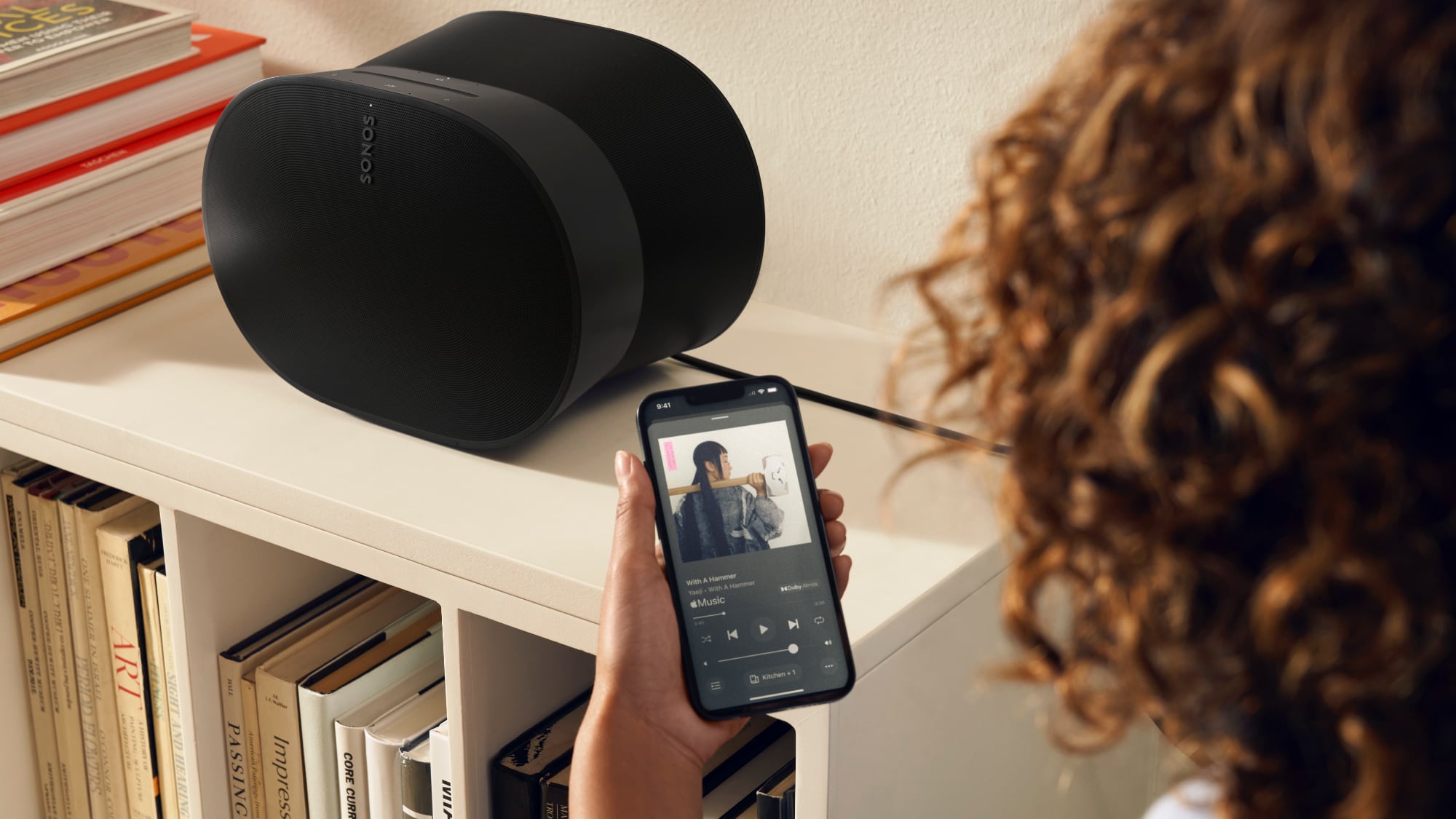 Back in May, Sonos launched a new version of its mobile app, and it's been wildly unpopular with Sonos customers because of ongoing bugs and the removal of several features. Today, Bloomberg delved into what went wrong at Sonos ahead of when the app launched, and why it came out anyway.
Sonos had to come out with a new app when it launched the Sonos Ace headphones because of "technical debt." The company basically spent time working on new features instead of updating outdated code written in obsolete languages, leading to infrastructure issues. Sonos put off addressing the underlying technical debt, but introducing the headphones required the Sonos app and the cloud setup behind it to be overhauled.
At the time the app was in development, Sonos laid off some of its employees to cut costs and also did some internal restructuring that was "causing chaos" by separating people who had worked together for years. As the app's launch approached, employees protested "forcefully," even resorting to yelling and screaming, because it was clear the app wasn't ready to launch.
Bloomberg that Sonos was prioritizing promises to investors and attracting new customers rather than ensuring equipment owned by longtime Sonos customers continued to work. One employee said they were afraid to push back further on the app's launch because it could lead to them losing their job.
Bloomberg that the app was delayed, from early 2024 to May 2024, and that there had been no "yelling" or "screaming" in meetings. Sonos apparently had a list of what it considered "essential" bugs that needed to be fixed pre-launch, but it decided that less critical bugs could wait until the app was released. "Our list of essential bugs, obviously, was not comprehensive enough," Lazarus told Bloomberg.
Sonos expects to miss its annual revenue target by $200 million after the app debacle. In August, it laid off some employees, and it told others that yearly bonuses and merit-based pay raises have been canceled.
apologized to Sonos customers in July and committed to regular updates to address bugs and add missing features. The company considered bringing back the old app as it worked on the new version, but it turned out that wasn't possible because of the updates made to the cloud servers.
decided to delay two upcoming product launches in 2024 to instead focus on improving the Sonos app, and the company has "pulled together the very best and most experienced engineers" that it has to work on the app until it is fixed.
Tag: Sonos
This article, "Sonos Execs Launched Ill-Received App Despite Employee Protests" first appeared on MacRumors.com
Discuss this article in our forums
Back in May, Sonos launched a new version of its mobile app, and it's been wildly unpopular with Sonos customers because of ongoing bugs and the removal of several features. Today, Bloomberg delved into what went wrong at Sonos ahead of when the app launched, and why it came out anyway.
Sonos had to come out with a new app when it launched the Sonos Ace headphones because of "technical debt." The company basically spent time working on new features instead of updating outdated code written in obsolete languages, leading to infrastructure issues. Sonos put off addressing the underlying technical debt, but introducing the headphones required the Sonos app and the cloud setup behind it to be overhauled.
At the time the app was in development, Sonos laid off some of its employees to cut costs and also did some internal restructuring that was "causing chaos" by separating people who had worked together for years. As the app's launch approached, employees protested "forcefully," even resorting to yelling and screaming, because it was clear the app wasn't ready to launch.
Bloomberg that Sonos was prioritizing promises to investors and attracting new customers rather than ensuring equipment owned by longtime Sonos customers continued to work. One employee said they were afraid to push back further on the app's launch because it could lead to them losing their job.
Bloomberg that the app was delayed, from early 2024 to May 2024, and that there had been no "yelling" or "screaming" in meetings. Sonos apparently had a list of what it considered "essential" bugs that needed to be fixed pre-launch, but it decided that less critical bugs could wait until the app was released. "Our list of essential bugs, obviously, was not comprehensive enough," Lazarus told Bloomberg.
Sonos expects to miss its annual revenue target by $200 million after the app debacle. In August, it laid off some employees, and it told others that yearly bonuses and merit-based pay raises have been canceled.
apologized to Sonos customers in July and committed to regular updates to address bugs and add missing features. The company considered bringing back the old app as it worked on the new version, but it turned out that wasn't possible because of the updates made to the cloud servers.
decided to delay two upcoming product launches in 2024 to instead focus on improving the Sonos app, and the company has "pulled together the very best and most experienced engineers" that it has to work on the app until it is fixed.
Tag: Sonos
This article, "Sonos Execs Launched Ill-Received App Despite Employee Protests" first appeared on MacRumors.com
Discuss this article in our forums
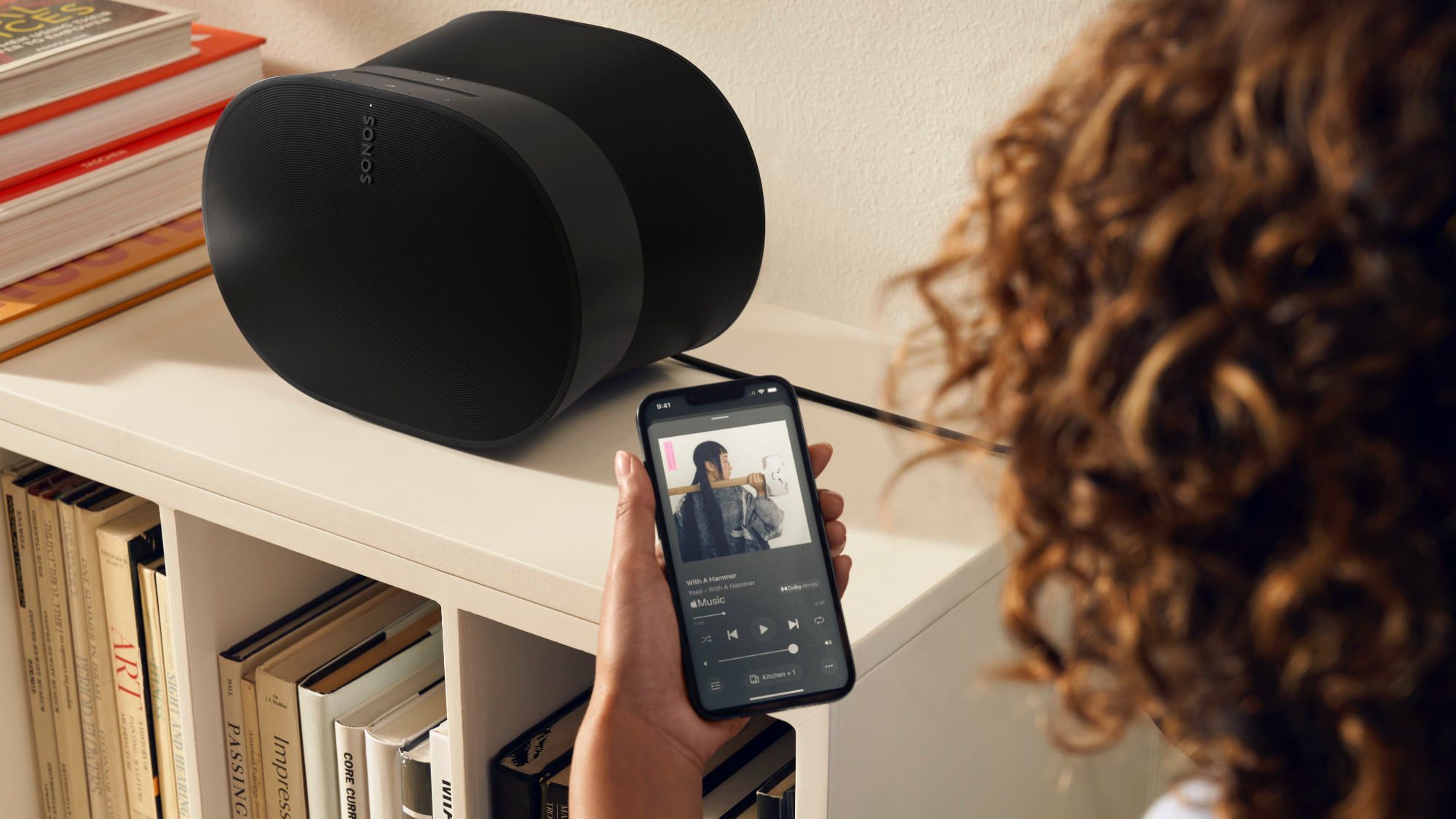
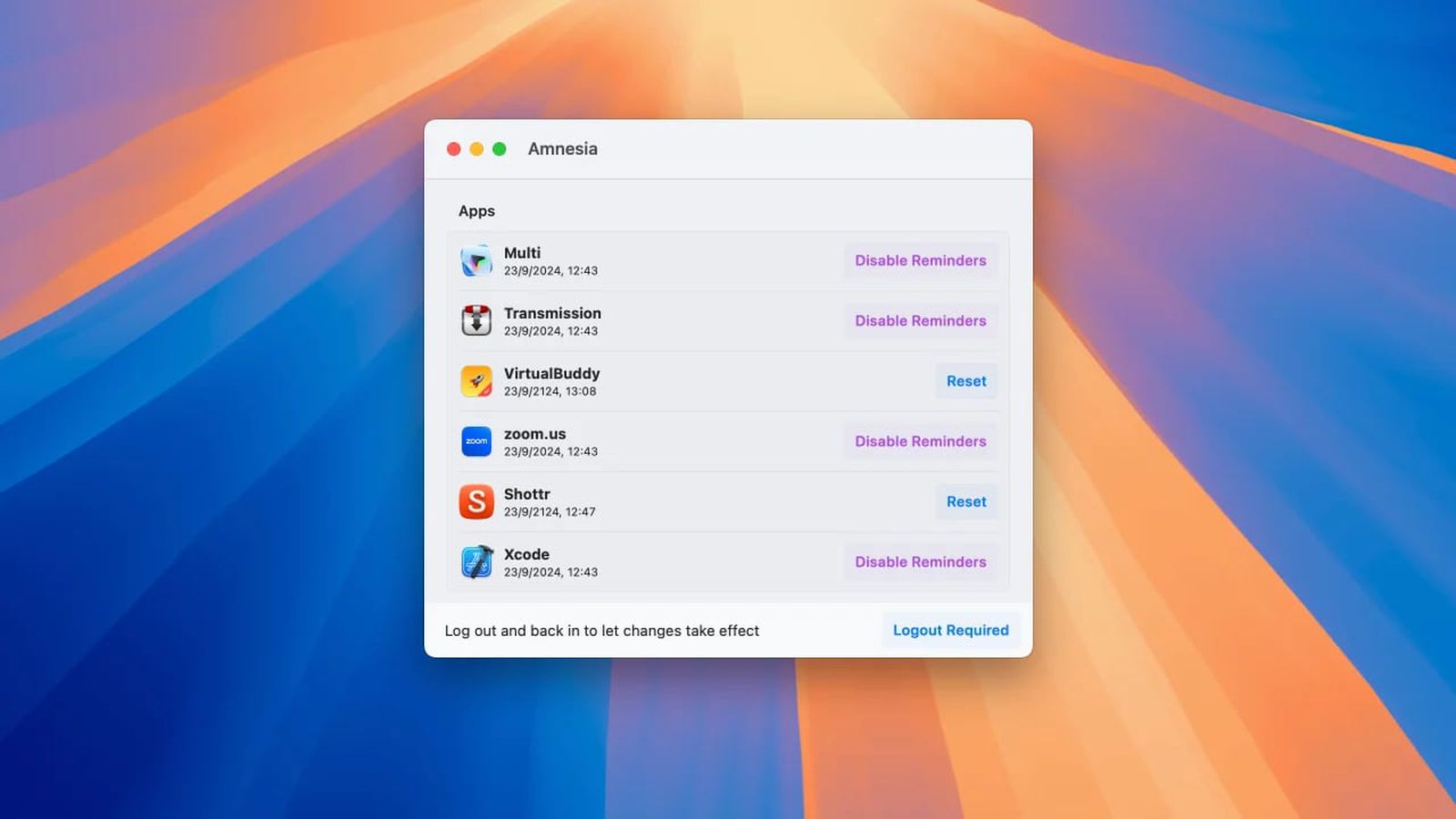
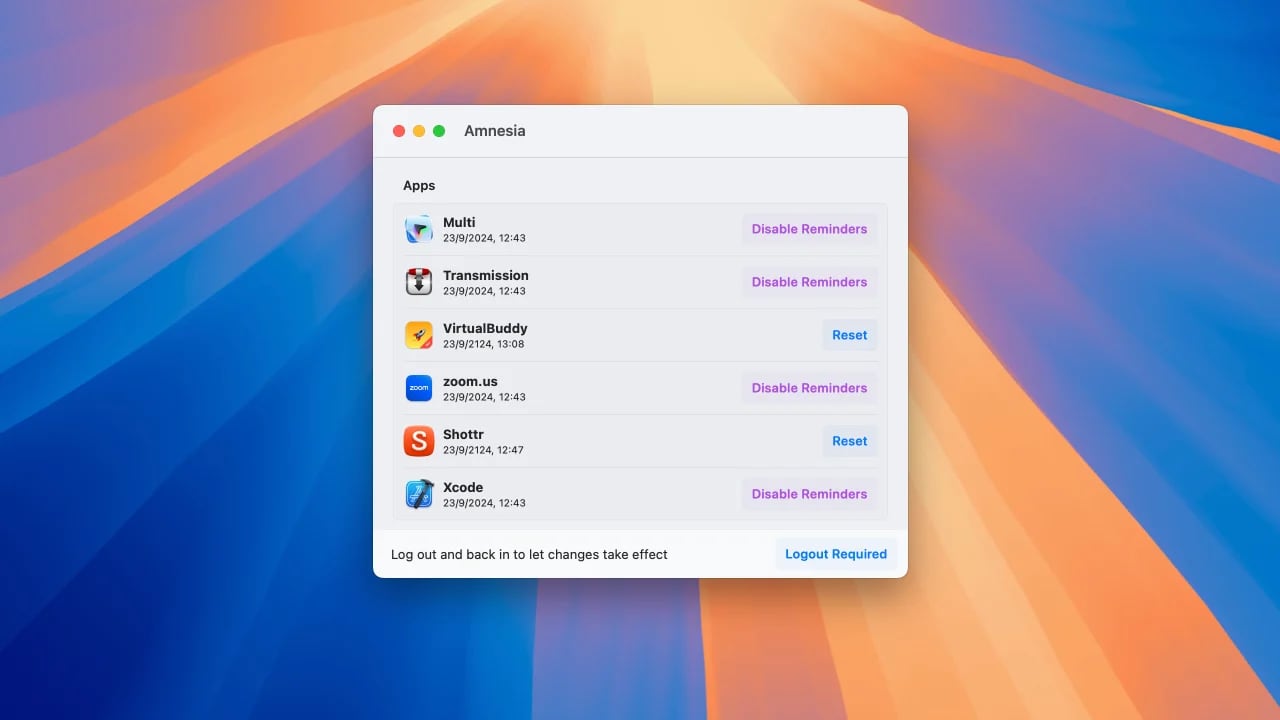 In macOS Sequoia, Apple requires users to regularly reauthorize permissions for screen recording apps, a change that has not been popular with some Mac app users. During the beta testing process, these reminders came up weekly, but later in the beta, Apple changed those reminders to monthly.
If you're someone who prefers not to get these reminders for screen recording apps at all, you can use the Amnesia app for the Mac to get rid of them. The app basically changes the .plist file for the screen capture app access feature, and it's a pay what you want situation.
can follow instructions shared by Jeff Johnson, known for Stop The Madness. Both Amnesia and the command line version of the fix require disabling reminders on an app by app basis, but it's a little more straightforward to do with the Amnesia app.
This article, "Amnesia App Offers Easy Way to Get Rid of Monthly Access Reminders for Screen Capture Apps" first appeared on MacRumors.com
Discuss this article in our forums
In macOS Sequoia, Apple requires users to regularly reauthorize permissions for screen recording apps, a change that has not been popular with some Mac app users. During the beta testing process, these reminders came up weekly, but later in the beta, Apple changed those reminders to monthly.
If you're someone who prefers not to get these reminders for screen recording apps at all, you can use the Amnesia app for the Mac to get rid of them. The app basically changes the .plist file for the screen capture app access feature, and it's a pay what you want situation.
can follow instructions shared by Jeff Johnson, known for Stop The Madness. Both Amnesia and the command line version of the fix require disabling reminders on an app by app basis, but it's a little more straightforward to do with the Amnesia app.
This article, "Amnesia App Offers Easy Way to Get Rid of Monthly Access Reminders for Screen Capture Apps" first appeared on MacRumors.com
Discuss this article in our forums
 YouTube is raising the cost of its Premium plan in multiple countries around the world, with the new pricing surfacing over the weekend (via Android Authority). Prices are up in Europe, South America, and and some countries in Asia and the Middle East.
Price hikes are being tracked over on Reddit, and so far customers in the following countries are being warned about higher prices: Belgium, Colombia, the Czech Republic, Denmark, Indonesia, Ireland, Italy, Malaysia, the Netherlands, Norway, Saudi Arabia, Singapore, Sweden, Switzerland, Thailand, and the United Arab Emirates.
The biggest single plan price increase is in Norway, where prices are up 42 percent. YouTube Premium in Norway used to cost approximately $11.33 per month, but now it is just over $16. In Sweden, the family plan now costs $27.38 per month, up from $17.57. On average, single person plans have increased 18 percent, while family plans are up 43 percent.
Many YouTube Premium customers affected by the price changes have said on Reddit that they plan to cancel given the significant increases to family plans.
Tag: YouTube
This article, "YouTube Raises Premium Prices in Over 15 Countries" first appeared on MacRumors.com
Discuss this article in our forums
YouTube is raising the cost of its Premium plan in multiple countries around the world, with the new pricing surfacing over the weekend (via Android Authority). Prices are up in Europe, South America, and and some countries in Asia and the Middle East.
Price hikes are being tracked over on Reddit, and so far customers in the following countries are being warned about higher prices: Belgium, Colombia, the Czech Republic, Denmark, Indonesia, Ireland, Italy, Malaysia, the Netherlands, Norway, Saudi Arabia, Singapore, Sweden, Switzerland, Thailand, and the United Arab Emirates.
The biggest single plan price increase is in Norway, where prices are up 42 percent. YouTube Premium in Norway used to cost approximately $11.33 per month, but now it is just over $16. In Sweden, the family plan now costs $27.38 per month, up from $17.57. On average, single person plans have increased 18 percent, while family plans are up 43 percent.
Many YouTube Premium customers affected by the price changes have said on Reddit that they plan to cancel given the significant increases to family plans.
Tag: YouTube
This article, "YouTube Raises Premium Prices in Over 15 Countries" first appeared on MacRumors.com
Discuss this article in our forums

 Apple today stopped signing iOS 17.6.1 and iPadOS 17.6.1 for all devices except the latest-generation iPad Pro models with the M4 chip.
Apple routinely stops signing older iOS releases over time in order to prevent users from downgrading to an outdated software version. iOS 17.6.1 no longer being signed comes one week after Apple released iOS 18 to the public.
iPadOS 18 has been temporary pulled for those devices.
Related Forums: iOS 17, iPadOS 17
This article, "Apple Prevents Downgrading to iOS 17.6.1 Following iOS 18 Release" first appeared on MacRumors.com
Discuss this article in our forums
Apple today stopped signing iOS 17.6.1 and iPadOS 17.6.1 for all devices except the latest-generation iPad Pro models with the M4 chip.
Apple routinely stops signing older iOS releases over time in order to prevent users from downgrading to an outdated software version. iOS 17.6.1 no longer being signed comes one week after Apple released iOS 18 to the public.
iPadOS 18 has been temporary pulled for those devices.
Related Forums: iOS 17, iPadOS 17
This article, "Apple Prevents Downgrading to iOS 17.6.1 Following iOS 18 Release" first appeared on MacRumors.com
Discuss this article in our forums
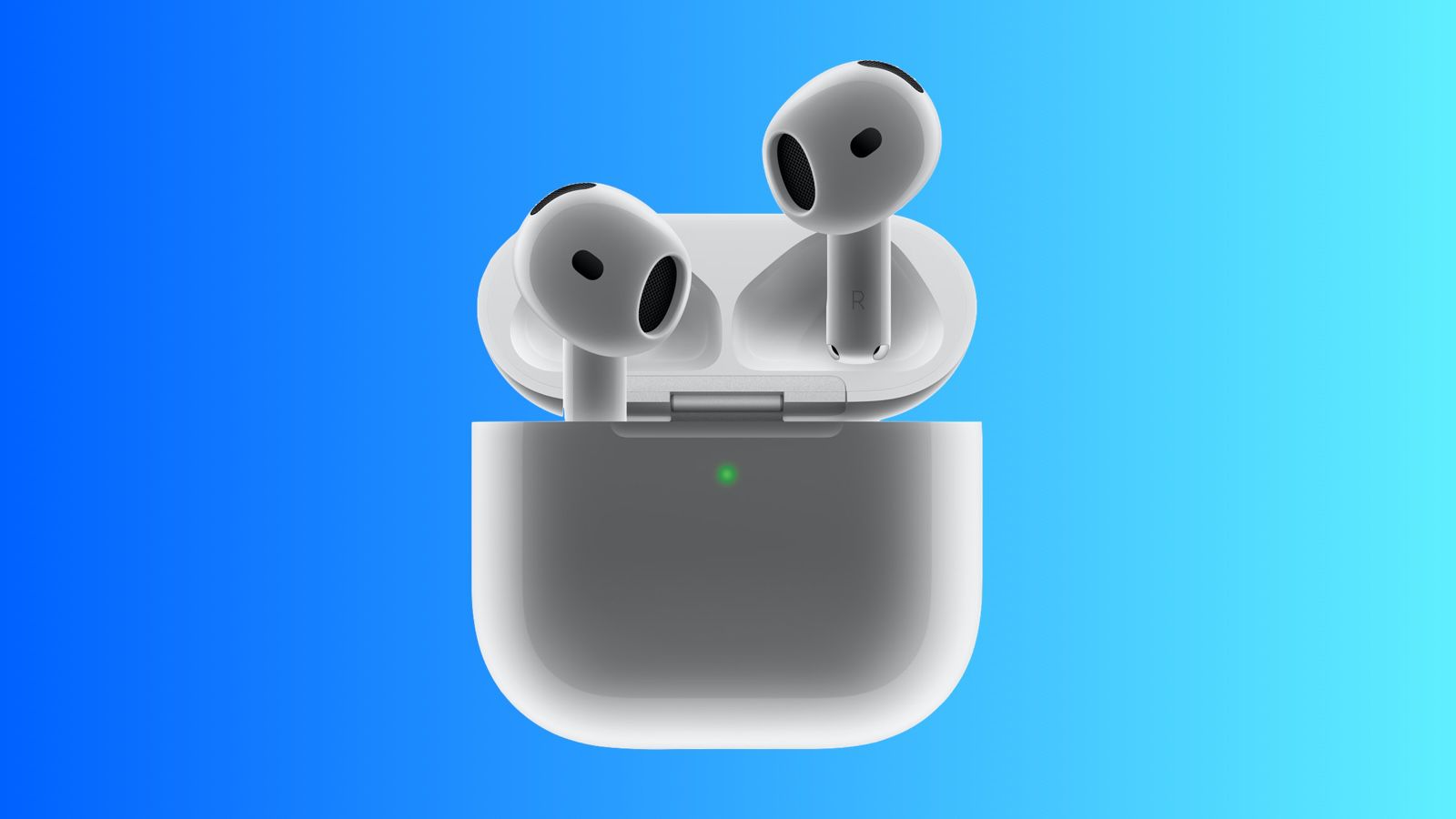
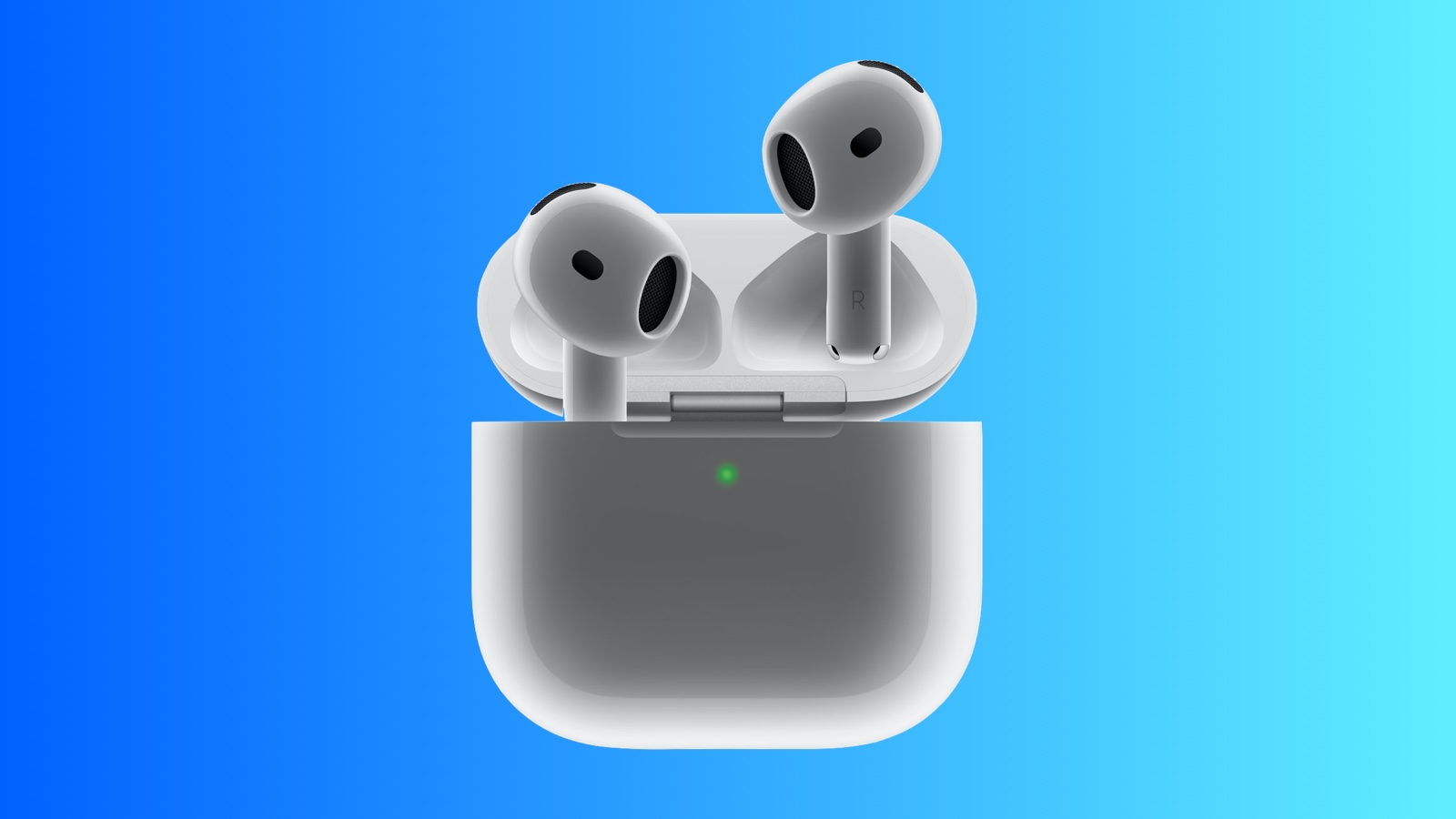 Just three days after their official launch, Apple's higher-tier AirPods 4 earbuds with Active Noise Cancellation (ANC) have received their first discount at Amazon, knocking $10 off their regular price to bring them down to $169.00. The cheaper model without Active Noise Cancellation has not yet been discounted and remains at its normal $129.00 price.
Note: MacRumors is an affiliate partner with Amazon. When you click a link and make a purchase, we may receive a small payment, which helps us keep the site running.
$10 OFF
AirPods 4 with ANC for $169.00
In addition to ANC-related features like Adaptive Audio, Transparency, and Conversation Awareness, the higher-tier AirPods 4 also add wireless charging capabilities and a speaker for Find My to the AirPods case.
The two models of the AirPods 4 launched this month as successors to the AirPods 2 and AirPods 3, offering a more comfortable fit, an H2 chip supporting improved audio capabilities, dust resistance, and more.
$189.99, but if you prefer the open-ear design of the regular AirPods and are looking to pick up a pair that supports ANC for the first time outside of the AirPods Pro and AirPods Max options, this is your first opportunity to save a few dollars.
Related Roundup: Apple Deals
This article, "AirPods 4 With Active Noise Cancellation Get First Discount at Amazon ($10 Off)" first appeared on MacRumors.com
Discuss this article in our forums
Just three days after their official launch, Apple's higher-tier AirPods 4 earbuds with Active Noise Cancellation (ANC) have received their first discount at Amazon, knocking $10 off their regular price to bring them down to $169.00. The cheaper model without Active Noise Cancellation has not yet been discounted and remains at its normal $129.00 price.
Note: MacRumors is an affiliate partner with Amazon. When you click a link and make a purchase, we may receive a small payment, which helps us keep the site running.
$10 OFF
AirPods 4 with ANC for $169.00
In addition to ANC-related features like Adaptive Audio, Transparency, and Conversation Awareness, the higher-tier AirPods 4 also add wireless charging capabilities and a speaker for Find My to the AirPods case.
The two models of the AirPods 4 launched this month as successors to the AirPods 2 and AirPods 3, offering a more comfortable fit, an H2 chip supporting improved audio capabilities, dust resistance, and more.
$189.99, but if you prefer the open-ear design of the regular AirPods and are looking to pick up a pair that supports ANC for the first time outside of the AirPods Pro and AirPods Max options, this is your first opportunity to save a few dollars.
Related Roundup: Apple Deals
This article, "AirPods 4 With Active Noise Cancellation Get First Discount at Amazon ($10 Off)" first appeared on MacRumors.com
Discuss this article in our forums
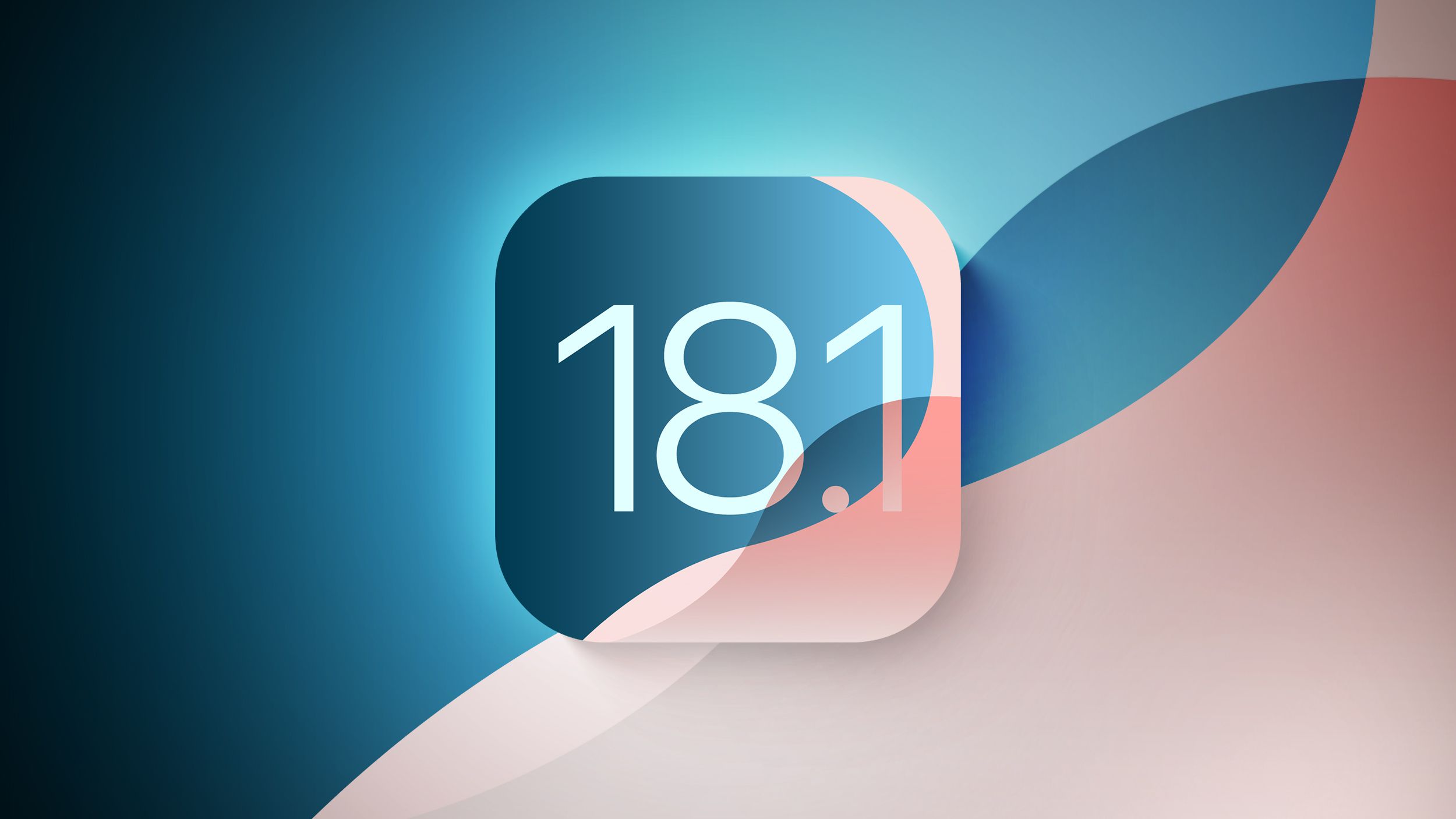
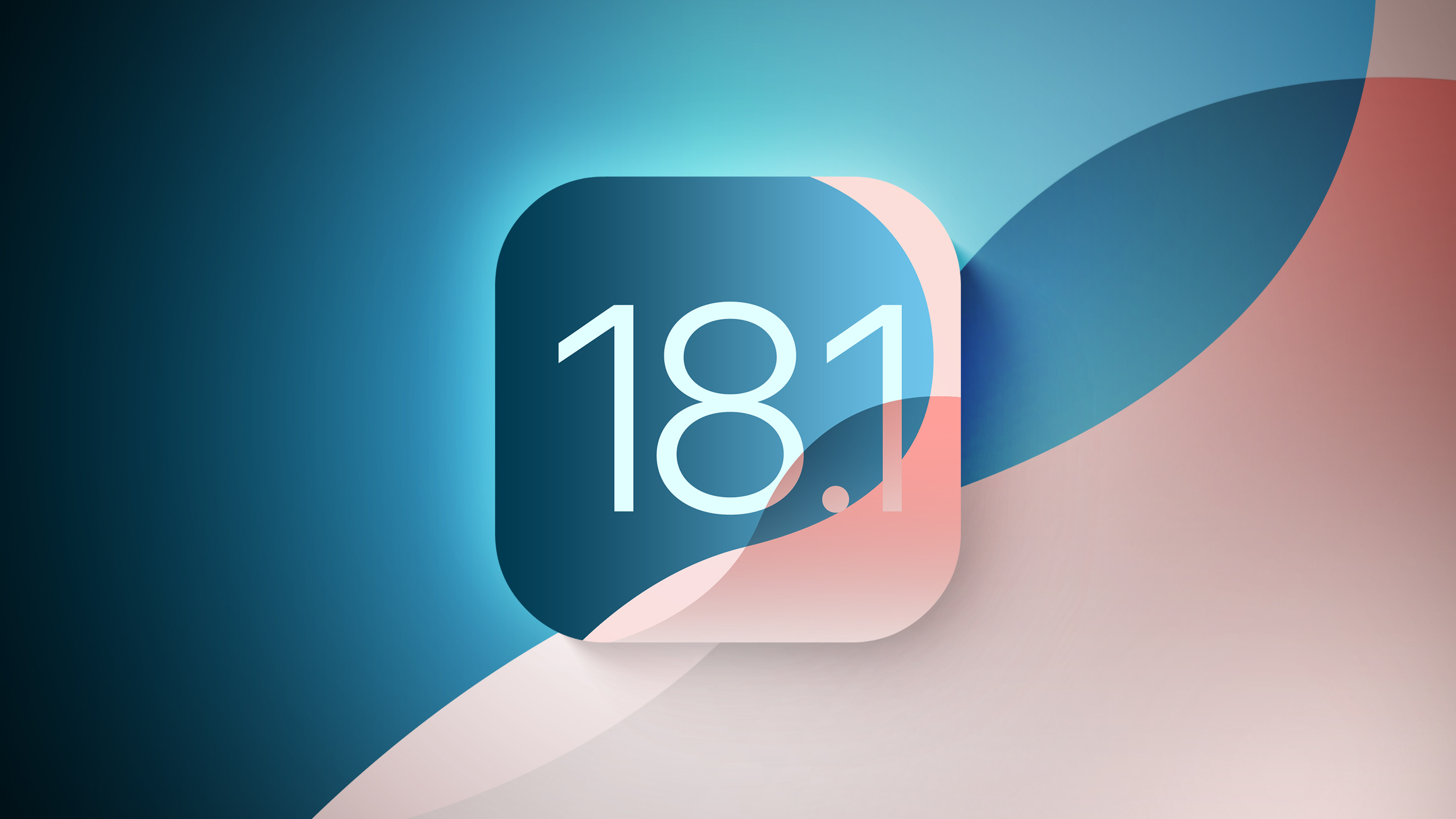 iOS 18 was released to the public earlier this month, but the first Apple Intelligence features will not be available until iOS 18.1.
Below, we outline when to expect iOS 18.1 to be released.
iOS 18.1: Apple Intelligence
Here are some of the key Apple Intelligence features in the iOS 18.1 beta so far:
A few Siri enhancements, including improved understanding for both follow-up requests and when you stumble over your words
Writing tools for rewriting, summarizing, and proofreading text
Notification summaries for Messages, Mail, and many other apps
Suggested replies in the Messages and Mail apps
A new "Clean Up" tool in the Photos app that can remove unwanted people or objects from photos and use generative AI to fill in the background
The ability to create a Memories movie in the Photos app by typing a description
Phone call recording and transcription
A new Focus mode called Reduce Interruptions that surfaces important notifications only
See our full list of Apple Intelligence features included in the iOS 18.1 beta for even more.
additional languages on a gradual basis between iOS 18.2 and iOS 18.4.
iOS 18.1: Release Timing
During its iPhone 16 event earlier this month, Apple confirmed that iOS 18.1 will be released in October, but it did not provide a specific day.
Based on the timing of previous updates, iOS 18.1 will likely be released in late October:
iOS 17.1: October 25, 2023
iOS 16.1: October 24, 2022
iOS 15.1: October 25, 2021
iOS 14.1: October 20, 2020
iOS 18.1: Compatible iPhones
same iPhone models as iOS 17 does, but Apple Intelligence requires an iPhone 15 Pro, iPhone 15 Pro Max, or any iPhone 16 model.
This article, "When Will iOS 18.1 With Apple Intelligence Be Released?" first appeared on MacRumors.com
Discuss this article in our forums
iOS 18 was released to the public earlier this month, but the first Apple Intelligence features will not be available until iOS 18.1.
Below, we outline when to expect iOS 18.1 to be released.
iOS 18.1: Apple Intelligence
Here are some of the key Apple Intelligence features in the iOS 18.1 beta so far:
A few Siri enhancements, including improved understanding for both follow-up requests and when you stumble over your words
Writing tools for rewriting, summarizing, and proofreading text
Notification summaries for Messages, Mail, and many other apps
Suggested replies in the Messages and Mail apps
A new "Clean Up" tool in the Photos app that can remove unwanted people or objects from photos and use generative AI to fill in the background
The ability to create a Memories movie in the Photos app by typing a description
Phone call recording and transcription
A new Focus mode called Reduce Interruptions that surfaces important notifications only
See our full list of Apple Intelligence features included in the iOS 18.1 beta for even more.
additional languages on a gradual basis between iOS 18.2 and iOS 18.4.
iOS 18.1: Release Timing
During its iPhone 16 event earlier this month, Apple confirmed that iOS 18.1 will be released in October, but it did not provide a specific day.
Based on the timing of previous updates, iOS 18.1 will likely be released in late October:
iOS 17.1: October 25, 2023
iOS 16.1: October 24, 2022
iOS 15.1: October 25, 2021
iOS 14.1: October 20, 2020
iOS 18.1: Compatible iPhones
same iPhone models as iOS 17 does, but Apple Intelligence requires an iPhone 15 Pro, iPhone 15 Pro Max, or any iPhone 16 model.
This article, "When Will iOS 18.1 With Apple Intelligence Be Released?" first appeared on MacRumors.com
Discuss this article in our forums
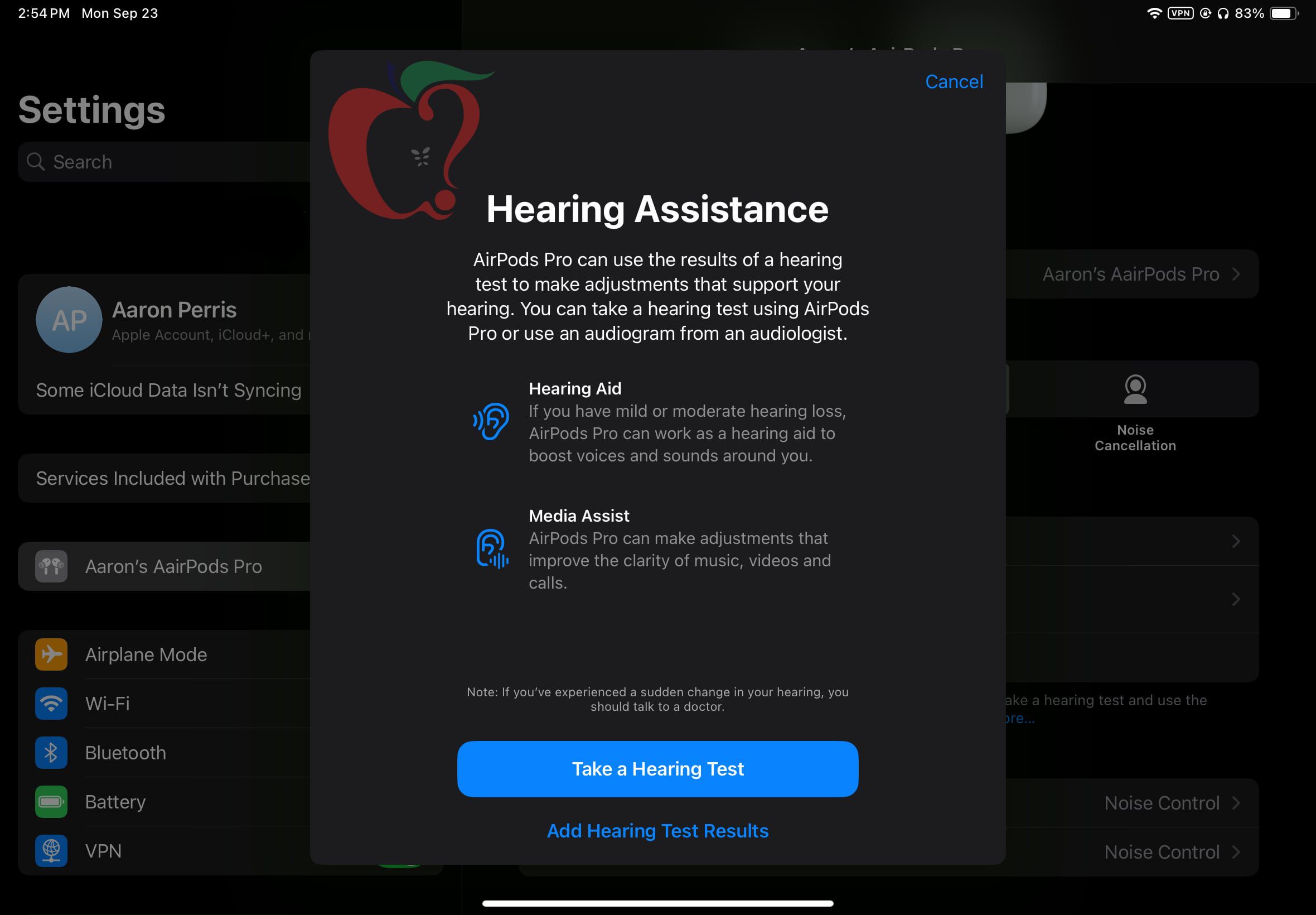
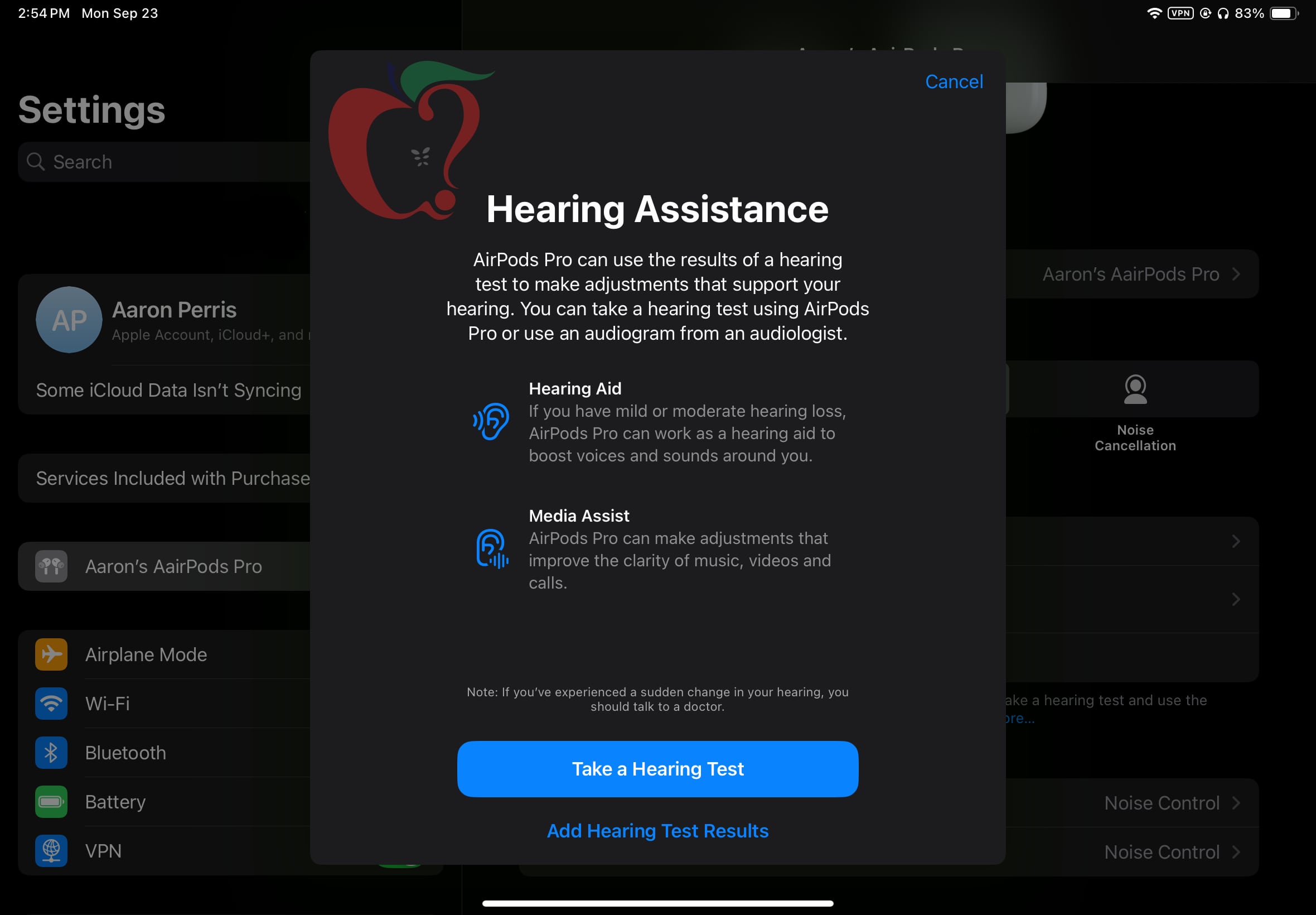 Apple is working behind the scenes to get ready to introduce Hearing Assistance functionality to the AirPods Pro 2. The latest iOS 18.1 beta does not have the feature enabled at the current time, but it is hidden in the update and Apple could potentially activate it in a future iOS 18.1 beta.
We were able to access the hidden AirPods Pro 2 Hearing Assistance feature set in the fifth iOS 18.1 and iPadOS 18.1 betas, and we tested it out.
When Hearing Assistance launches, users will be prompted to take a hearing test or upload an audiogram from an audiologist. Apple says the results will be used to turn on a hearing aid feature for those with mild to moderate hearing loss, but for all users, it can be used to make sound adjustments to improve music, video, and call clarity.
The test takes approximately five minutes to do, and it prompts users to tap the screen each time they hear a tone. The AirPods Pro 2 are only recommended for mild to moderate hearing loss, and those with more serious hearing loss likely won't be able to use the Hearing Aid feature.
After the hearing test, users will have the option to turn on the Hearing Aid option if it is required. Hearing Aid adjusts the voices and sounds around the user to account for the tones and frequencies that are not able to be heard.
Apple has already received FDA authorization for the AirPods Pro 2 to function as an over-the-counter hearing aid, and it could be rolled out at any time. Apple has said the feature will come out this fall, so it would make sense for it to be introduced in a future iOS 18.1 beta.
Related Roundup: AirPods Pro
Buyer's Guide: AirPods Pro (Neutral)
Related Forum: AirPods
This article, "Apple Gearing Up to Add Hearing Aid Feature to AirPods Pro 2" first appeared on MacRumors.com
Discuss this article in our forums
Apple is working behind the scenes to get ready to introduce Hearing Assistance functionality to the AirPods Pro 2. The latest iOS 18.1 beta does not have the feature enabled at the current time, but it is hidden in the update and Apple could potentially activate it in a future iOS 18.1 beta.
We were able to access the hidden AirPods Pro 2 Hearing Assistance feature set in the fifth iOS 18.1 and iPadOS 18.1 betas, and we tested it out.
When Hearing Assistance launches, users will be prompted to take a hearing test or upload an audiogram from an audiologist. Apple says the results will be used to turn on a hearing aid feature for those with mild to moderate hearing loss, but for all users, it can be used to make sound adjustments to improve music, video, and call clarity.
The test takes approximately five minutes to do, and it prompts users to tap the screen each time they hear a tone. The AirPods Pro 2 are only recommended for mild to moderate hearing loss, and those with more serious hearing loss likely won't be able to use the Hearing Aid feature.
After the hearing test, users will have the option to turn on the Hearing Aid option if it is required. Hearing Aid adjusts the voices and sounds around the user to account for the tones and frequencies that are not able to be heard.
Apple has already received FDA authorization for the AirPods Pro 2 to function as an over-the-counter hearing aid, and it could be rolled out at any time. Apple has said the feature will come out this fall, so it would make sense for it to be introduced in a future iOS 18.1 beta.
Related Roundup: AirPods Pro
Buyer's Guide: AirPods Pro (Neutral)
Related Forum: AirPods
This article, "Apple Gearing Up to Add Hearing Aid Feature to AirPods Pro 2" first appeared on MacRumors.com
Discuss this article in our forums
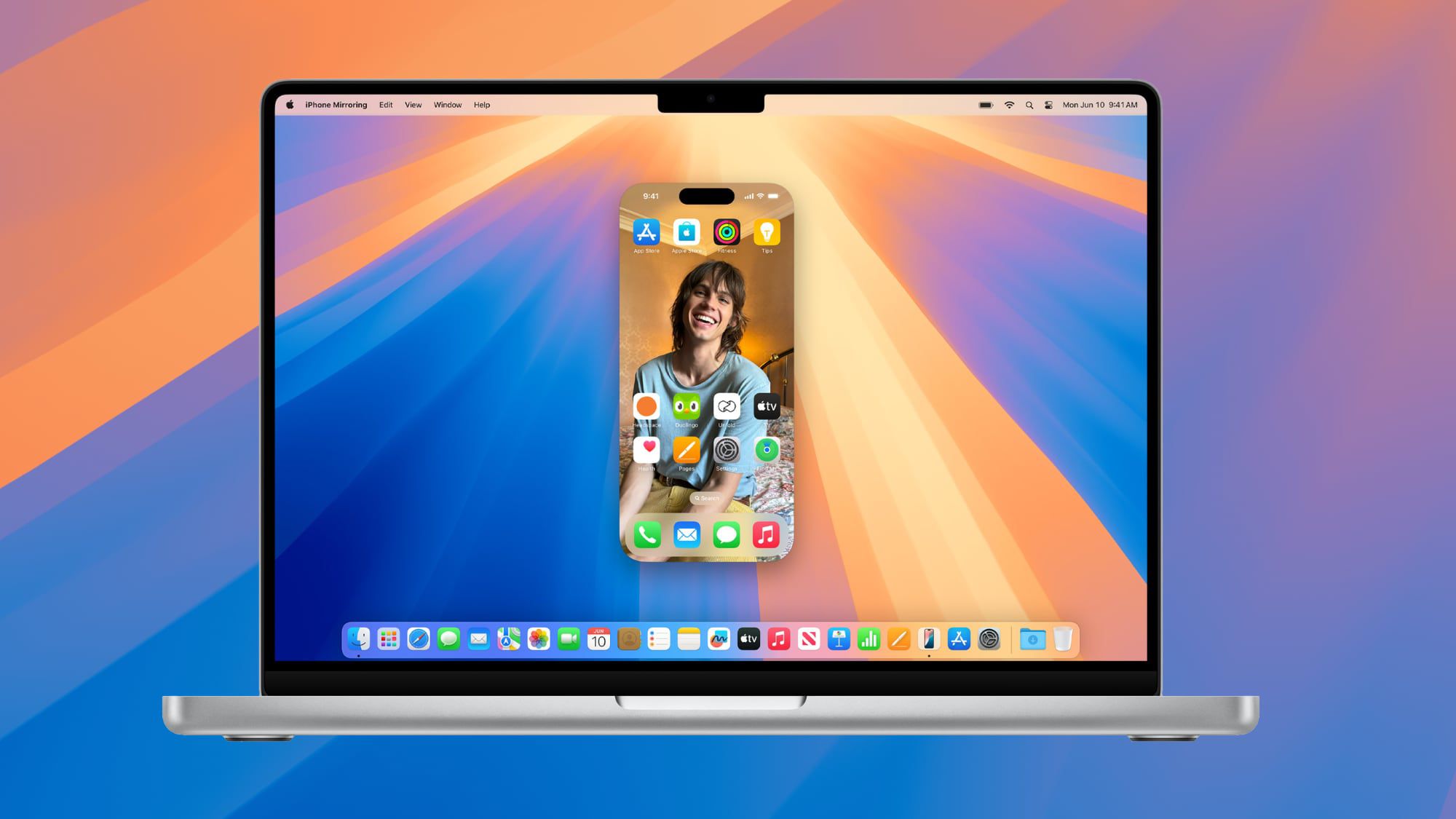
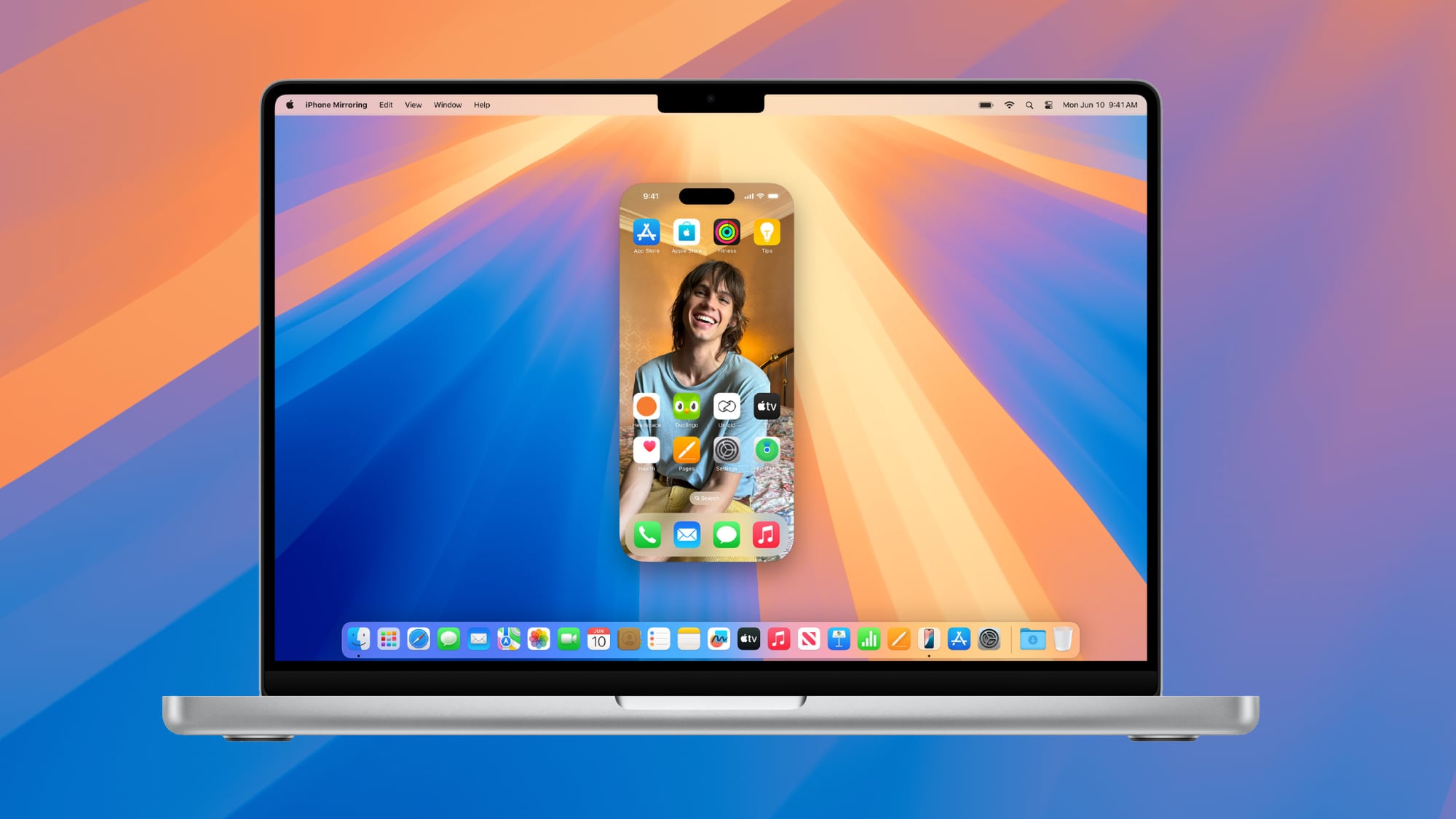 With macOS 15.1 and iOS 18.1 beta 5, Apple has enabled drag and drop, a much anticipated iPhone Mirroring feature. After updating to the new software, you can drag files from an iPhone to a Mac and vice versa.
iPhone Mirroring makes it simple to move files from one device to another because it works even when the iPhone is locked and charging. To use the feature, update to the fifth macOS 15.1 and iOS 18.1 betas and then activate iPhone Mirroring.
Photos app on the iPhone, it'll transfer over. If you want to transfer a PDF, just open the Files app and then drag the PDF from the Mac to the iPhone. Dragging a file from iPhone to Mac works in much the same way, you simply drag it over where you want it.
The new iPhone Mirroring feature is active in the developer beta now, and public beta testers should be able to try it out later this week. iOS 18.1 and macOS Sequoia 15.1 are expected to see a public launch in October.
Related Roundups: iOS 18, iPadOS 18, macOS Sequoia
Related Forums: iOS 18, iPadOS 18, macOS Sequoia
This article, "Drag and Drop Files Now Work With iPhone Mirroring in Latest macOS Sequoia 15.1 and iOS 18.1 Betas" first appeared on MacRumors.com
Discuss this article in our forums
With macOS 15.1 and iOS 18.1 beta 5, Apple has enabled drag and drop, a much anticipated iPhone Mirroring feature. After updating to the new software, you can drag files from an iPhone to a Mac and vice versa.
iPhone Mirroring makes it simple to move files from one device to another because it works even when the iPhone is locked and charging. To use the feature, update to the fifth macOS 15.1 and iOS 18.1 betas and then activate iPhone Mirroring.
Photos app on the iPhone, it'll transfer over. If you want to transfer a PDF, just open the Files app and then drag the PDF from the Mac to the iPhone. Dragging a file from iPhone to Mac works in much the same way, you simply drag it over where you want it.
The new iPhone Mirroring feature is active in the developer beta now, and public beta testers should be able to try it out later this week. iOS 18.1 and macOS Sequoia 15.1 are expected to see a public launch in October.
Related Roundups: iOS 18, iPadOS 18, macOS Sequoia
Related Forums: iOS 18, iPadOS 18, macOS Sequoia
This article, "Drag and Drop Files Now Work With iPhone Mirroring in Latest macOS Sequoia 15.1 and iOS 18.1 Betas" first appeared on MacRumors.com
Discuss this article in our forums
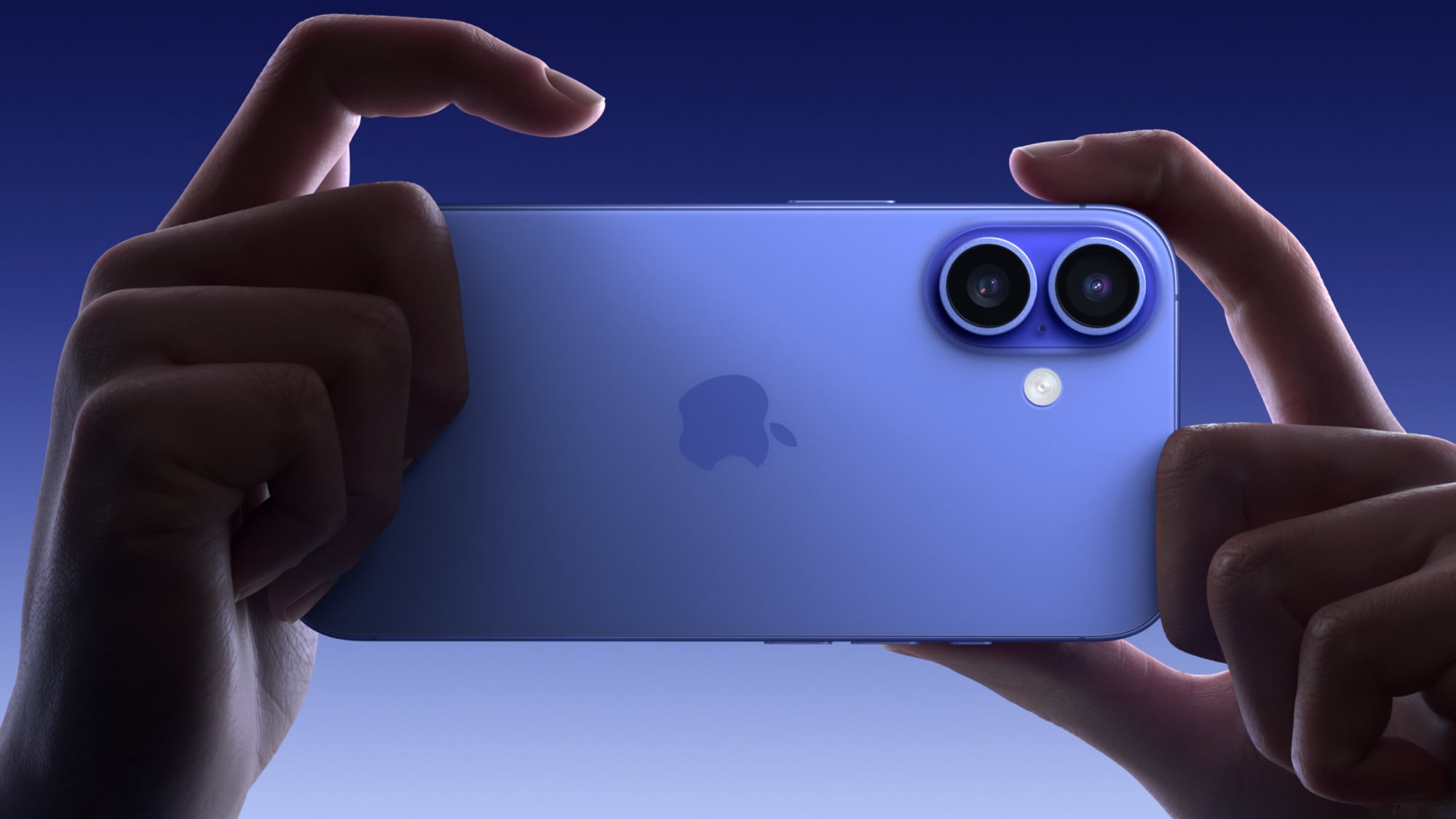 With the fifth beta of iOS 18.1, Apple has made a small tweak to the Camera Control button that was introduced on the iPhone 16, iPhone 16 Plus, iPhone 16 Pro, and iPhone 16 Pro Max.
When you dig into the Camera Control settings, there is now a way to set it to the front-facing camera without having to interact with the iPhone's display.
To get to the selfie camera, open up the Camera app with a press on the Camera Control button, and then use a swipe gesture on the button to scroll through the lenses. The person icon at the very top swaps to the front-facing selfie camera.
Note that if you have Camera Control set to a different setting, you will need to open up the Camera app, activate Camera Control, and then tap on the screen to swap tools. The selfie camera and lens options are under the "Cameras" heading. The last tool you used will be the tool Camera Control opens with.
Related Roundups: iPhone 16, iPhone 16 Pro
Buyer's Guide: iPhone 16 (Buy Now), iPhone 16 Pro (Buy Now)
This article, "iOS 18.1 Beta 5 Adds New Selfie Option for Camera Control" first appeared on MacRumors.com
Discuss this article in our forums
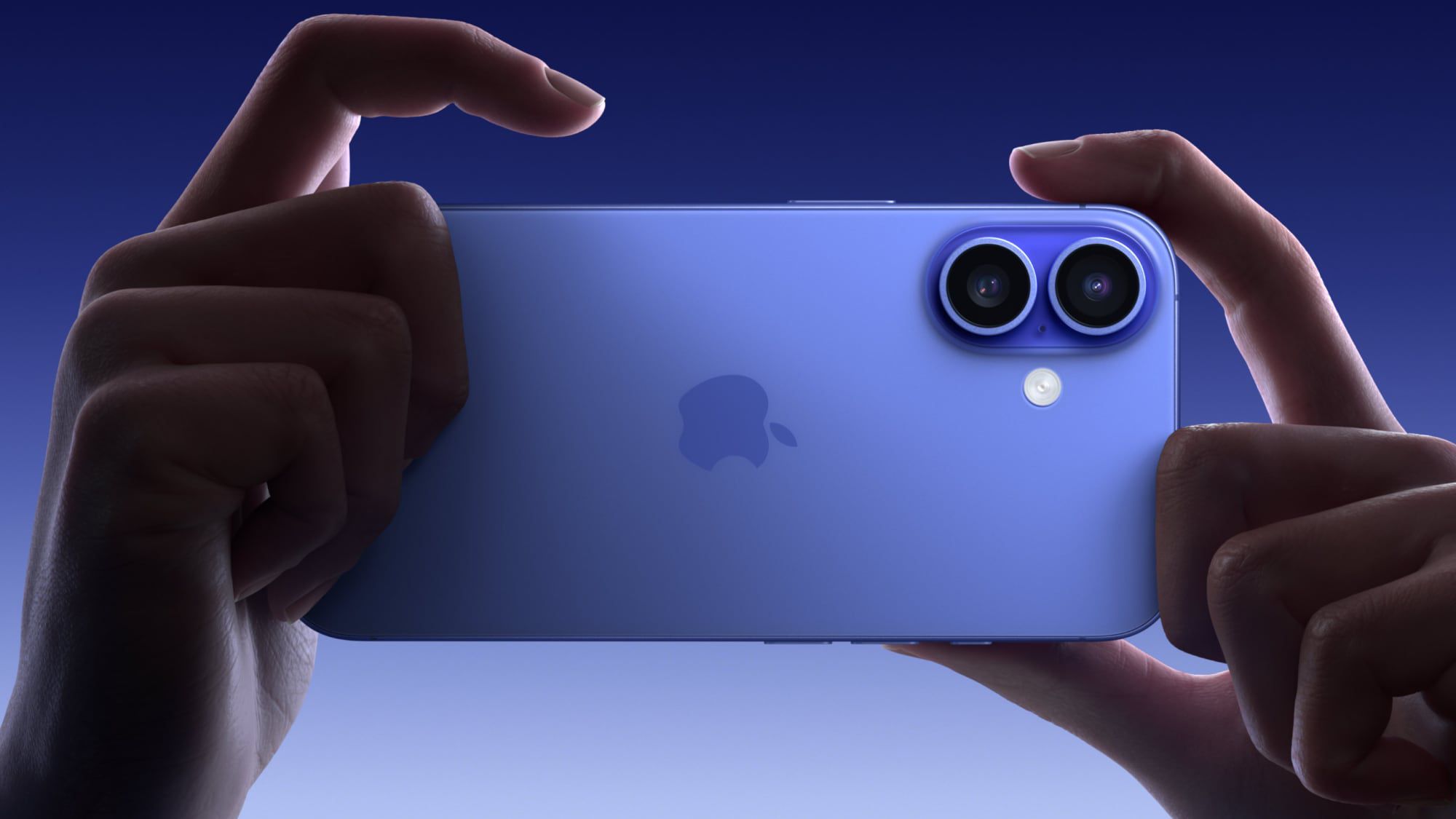
With the fifth beta of iOS 18.1, Apple has made a small tweak to the Camera Control button that was introduced on the iPhone 16, iPhone 16 Plus, iPhone 16 Pro, and iPhone 16 Pro Max.
When you dig into the Camera Control settings, there is now a way to set it to the front-facing camera without having to interact with the iPhone's display.
To get to the selfie camera, open up the Camera app with a press on the Camera Control button, and then use a swipe gesture on the button to scroll through the lenses. The person icon at the very top swaps to the front-facing selfie camera.
Note that if you have Camera Control set to a different setting, you will need to open up the Camera app, activate Camera Control, and then tap on the screen to swap tools. The selfie camera and lens options are under the "Cameras" heading. The last tool you used will be the tool Camera Control opens with.
Related Roundups: iPhone 16, iPhone 16 Pro
Buyer's Guide: iPhone 16 (Buy Now), iPhone 16 Pro (Buy Now)
This article, "iOS 18.1 Beta 5 Adds New Selfie Option for Camera Control" first appeared on MacRumors.com
Discuss this article in our forums
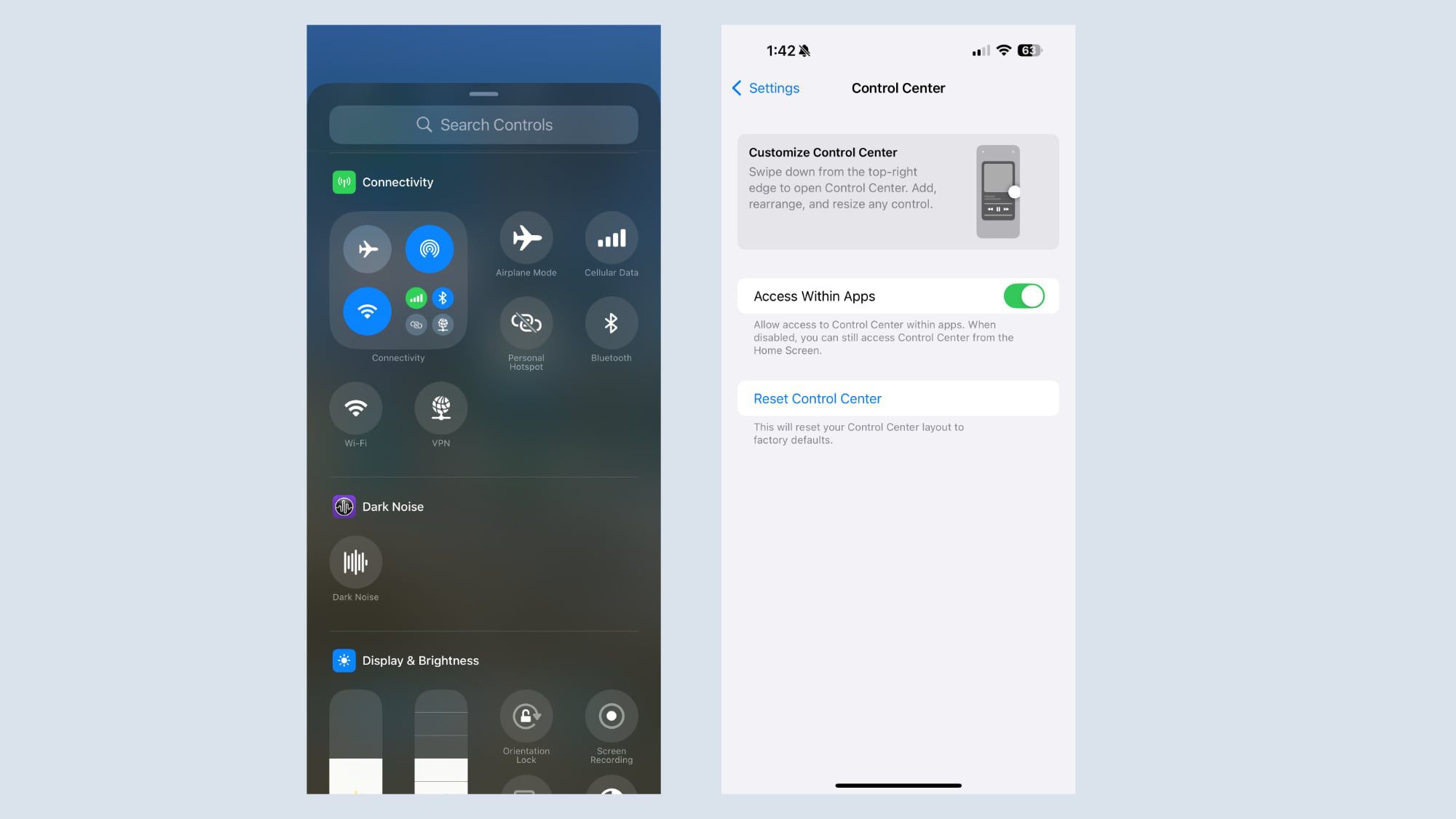
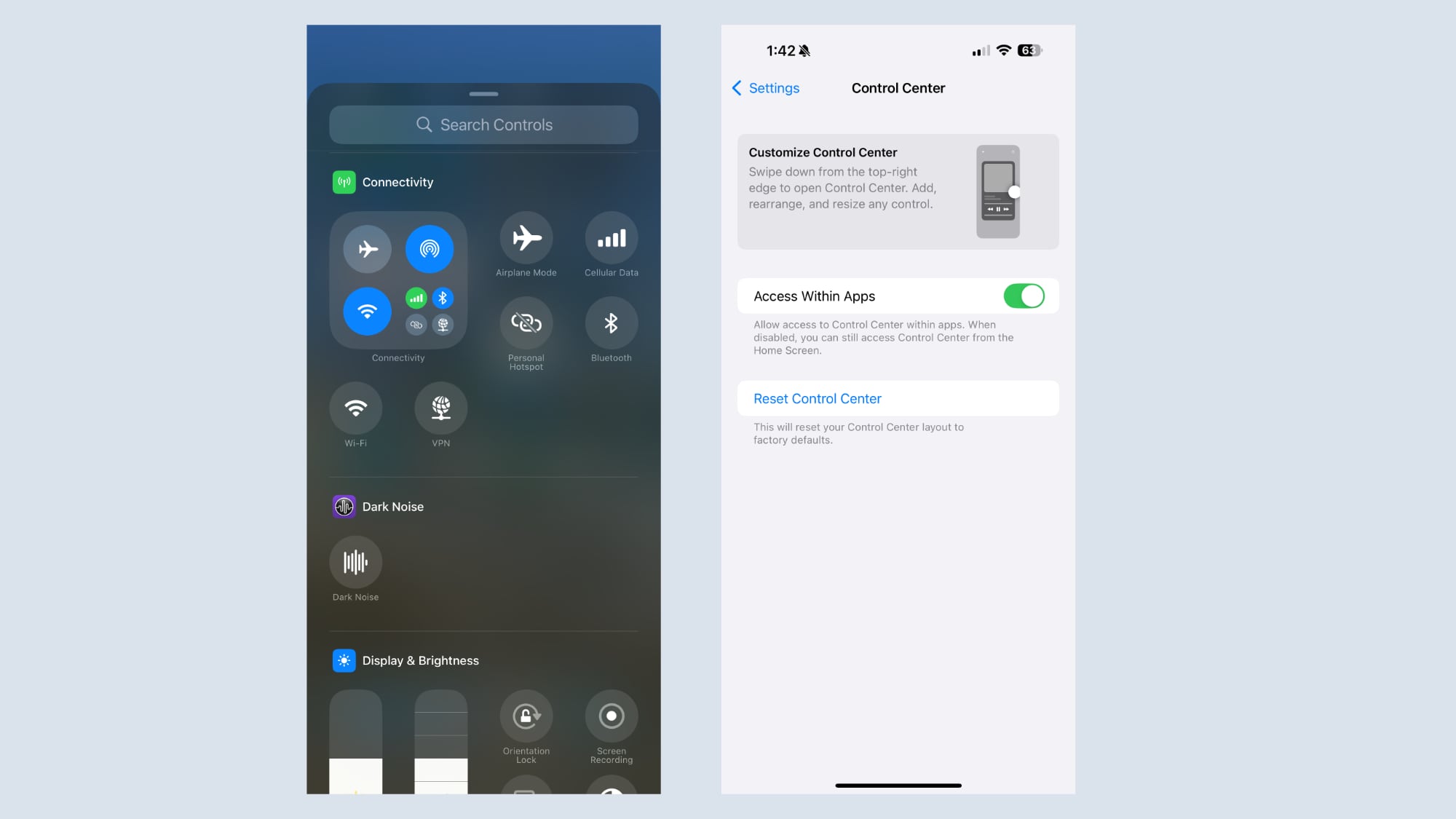 In the fifth beta of iOS 18.1, Apple has made some changes to the new customizable Control Center, refining it ahead of when iOS 18.1 is set to come out in October.
In the Control Center section of the Settings app, there is now an option to return to the default setup. If you make a bunch of confusing changes to Control Center and don't want to go through the trouble of moving everything around, you can now use the reset option to get back to the default options that Apple provides when installing iOS 18.
Apple has also added separate Control Center connectivity controls for Wi-Fi and VPN connectivity. In prior versions of iOS 18, these controls were baked into an all-in-one connectivity button, but now they can be added to the Control Center. The new Wi-Fi and VPN options cannot be added to the Lock Screen or the Action Button.
Related Roundups: iOS 18, iPadOS 18
Tag: Control Center
Related Forums: iOS 18, iPadOS 18
This article, "Latest iOS 18.1 Beta Adds Control Center Reset and New Connectivity Options" first appeared on MacRumors.com
Discuss this article in our forums
In the fifth beta of iOS 18.1, Apple has made some changes to the new customizable Control Center, refining it ahead of when iOS 18.1 is set to come out in October.
In the Control Center section of the Settings app, there is now an option to return to the default setup. If you make a bunch of confusing changes to Control Center and don't want to go through the trouble of moving everything around, you can now use the reset option to get back to the default options that Apple provides when installing iOS 18.
Apple has also added separate Control Center connectivity controls for Wi-Fi and VPN connectivity. In prior versions of iOS 18, these controls were baked into an all-in-one connectivity button, but now they can be added to the Control Center. The new Wi-Fi and VPN options cannot be added to the Lock Screen or the Action Button.
Related Roundups: iOS 18, iPadOS 18
Tag: Control Center
Related Forums: iOS 18, iPadOS 18
This article, "Latest iOS 18.1 Beta Adds Control Center Reset and New Connectivity Options" first appeared on MacRumors.com
Discuss this article in our forums
 Apple today provided developers with the fourth betas of iOS 18.1 and iPadOS 18.1 to continue testing Apple Intelligence features. The fifth betas come a week after Apple seeded the fourth iOS 18.1 and iPadOS 18.1 betas.
The updates can be downloaded from the Settings app on a compatible device by going to General > Software Update. Note that Apple Intelligence features still an iPhone 15 Pro or iPhone 16 to run.
Apple Intelligence includes Writing Tools that are available wherever text can be selected and edited, and it can be used for spell checking, fixing grammar, rewriting with a new tone, and summarizing text.
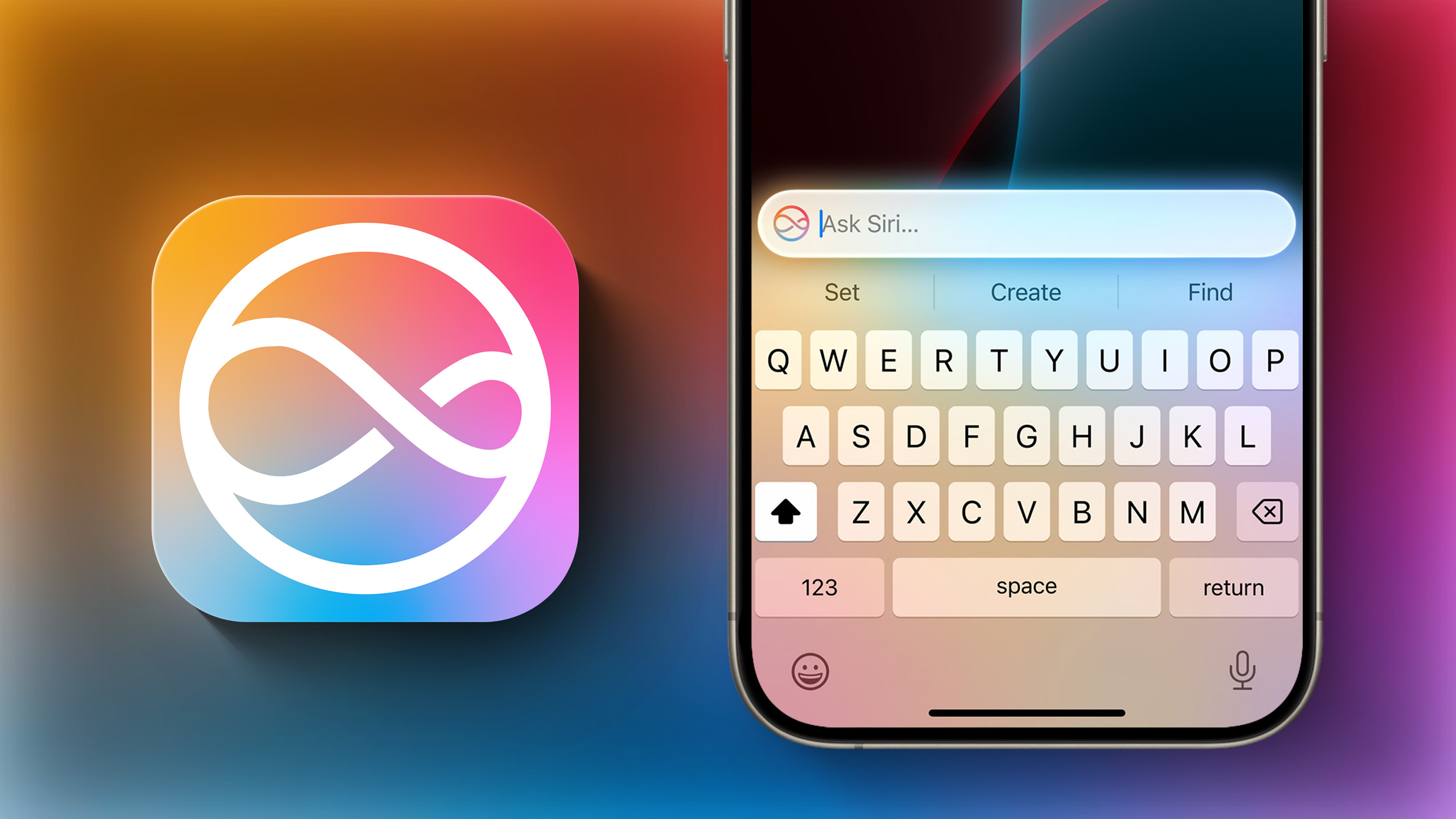
Siri has a new design with a subtle glow around the display, and there is a Type to Siri feature so you don't have to speak to Siri. Siri can follow along if you stumble over your words, and can maintain context between requests. Safari can summarize articles, and there's a new Reduce Interruptions Focus Mode.
Photos has a Memory Movie feature for creating slideshows based on text descriptions, and you can record, transcribe, and summarize phone calls. Transcription and summarization are also available for any audio recording.
found in our Apple Intelligence guide. Image Playground, Genmoji, and other new Siri features have not yet been implemented.
Related Roundups: iOS 18, iPadOS 18
Related Forums: iOS 18, iPadOS 18
This article, "Apple Seeds Fifth Developer Betas of iOS 18.1 and iPadOS 18.1 With Apple Intelligence" first appeared on MacRumors.com
Discuss this article in our forums
Apple today provided developers with the fourth betas of iOS 18.1 and iPadOS 18.1 to continue testing Apple Intelligence features. The fifth betas come a week after Apple seeded the fourth iOS 18.1 and iPadOS 18.1 betas.
The updates can be downloaded from the Settings app on a compatible device by going to General > Software Update. Note that Apple Intelligence features still an iPhone 15 Pro or iPhone 16 to run.
Apple Intelligence includes Writing Tools that are available wherever text can be selected and edited, and it can be used for spell checking, fixing grammar, rewriting with a new tone, and summarizing text.
Siri has a new design with a subtle glow around the display, and there is a Type to Siri feature so you don't have to speak to Siri. Siri can follow along if you stumble over your words, and can maintain context between requests. Safari can summarize articles, and there's a new Reduce Interruptions Focus Mode.
Photos has a Memory Movie feature for creating slideshows based on text descriptions, and you can record, transcribe, and summarize phone calls. Transcription and summarization are also available for any audio recording.
found in our Apple Intelligence guide. Image Playground, Genmoji, and other new Siri features have not yet been implemented.
Related Roundups: iOS 18, iPadOS 18
Related Forums: iOS 18, iPadOS 18
This article, "Apple Seeds Fifth Developer Betas of iOS 18.1 and iPadOS 18.1 With Apple Intelligence" first appeared on MacRumors.com
Discuss this article in our forums
 Apple today seeded the second beta of an upcoming watchOS 11.1 update to developers for testing purposes. The second beta comes a week after Apple released the first watchOS 11.1 beta alongside iOS 18.1 and iPadOS 18.1 betas.
To install the watchOS 11.1 update, developers need to open the Apple Watch app, go to the Software Update section under "General" in Settings, and toggle on the watchOS 11 Developer Beta. An Apple ID linked to a developer account is required.
Once beta updates have been activated, watchOS 11.1 can be downloaded under the same Software Update section. To install software, an Apple Watch needs to have 50 percent battery life and it must be placed on an Apple Watch charger.
Related Roundup: watchOS 11
Related Forum: Apple Watch
This article, "Apple Seeds Second Beta of watchOS 11.1 to Developers" first appeared on MacRumors.com
Discuss this article in our forums
Apple today seeded the second beta of an upcoming watchOS 11.1 update to developers for testing purposes. The second beta comes a week after Apple released the first watchOS 11.1 beta alongside iOS 18.1 and iPadOS 18.1 betas.
To install the watchOS 11.1 update, developers need to open the Apple Watch app, go to the Software Update section under "General" in Settings, and toggle on the watchOS 11 Developer Beta. An Apple ID linked to a developer account is required.
Once beta updates have been activated, watchOS 11.1 can be downloaded under the same Software Update section. To install software, an Apple Watch needs to have 50 percent battery life and it must be placed on an Apple Watch charger.
Related Roundup: watchOS 11
Related Forum: Apple Watch
This article, "Apple Seeds Second Beta of watchOS 11.1 to Developers" first appeared on MacRumors.com
Discuss this article in our forums
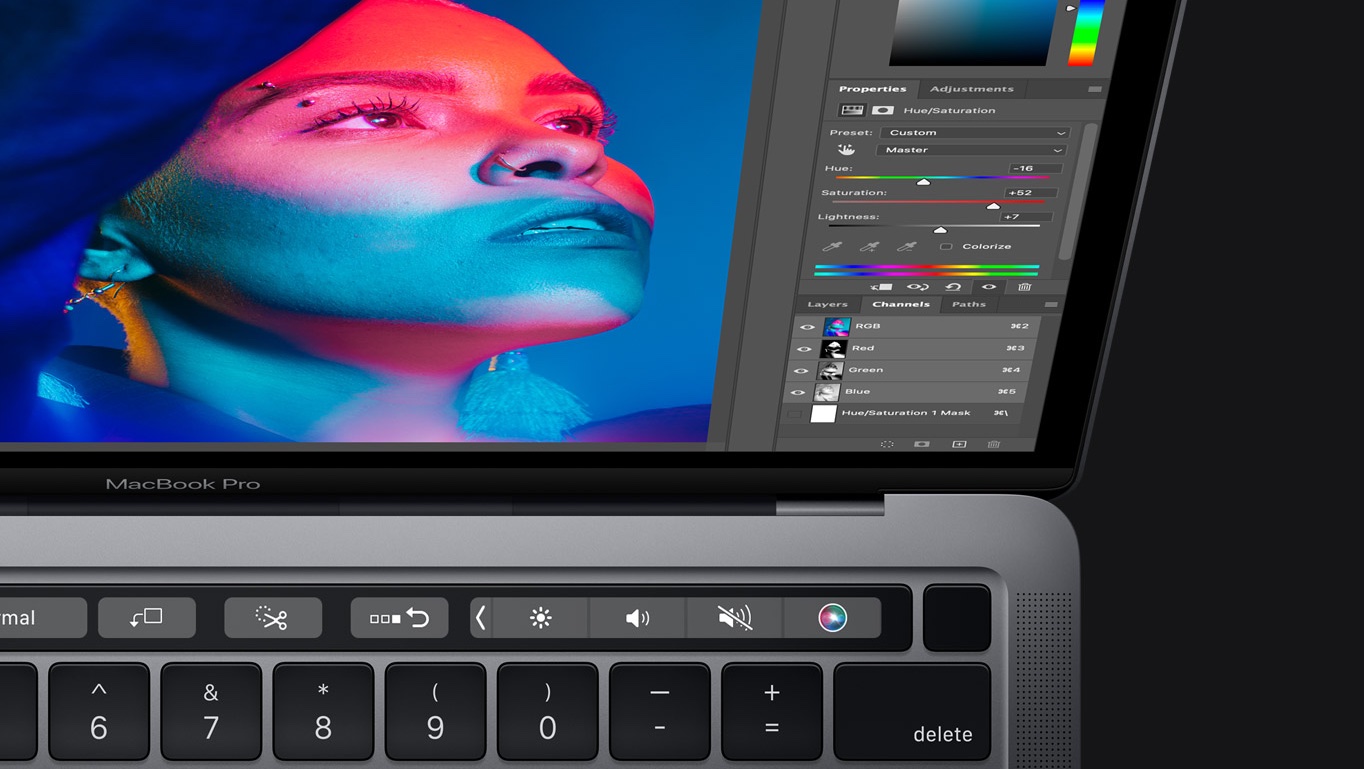 Apple today added three Mac models to its vintage products list, and moved an additional nine Mac models from the vintage list to its obsolete products list.
The following Macs are now classified as vintage:
MacBook Air (Retina, 13-inch, 2018)
MacBook Pro (13-inch, 2017, 2 Thunderbolt 3 Ports)
MacBook Pro (13-inch, 2018, 4 Thunderbolt 3 Ports)
The following Macs are now classified as obsolete:
MacBook (Retina, 12-inch, Early 2016)
MacBook Air (13-inch, Early 2015)
MacBook Pro (13-inch, 2016, 2 Thunderbolt 3 Ports)
MacBook Pro (13-inch, 2016, 4 Thunderbolt 3 Ports)
MacBook Pro (15-inch, 2016)
MacBook Pro (Retina, 13-inch, Early 2015)
iMac (21.5-inch, Late 2015)
iMac (Retina 4K, 21.5-inch, Late 2015)
iMac (Retina 5K, 27-inch, Late 2015)
Apple considers a device to be "vintage" once more than five years have passed since the company stopped distributing it for sale. Apple Stores and Apple Authorized Service Providers can continue to offer repairs for vintage products for up to two additional years, but only if Apple still has repair parts available for the device.
Tag: Vintage and Obsolete Apple Products
This article, "Apple Adds These 12 Macs to Vintage and Obsolete Products Lists" first appeared on MacRumors.com
Discuss this article in our forums
Apple today added three Mac models to its vintage products list, and moved an additional nine Mac models from the vintage list to its obsolete products list.
The following Macs are now classified as vintage:
MacBook Air (Retina, 13-inch, 2018)
MacBook Pro (13-inch, 2017, 2 Thunderbolt 3 Ports)
MacBook Pro (13-inch, 2018, 4 Thunderbolt 3 Ports)
The following Macs are now classified as obsolete:
MacBook (Retina, 12-inch, Early 2016)
MacBook Air (13-inch, Early 2015)
MacBook Pro (13-inch, 2016, 2 Thunderbolt 3 Ports)
MacBook Pro (13-inch, 2016, 4 Thunderbolt 3 Ports)
MacBook Pro (15-inch, 2016)
MacBook Pro (Retina, 13-inch, Early 2015)
iMac (21.5-inch, Late 2015)
iMac (Retina 4K, 21.5-inch, Late 2015)
iMac (Retina 5K, 27-inch, Late 2015)
Apple considers a device to be "vintage" once more than five years have passed since the company stopped distributing it for sale. Apple Stores and Apple Authorized Service Providers can continue to offer repairs for vintage products for up to two additional years, but only if Apple still has repair parts available for the device.
Tag: Vintage and Obsolete Apple Products
This article, "Apple Adds These 12 Macs to Vintage and Obsolete Products Lists" first appeared on MacRumors.com
Discuss this article in our forums
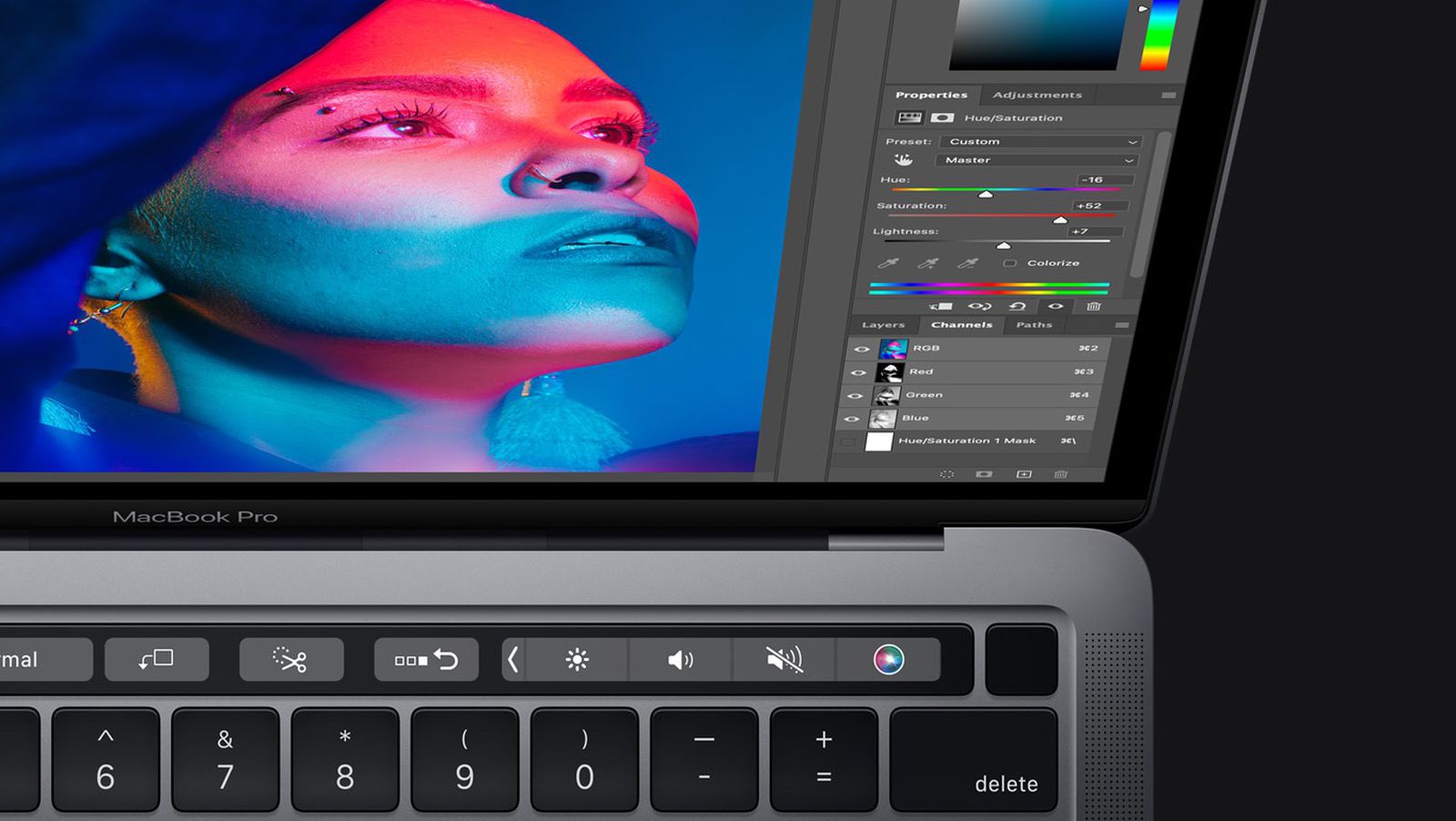
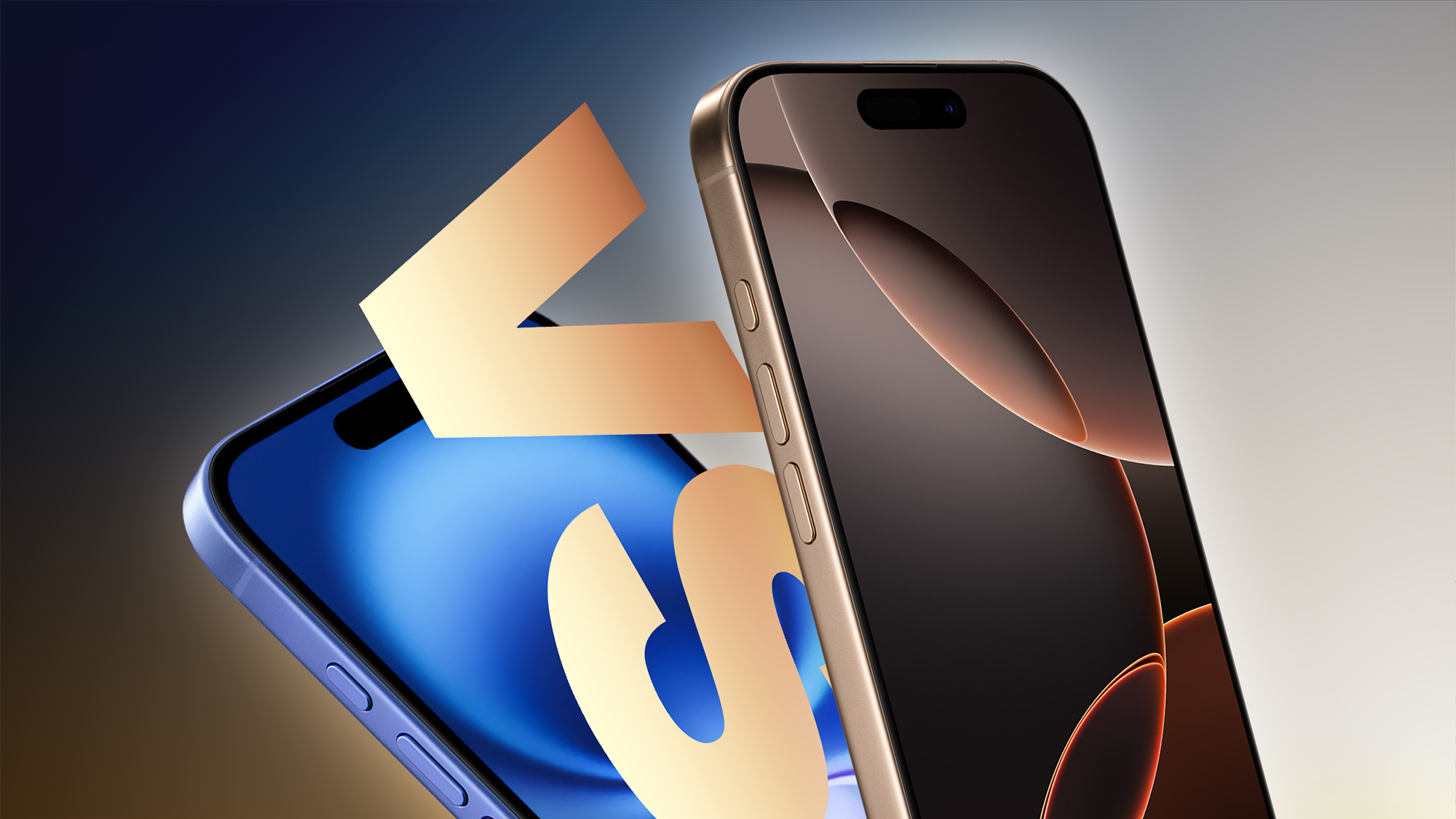 The iPhone 16 and iPhone 16 Pro are Apple's newest iPhones and follow last year's iPhone 15 and iPhone 15 Pro, but how different are the two latest models, and what exactly does a "Pro" device offer?
Last year, the biggest new differences between the iPhone 15 and iPhone 15 Pro were the titanium frame, A17 Pro chip, and Action button. With iPhone 16 and iPhone 16 Pro, both devices share new features like the A18 chip with support for Apple Intelligence, faster charging, stronger Ceramic Shield front glass, revamped Photographic Styles, the Camera Control, and Wi-Fi 7, but Apple's "Pro" and non-Pro iPhone models are still fairly different devices.
Our guide helps to answer the question of how to decide which of these two iPhone models is best for you, and serves as a way to clearly see what additional features and upgrades the iPhone 16 Pro brings to the table.
iPhone 16
iPhone 16 Pro
Anodized aluminum frame with color-infused glass
Blasted titanium frame
iPhone 16: 6.1-inch display
iPhone 16 Plus: 6.7-inch display
iPhone 16 Pro: 6.3-inch display
iPhone 16 Pro Max: 6.9-inch display
Thinner borders around the display
ProMotion with adaptive refresh rates up to 120Hz
Always-on display
More power efficient display
Available in Black, White, Pink, Teal, and Ultramarine finishes
Available in Black Titanium, White Titanium, Natural Titanium, and Desert Titanium finishes
A18 chip
A18 Pro chip
"Advanced" dual-camera system
"Pro" triple camera system
48-megapixel Fusion main camera with ƒ/1.6 aperture
48-megapixel Fusion main camera with ƒ/1.78 aperture and larger sensor
12-megapixel Ultra Wide camera with ƒ/2.2 aperture
48-megapixel Ultra Wide camera with ƒ/2.2 aperture
Macro photography
48-megapixel macro photography
Support for new JPEG-XL format
Depth mapping for AR and portrait photography, allowing for more accurate background and subject separation, more realistic bokeh, and better AR experiences.
4K video recording at 24 fps, 25 fps, 30 fps, or 60 fps, with playback speed controls
4K Dolby Vision video recording at 24 fps, 25 fps, 30 fps, 60 fps, 100 fps (Fusion) or 120 fps (Fusion)
1080p Dolby Vision video recording at 25 fps, 30 fps or 60 fps
1080p Dolby Vision video recording at 25 fps, 30 fps, 60 fps, or 120 fps (Fusion)
ProRes video recording up to 4K at up to 120 fps with external recording
Slo-mo video support for 1080p at 120 fps or 240 fps
Slo-mo video support for 1080p up to 240 fps and 4K Dolby Vision up to 120 fps (Fusion)
Studio-quality four-mic array
12-megapixel Telephoto camera with ƒ/2.8 aperture
0.5x, 1x, and 2x optical zoom
0.5x, 1x, 2x, and 5x optical zoom
Sensor-shift optical image stabilization
Second-generation sensor-shift optical image stabilization
True Tone flash
Adaptive True Tone flash
LiDAR scanner
Night mode portraits
Apple ProRAW
Shoot and instantly transfer 48-megapixel ProRAW images to Mac via USB 3
Record video directly to an external drive
ProRes video recording up to 4K at 30 fps (60 fps with external recording)
Log video recording
Academy Color Encoding System
USB 2 transfer speeds (up to 480Mb/s)
USB 3 transfer speeds (up to 10Gb/s, 20x faster)
DisplayPort support for up to 4K HDR video output
iPhone 16: Up to 22 hours of battery life
iPhone 16 Plus: Up to 27 hours of battery life
iPhone 16 Pro: Up to 27 hours of battery life
iPhone 16 Pro Max: Up to 33 hours of battery life
128GB, 256GB, and 512GB storage options
128GB, 256GB, 512GB, and 1TB storage options (no 128GB on Pro Max)
iPhone 16: Starts at $799
iPhone 16 Plus: Starts at $899
iPhone 16 Pro: Starts at $999
iPhone 16 Pro Max: Starts at $1,199
The iPhone 16 Pro offers a large number of upgrades over the standard iPhone 16. With just $200 difference to obtain a display with ProMotion and always-on functionality, a telephoto camera, and longer battery life, many customers will be able to justify getting the iPhone 16 Pro over the iPhone 16. Other differences, such as a titanium frame, slightly larger display sizes, the A18 Pro chip, and a 1TB storage option are notable, but most significant are perhaps the devices' fundamentally different rear camera setups. The iPhone 16 Pro unlocks many additional camera features, such as ProRAW and 48-megapixel macro photography, and benefits from an entire additional camera in the form of the 5x telephoto for a additional optical focal length option. Due to the scale and breadth of the iPhone 16 Pro's improvements and features, many customers will be happy to opt for the high-end model.
Dynamic Island, and a 48-megapixel Fusion camera, at a lower price point. With a generous roster of advanced features, most customers will be happy with the iPhone 16 or iPhone 16 Plus, especially those who want a lighter device, do not care for the "Pro" rear camera setup or features like ProMotion and the always-on display, or cannot justify the $200 to upgrade to the high-end model. The iPhone 16 is a very well designed and balanced device, especially for average customers and those coming from a much older model.
Related Roundups: iPhone 16, iPhone 16 Pro
Buyer's Guide: iPhone 16 (Buy Now), iPhone 16 Pro (Buy Now)
This article, "iPhone 16 vs. iPhone 16 Pro Buyer's Guide: All Differences Compared" first appeared on MacRumors.com
Discuss this article in our forums
The iPhone 16 and iPhone 16 Pro are Apple's newest iPhones and follow last year's iPhone 15 and iPhone 15 Pro, but how different are the two latest models, and what exactly does a "Pro" device offer?
Last year, the biggest new differences between the iPhone 15 and iPhone 15 Pro were the titanium frame, A17 Pro chip, and Action button. With iPhone 16 and iPhone 16 Pro, both devices share new features like the A18 chip with support for Apple Intelligence, faster charging, stronger Ceramic Shield front glass, revamped Photographic Styles, the Camera Control, and Wi-Fi 7, but Apple's "Pro" and non-Pro iPhone models are still fairly different devices.
Our guide helps to answer the question of how to decide which of these two iPhone models is best for you, and serves as a way to clearly see what additional features and upgrades the iPhone 16 Pro brings to the table.
iPhone 16
iPhone 16 Pro
Anodized aluminum frame with color-infused glass
Blasted titanium frame
iPhone 16: 6.1-inch display
iPhone 16 Plus: 6.7-inch display
iPhone 16 Pro: 6.3-inch display
iPhone 16 Pro Max: 6.9-inch display
Thinner borders around the display
ProMotion with adaptive refresh rates up to 120Hz
Always-on display
More power efficient display
Available in Black, White, Pink, Teal, and Ultramarine finishes
Available in Black Titanium, White Titanium, Natural Titanium, and Desert Titanium finishes
A18 chip
A18 Pro chip
"Advanced" dual-camera system
"Pro" triple camera system
48-megapixel Fusion main camera with ƒ/1.6 aperture
48-megapixel Fusion main camera with ƒ/1.78 aperture and larger sensor
12-megapixel Ultra Wide camera with ƒ/2.2 aperture
48-megapixel Ultra Wide camera with ƒ/2.2 aperture
Macro photography
48-megapixel macro photography
Support for new JPEG-XL format
Depth mapping for AR and portrait photography, allowing for more accurate background and subject separation, more realistic bokeh, and better AR experiences.
4K video recording at 24 fps, 25 fps, 30 fps, or 60 fps, with playback speed controls
4K Dolby Vision video recording at 24 fps, 25 fps, 30 fps, 60 fps, 100 fps (Fusion) or 120 fps (Fusion)
1080p Dolby Vision video recording at 25 fps, 30 fps or 60 fps
1080p Dolby Vision video recording at 25 fps, 30 fps, 60 fps, or 120 fps (Fusion)
ProRes video recording up to 4K at up to 120 fps with external recording
Slo-mo video support for 1080p at 120 fps or 240 fps
Slo-mo video support for 1080p up to 240 fps and 4K Dolby Vision up to 120 fps (Fusion)
Studio-quality four-mic array
12-megapixel Telephoto camera with ƒ/2.8 aperture
0.5x, 1x, and 2x optical zoom
0.5x, 1x, 2x, and 5x optical zoom
Sensor-shift optical image stabilization
Second-generation sensor-shift optical image stabilization
True Tone flash
Adaptive True Tone flash
LiDAR scanner
Night mode portraits
Apple ProRAW
Shoot and instantly transfer 48-megapixel ProRAW images to Mac via USB 3
Record video directly to an external drive
ProRes video recording up to 4K at 30 fps (60 fps with external recording)
Log video recording
Academy Color Encoding System
USB 2 transfer speeds (up to 480Mb/s)
USB 3 transfer speeds (up to 10Gb/s, 20x faster)
DisplayPort support for up to 4K HDR video output
iPhone 16: Up to 22 hours of battery life
iPhone 16 Plus: Up to 27 hours of battery life
iPhone 16 Pro: Up to 27 hours of battery life
iPhone 16 Pro Max: Up to 33 hours of battery life
128GB, 256GB, and 512GB storage options
128GB, 256GB, 512GB, and 1TB storage options (no 128GB on Pro Max)
iPhone 16: Starts at $799
iPhone 16 Plus: Starts at $899
iPhone 16 Pro: Starts at $999
iPhone 16 Pro Max: Starts at $1,199
The iPhone 16 Pro offers a large number of upgrades over the standard iPhone 16. With just $200 difference to obtain a display with ProMotion and always-on functionality, a telephoto camera, and longer battery life, many customers will be able to justify getting the iPhone 16 Pro over the iPhone 16. Other differences, such as a titanium frame, slightly larger display sizes, the A18 Pro chip, and a 1TB storage option are notable, but most significant are perhaps the devices' fundamentally different rear camera setups. The iPhone 16 Pro unlocks many additional camera features, such as ProRAW and 48-megapixel macro photography, and benefits from an entire additional camera in the form of the 5x telephoto for a additional optical focal length option. Due to the scale and breadth of the iPhone 16 Pro's improvements and features, many customers will be happy to opt for the high-end model.
Dynamic Island, and a 48-megapixel Fusion camera, at a lower price point. With a generous roster of advanced features, most customers will be happy with the iPhone 16 or iPhone 16 Plus, especially those who want a lighter device, do not care for the "Pro" rear camera setup or features like ProMotion and the always-on display, or cannot justify the $200 to upgrade to the high-end model. The iPhone 16 is a very well designed and balanced device, especially for average customers and those coming from a much older model.
Related Roundups: iPhone 16, iPhone 16 Pro
Buyer's Guide: iPhone 16 (Buy Now), iPhone 16 Pro (Buy Now)
This article, "iPhone 16 vs. iPhone 16 Pro Buyer's Guide: All Differences Compared" first appeared on MacRumors.com
Discuss this article in our forums
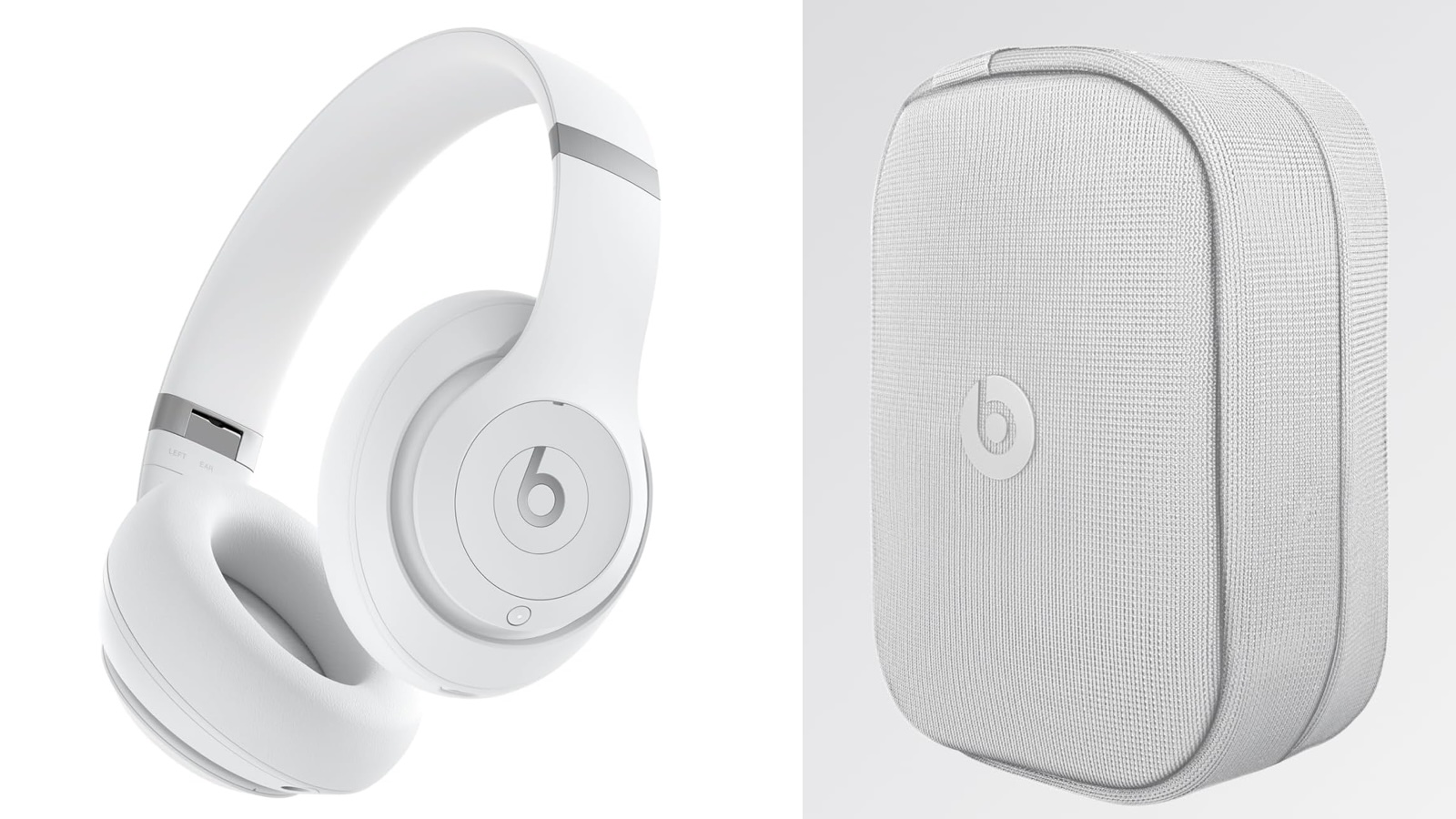 The Beats Studio Pro over-ear headphones debuted a little over a year ago, and since that time we've seen a few additional colors released including three neutral colors in collaboration with Kim Kardashian just last month, and now there's a new Matte White version that debuted as an Amazon exclusive earlier this month.
Apple's Beats brand is known for its celebrity partnerships, and this release is no exception as the latest Studio Pro color was highlighted over the weekend in a tweet featuring Buffalo Bills quarterback Josh Allen. Similar to the Kim Kardashian colors, the Beats Studio Pro in Matte White come with a color-matched nylon case, whereas the original four colors all come with a black nylon case.
Fall means a whole season of @JoshAllenQB. Keep your game-day focus with Beats Studio Pro, now available in Matte White exclusively at @amazon. pic.twitter.com/0YjiOtiXbN
— Beats by Dre (@beatsbydre) September 22, 2024
The Beats Studio Pro headphones are officially priced at $349.99, but they are frequently available at significant discounts and the new Matte White color is already on sale for $100 off at $249.95, joining the original four colors at this discounted price. The Beats x Kim colors are currently priced at $349.99, but they too have seen occasional discounts.
Note: MacRumors is an affiliate partner with Amazon. When you click a link and make a purchase, we may receive a small payment, which helps us keep the site running.
Tags: Beats, Beats Studio Pro
This article, "Beats Studio Pro Now Available in Matte White as Amazon Exclusive" first appeared on MacRumors.com
Discuss this article in our forums
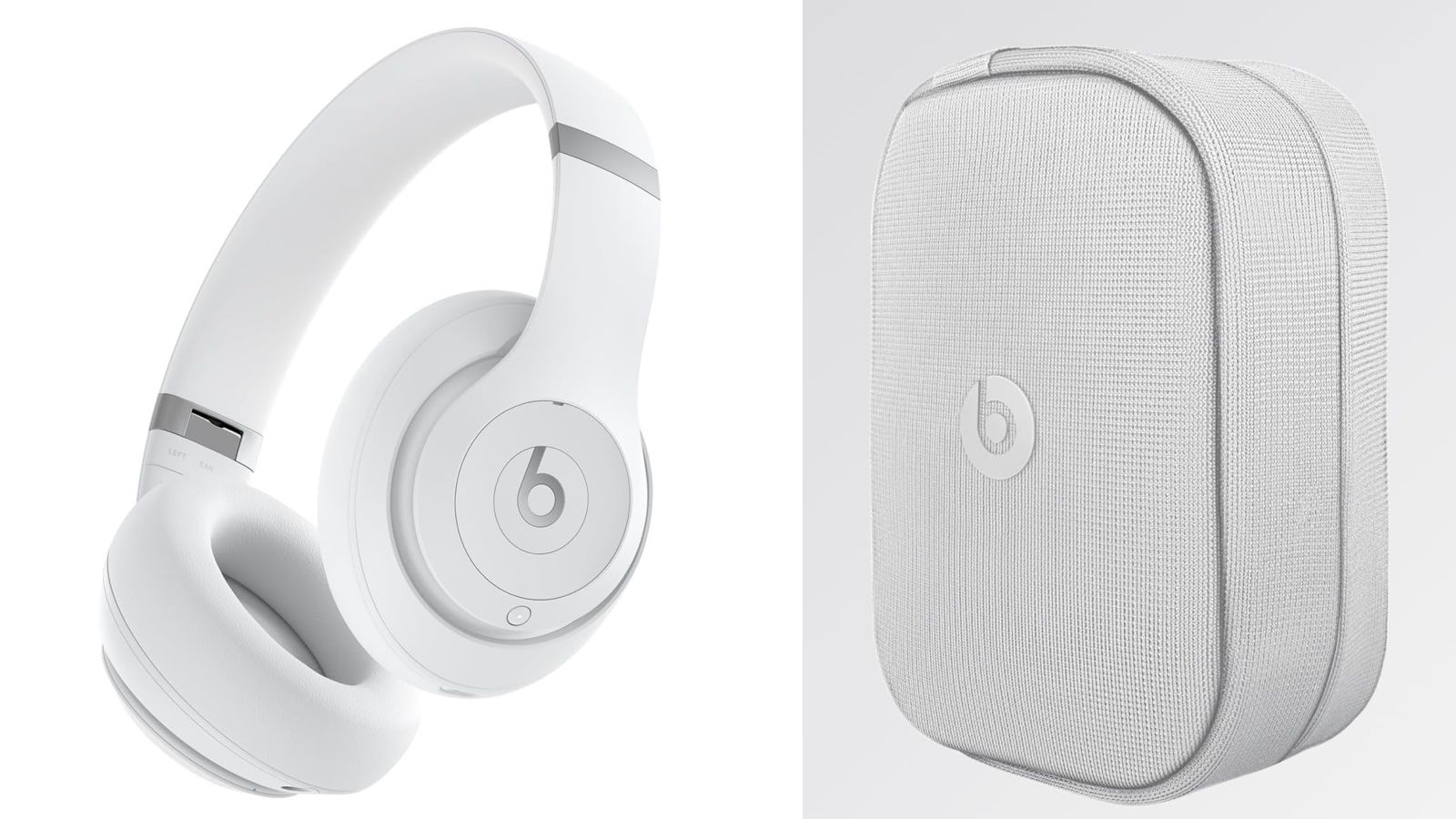
The Beats Studio Pro over-ear headphones debuted a little over a year ago, and since that time we've seen a few additional colors released including three neutral colors in collaboration with Kim Kardashian just last month, and now there's a new Matte White version that debuted as an Amazon exclusive earlier this month.
Apple's Beats brand is known for its celebrity partnerships, and this release is no exception as the latest Studio Pro color was highlighted over the weekend in a tweet featuring Buffalo Bills quarterback Josh Allen. Similar to the Kim Kardashian colors, the Beats Studio Pro in Matte White come with a color-matched nylon case, whereas the original four colors all come with a black nylon case.
Fall means a whole season of @JoshAllenQB. Keep your game-day focus with Beats Studio Pro, now available in Matte White exclusively at @amazon. pic.twitter.com/0YjiOtiXbN
— Beats by Dre (@beatsbydre) September 22, 2024
The Beats Studio Pro headphones are officially priced at $349.99, but they are frequently available at significant discounts and the new Matte White color is already on sale for $100 off at $249.95, joining the original four colors at this discounted price. The Beats x Kim colors are currently priced at $349.99, but they too have seen occasional discounts.
Note: MacRumors is an affiliate partner with Amazon. When you click a link and make a purchase, we may receive a small payment, which helps us keep the site running.
Tags: Beats, Beats Studio Pro
This article, "Beats Studio Pro Now Available in Matte White as Amazon Exclusive" first appeared on MacRumors.com
Discuss this article in our forums
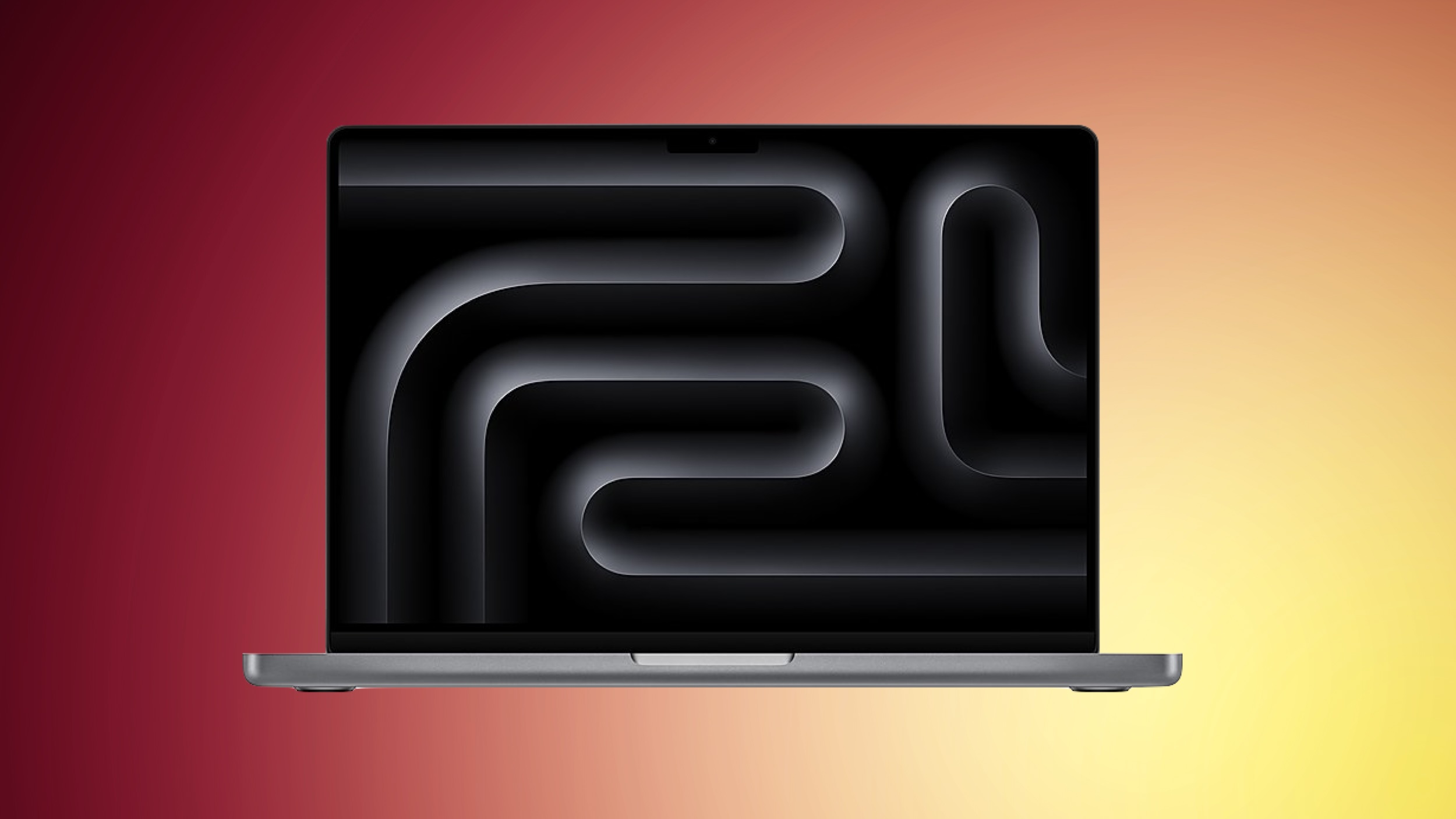 Best Buy has a collection of big discounts on the M3 MacBook Pro this week, including the match of an all-time low price on the entry-level M3 512GB 14-inch MacBook Pro at $1,199.00 for My Best Buy Plus and Total members, down from $1,599.00.
Note: MacRumors is an affiliate partner with Best Buy. When you click a link and make a purchase, we may receive a small payment, which helps us keep the site running.
Across the 14-inch M3 MacBook Pro lineup you'll find $300-$400 off every model on Best Buy, with Amazon matching some of the deals. In regards to the Best Buy discounts, some of these deals requires a My Best Buy Plus or Total membership, while all of the others are available to every customer.
Note: This deal is available only to My Best Buy Plus/Total members.
$400 OFF
M3 MacBook Pro (512GB) for $1,199.00
If you're shopping for the 16-inch M3 MacBook Pro, you'll find $500 off every model across Best Buy and Amazon. Across the board these are all second-best prices on the 16-inch MacBook Pro, but at $500 off they're still great deals for anyone in the market for the notebook this week.
14-inch MacBook Pro
M3 512GB - $1,199.00 ($400 off) [My Best Buy members only]
M3, 8GB, 1TB - $1,499.00 ($300 off) [matched at Amazon]
M3, 16GB, 1TB - $1,699.00 ($300 off) [matched at Amazon]
M3 Pro 512GB - $1,649.00 ($350 off)
M3 Pro 1TB - $2,099.00 ($300 off)
M3 Max 1TB - $2,799.00 ($400 off) [My Best Buy members only]
16-inch MacBook Pro
M3 Pro, 18GB RAM, 512GB - $1,999.00 ($500 off) [matched at Amazon]
M3 Pro, 36GB RAM, 512GB - $2,399.00 ($500 off) [matched at Amazon]
M3 Max, 36GB RAM, 1TB - $2,999.00 ($500 off) [matched at Amazon]
M3 Max, 48GB RAM, 1TB - $3,499.00 ($500 off) [matched at Amazon]
Be sure to visit our full Deals Roundup to shop for even more Apple-related products and accessories.
Related Roundup: Apple Deals
This article, "Apple's 14-Inch M3 MacBook Pro Drops to Record Low $1,199 Price for Best Buy Members" first appeared on MacRumors.com
Discuss this article in our forums
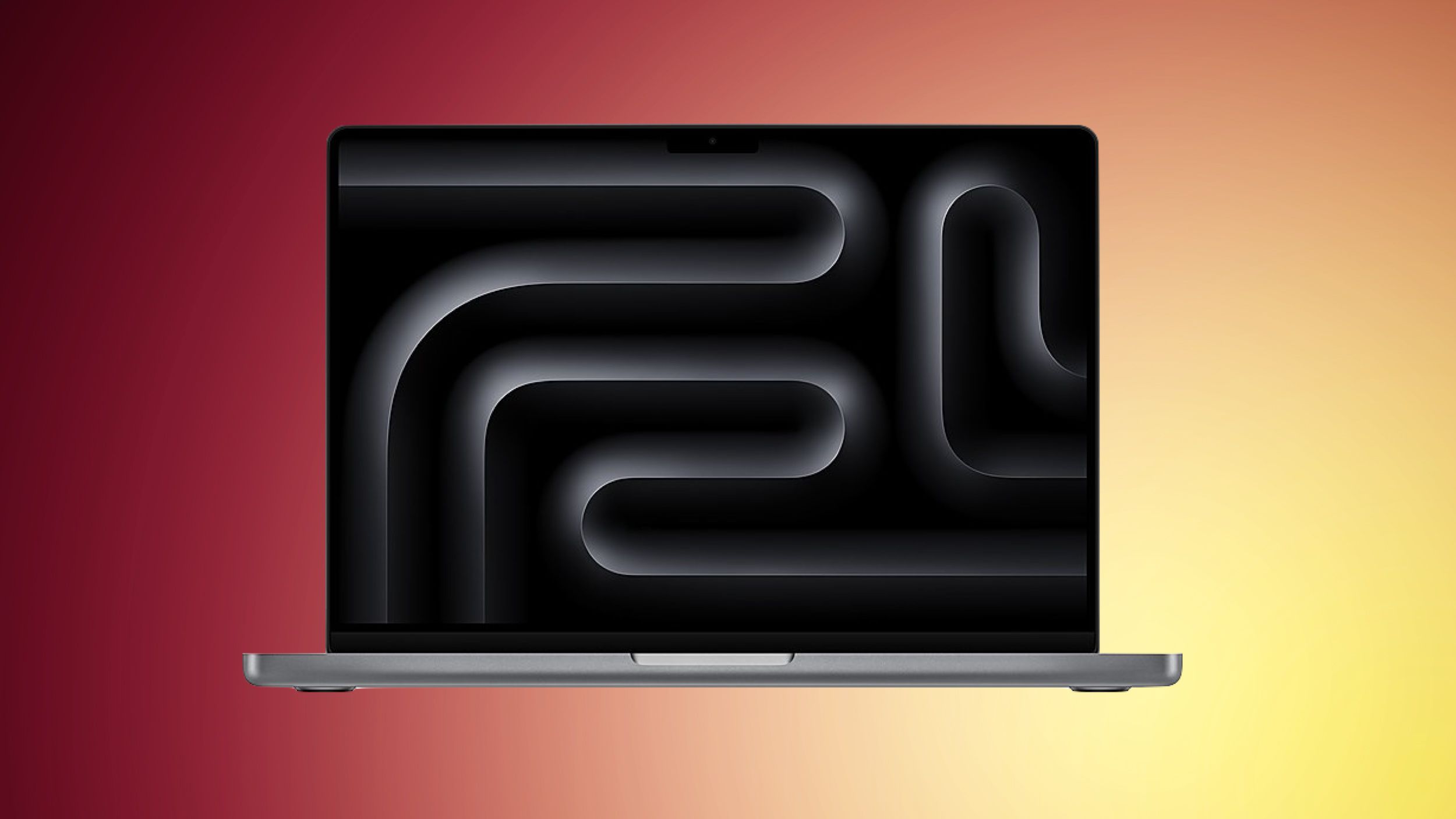
Best Buy has a collection of big discounts on the M3 MacBook Pro this week, including the match of an all-time low price on the entry-level M3 512GB 14-inch MacBook Pro at $1,199.00 for My Best Buy Plus and Total members, down from $1,599.00.
Note: MacRumors is an affiliate partner with Best Buy. When you click a link and make a purchase, we may receive a small payment, which helps us keep the site running.
Across the 14-inch M3 MacBook Pro lineup you'll find $300-$400 off every model on Best Buy, with Amazon matching some of the deals. In regards to the Best Buy discounts, some of these deals requires a My Best Buy Plus or Total membership, while all of the others are available to every customer.
Note: This deal is available only to My Best Buy Plus/Total members.
$400 OFF
M3 MacBook Pro (512GB) for $1,199.00
If you're shopping for the 16-inch M3 MacBook Pro, you'll find $500 off every model across Best Buy and Amazon. Across the board these are all second-best prices on the 16-inch MacBook Pro, but at $500 off they're still great deals for anyone in the market for the notebook this week.
14-inch MacBook Pro
M3 512GB - $1,199.00 ($400 off) [My Best Buy members only]
M3, 8GB, 1TB - $1,499.00 ($300 off) [matched at Amazon]
M3, 16GB, 1TB - $1,699.00 ($300 off) [matched at Amazon]
M3 Pro 512GB - $1,649.00 ($350 off)
M3 Pro 1TB - $2,099.00 ($300 off)
M3 Max 1TB - $2,799.00 ($400 off) [My Best Buy members only]
16-inch MacBook Pro
M3 Pro, 18GB RAM, 512GB - $1,999.00 ($500 off) [matched at Amazon]
M3 Pro, 36GB RAM, 512GB - $2,399.00 ($500 off) [matched at Amazon]
M3 Max, 36GB RAM, 1TB - $2,999.00 ($500 off) [matched at Amazon]
M3 Max, 48GB RAM, 1TB - $3,499.00 ($500 off) [matched at Amazon]
Be sure to visit our full Deals Roundup to shop for even more Apple-related products and accessories.
Related Roundup: Apple Deals
This article, "Apple's 14-Inch M3 MacBook Pro Drops to Record Low $1,199 Price for Best Buy Members" first appeared on MacRumors.com
Discuss this article in our forums
 In iOS 17, Apple doesn't offer a system-level method for individually locking sensitive apps like Photos behind Face ID. There is a Shortcut action that provides rudimentary protection, but it's not infallible. Thankfully, iOS 18 includes a dedicated option to lock and even hide individual apps even when the iPhone itself is already unlocked.
This is useful because it means you can unlock your iPhone and hand it to someone for them to look at something, knowing they won't be able to open the apps you have locked. If someone using your iPhone tries to open an app that you have manually locked using the method described below, they will see a popup informing them that it can't be accessed without secondary authentication via Face ID (or Touch ID on the iPhone SE).
Stolen Device Protection is active, entering a passcode to unlock an app is not an option, so even if your iPhone is stolen and the thief knows your passcode, they still won't be able to open the app. However, if Stolen Device Protection is not enabled, a passcode prompt appears that can be used to unlock the app after three failed Face ID attempts.
It's worth noting that not all apps can be locked. Apple does not provide the lock option for apps like Maps, Clock, Calculator, and Settings. Otherwise, almost every other app can be locked, including third-party apps. Here's how it's done.
On your Home Screen, press and hold on the icon for the app that you want to lock.
Tap Require Face ID (or Touch ID).
Tap Require Face ID (or Touch ID) to confirm.
Note that you can't use Siri with a locked app, and Spotlight search and any notification previews will not show content from the app.
How to Lock and Hide Apps
When you lock a third-party app using the above method, you have the option to hide it as well – but you cannot hide system apps like Safari or Photos. When enabled, the app icon and name is removed from the Home Screen, and it will not show up in searches, although it may still appear in the Settings app.
An obscured folder for hidden apps is also created in your App Library, which is accessed by swiping left to the end of your Home Screen pages. However, you will not get app notifications or incoming calls from a hidden third-party app.
How to Unlock and Unhide Apps
To unlock an app that you previously locked, simply long press on the app's icon and choose the "Don't Require Face ID" option. As long as you have Stolen Device Protection enabled, turning the lock on and off requires a Face ID scan, so it can't be turned off without your knowledge.
To unhide a locked third-party app, swipe through to the App Library and tap the obscured Hidden folder at the bottom. You will be required to perform a Face ID scan to reveal its contents. After that, you can access any hidden apps contained within it.
Related Roundups: iOS 18, iPadOS 18
Related Forums: iOS 18, iPadOS 18
This article, "iOS 18: How to Lock and Hide iPhone Apps" first appeared on MacRumors.com
Discuss this article in our forums
In iOS 17, Apple doesn't offer a system-level method for individually locking sensitive apps like Photos behind Face ID. There is a Shortcut action that provides rudimentary protection, but it's not infallible. Thankfully, iOS 18 includes a dedicated option to lock and even hide individual apps even when the iPhone itself is already unlocked.
This is useful because it means you can unlock your iPhone and hand it to someone for them to look at something, knowing they won't be able to open the apps you have locked. If someone using your iPhone tries to open an app that you have manually locked using the method described below, they will see a popup informing them that it can't be accessed without secondary authentication via Face ID (or Touch ID on the iPhone SE).
Stolen Device Protection is active, entering a passcode to unlock an app is not an option, so even if your iPhone is stolen and the thief knows your passcode, they still won't be able to open the app. However, if Stolen Device Protection is not enabled, a passcode prompt appears that can be used to unlock the app after three failed Face ID attempts.
It's worth noting that not all apps can be locked. Apple does not provide the lock option for apps like Maps, Clock, Calculator, and Settings. Otherwise, almost every other app can be locked, including third-party apps. Here's how it's done.
On your Home Screen, press and hold on the icon for the app that you want to lock.
Tap Require Face ID (or Touch ID).
Tap Require Face ID (or Touch ID) to confirm.
Note that you can't use Siri with a locked app, and Spotlight search and any notification previews will not show content from the app.
How to Lock and Hide Apps
When you lock a third-party app using the above method, you have the option to hide it as well – but you cannot hide system apps like Safari or Photos. When enabled, the app icon and name is removed from the Home Screen, and it will not show up in searches, although it may still appear in the Settings app.
An obscured folder for hidden apps is also created in your App Library, which is accessed by swiping left to the end of your Home Screen pages. However, you will not get app notifications or incoming calls from a hidden third-party app.
How to Unlock and Unhide Apps
To unlock an app that you previously locked, simply long press on the app's icon and choose the "Don't Require Face ID" option. As long as you have Stolen Device Protection enabled, turning the lock on and off requires a Face ID scan, so it can't be turned off without your knowledge.
To unhide a locked third-party app, swipe through to the App Library and tap the obscured Hidden folder at the bottom. You will be required to perform a Face ID scan to reveal its contents. After that, you can access any hidden apps contained within it.
Related Roundups: iOS 18, iPadOS 18
Related Forums: iOS 18, iPadOS 18
This article, "iOS 18: How to Lock and Hide iPhone Apps" first appeared on MacRumors.com
Discuss this article in our forums