Microsoft Launches Office 2024 for Mac and PC
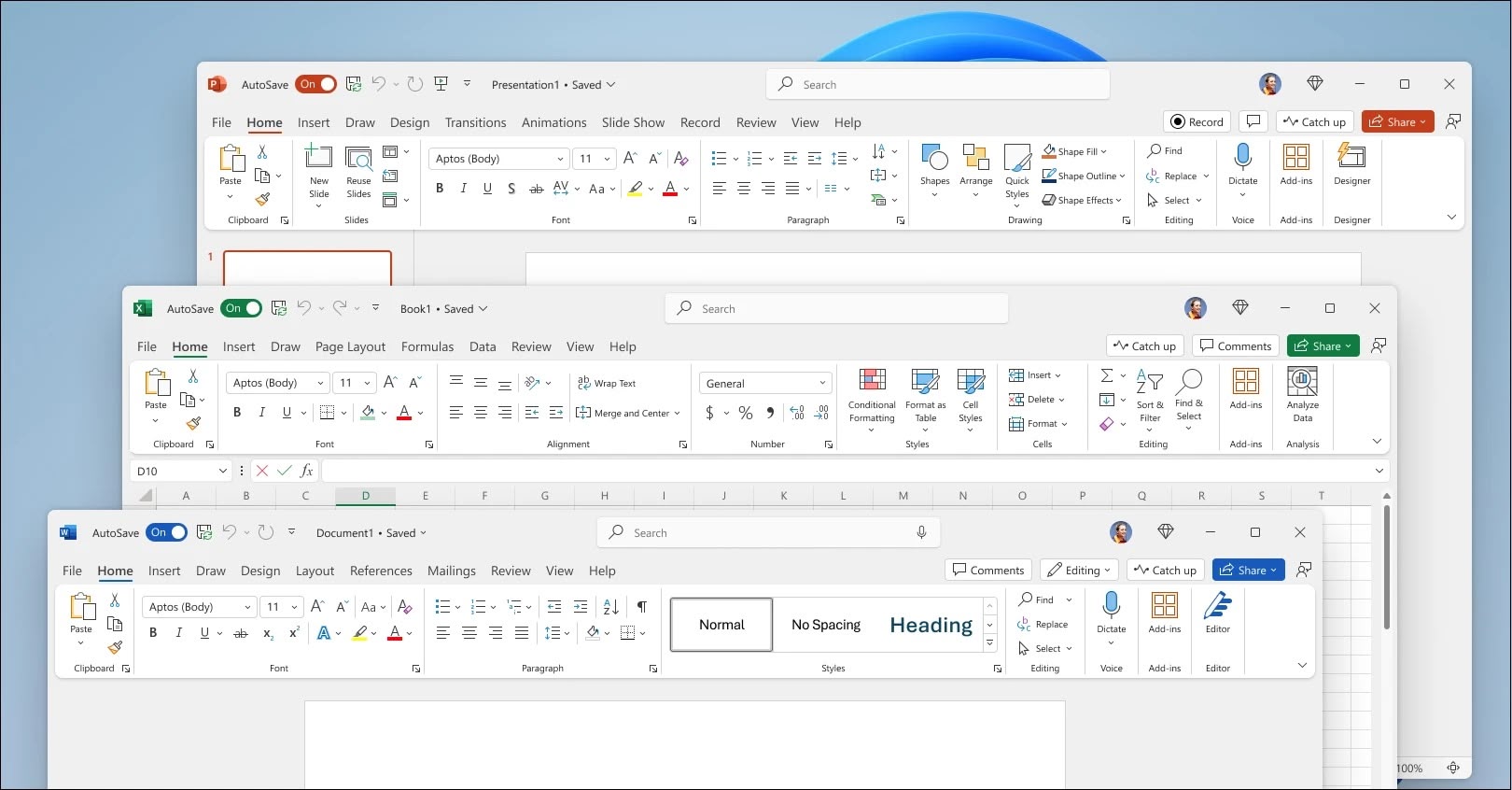 Microsoft this week announced Office 2024, a new standalone version of its productivity suite for both Mac and PC users. Available now, Office 2024 offers an alternative for those who prefer a one-time purchase over the subscription-based Microsoft 365.
The new release includes updated versions of Word, Excel, PowerPoint, OneNote, and Outlook. These applications come as "locked-in-time" versions, meaning they won't receive ongoing feature updates like their Microsoft 365 counterparts.
For Mac users, Office 2024 brings several notable improvements, according to Microsoft. Excel now boasts faster performance, particularly when working with multiple open workbooks. Meanwhile, Outlook for Mac introduces customizable swipe gestures that are designed to enhance email management and work with Magic Trackpad and Magic Mouse.
PowerPoint gains new features such as "cameo," which allows users to embed a live camera feed directly into slides, and "recording studio" for capturing narration, animations, transitions, and inking. Elsewhere, Word and PowerPoint now support liking and reacting to comments in collaborative documents.
Microsoft say Mac users will also benefit from an enhanced inking experience in OneNote, including a full-screen pen-focused view. Additionally, the suite now supports version 1.4 of the OpenDocument format (ODF) across Word, Excel, and PowerPoint.
macOS Sequoia. The suite of apps requires both a Microsoft account and an internet connection for installation and activation. Two editions are available: Office Home 2024, priced at $149.99, includes Word, Excel, PowerPoint, and OneNote. Office Home & Business 2024, at $249.99, adds Outlook and includes commercial use rights. Both editions are available now from retailers worldwide and via the Microsoft website.
Tag: Microsoft Office
This article, "Microsoft Launches Office 2024 for Mac and PC" first appeared on MacRumors.com
Discuss this article in our forums
Microsoft this week announced Office 2024, a new standalone version of its productivity suite for both Mac and PC users. Available now, Office 2024 offers an alternative for those who prefer a one-time purchase over the subscription-based Microsoft 365.
The new release includes updated versions of Word, Excel, PowerPoint, OneNote, and Outlook. These applications come as "locked-in-time" versions, meaning they won't receive ongoing feature updates like their Microsoft 365 counterparts.
For Mac users, Office 2024 brings several notable improvements, according to Microsoft. Excel now boasts faster performance, particularly when working with multiple open workbooks. Meanwhile, Outlook for Mac introduces customizable swipe gestures that are designed to enhance email management and work with Magic Trackpad and Magic Mouse.
PowerPoint gains new features such as "cameo," which allows users to embed a live camera feed directly into slides, and "recording studio" for capturing narration, animations, transitions, and inking. Elsewhere, Word and PowerPoint now support liking and reacting to comments in collaborative documents.
Microsoft say Mac users will also benefit from an enhanced inking experience in OneNote, including a full-screen pen-focused view. Additionally, the suite now supports version 1.4 of the OpenDocument format (ODF) across Word, Excel, and PowerPoint.
macOS Sequoia. The suite of apps requires both a Microsoft account and an internet connection for installation and activation. Two editions are available: Office Home 2024, priced at $149.99, includes Word, Excel, PowerPoint, and OneNote. Office Home & Business 2024, at $249.99, adds Outlook and includes commercial use rights. Both editions are available now from retailers worldwide and via the Microsoft website.
Tag: Microsoft Office
This article, "Microsoft Launches Office 2024 for Mac and PC" first appeared on MacRumors.com
Discuss this article in our forums
Microsoft this week announced Office 2024, a new standalone version of its productivity suite for both Mac and PC users. Available now, Office 2024 offers an alternative for those who prefer a one-time purchase over the subscription-based Microsoft 365.
The new release includes updated versions of Word, Excel, PowerPoint, OneNote, and Outlook. These applications come as "locked-in-time" versions, meaning they won't receive ongoing feature updates like their Microsoft 365 counterparts.
For Mac users, Office 2024 brings several notable improvements, according to Microsoft. Excel now boasts faster performance, particularly when working with multiple open workbooks. Meanwhile, Outlook for Mac introduces customizable swipe gestures that are designed to enhance email management and work with Magic Trackpad and Magic Mouse.
PowerPoint gains new features such as "cameo," which allows users to embed a live camera feed directly into slides, and "recording studio" for capturing narration, animations, transitions, and inking. Elsewhere, Word and PowerPoint now support liking and reacting to comments in collaborative documents.
Microsoft say Mac users will also benefit from an enhanced inking experience in OneNote, including a full-screen pen-focused view. Additionally, the suite now supports version 1.4 of the OpenDocument format (ODF) across Word, Excel, and PowerPoint.
macOS Sequoia. The suite of apps requires both a Microsoft account and an internet connection for installation and activation. Two editions are available: Office Home 2024, priced at $149.99, includes Word, Excel, PowerPoint, and OneNote. Office Home & Business 2024, at $249.99, adds Outlook and includes commercial use rights. Both editions are available now from retailers worldwide and via the Microsoft website.
Tag: Microsoft Office
This article, "Microsoft Launches Office 2024 for Mac and PC" first appeared on MacRumors.com
Discuss this article in our forums
MacRumors
Microsoft Launches Office 2024 for Mac and PC
Microsoft this week announced Office 2024, a new standalone version of its productivity suite for both Mac and PC users. Available now, Office 2024...
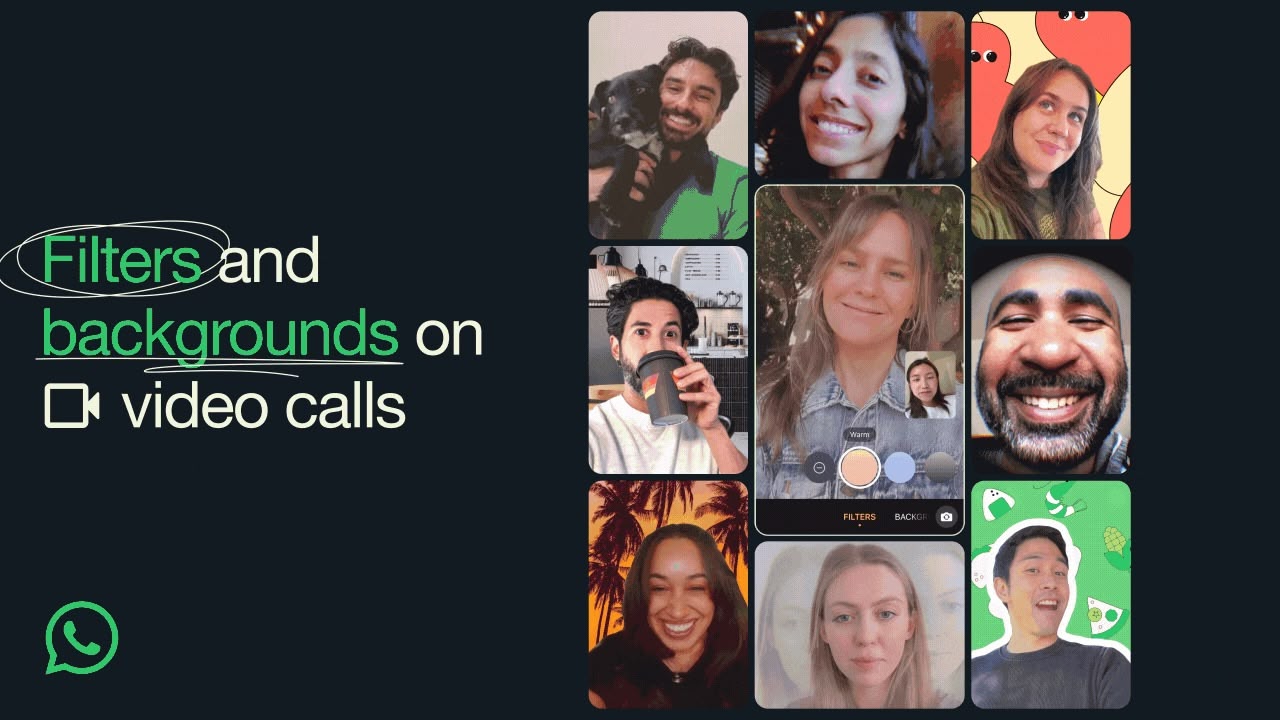 WhatsApp has announced it is rolling out new filters and backgrounds for users to personalize their video calls. The popular chat platform said the new effects are designed to make video conversations "more engaging" and give them a "more personal touch."
The update includes 10 filters and 10 backgrounds that users can apply to improve their video calling experience. Filters range from classic options like "Black & White" and "Vintage TV" to more artistic effects such as "Light leak" and "Prism light." Background choices offer variety, from practical settings like "Office" and "Cafe" to scenic options like "Beach" and "Sunset."
In addition to filters and backgrounds, WhatsApp is introducing "Touch up" and "Low Light" options. These features are aimed at enhancing the user's appearance and improving video quality in suboptimal lighting conditions, potentially avoiding embarrassment during calls.
To access these new effects, users can select the effects icons located in the top right corner of the screen during a video call. The functionality will be available for both one-on-one and group video calls. The new filters and backgrounds are expected to be available to all WhatsApp users in the coming weeks.
event planning feature that lets WhatsApp users organize events, meetings, and social gatherings directly within a group chat.
Tag: WhatsApp
This article, "WhatsApp Rolls Out New Filters and Backgrounds for Video Calls" first appeared on MacRumors.com
Discuss this article in our forums
WhatsApp has announced it is rolling out new filters and backgrounds for users to personalize their video calls. The popular chat platform said the new effects are designed to make video conversations "more engaging" and give them a "more personal touch."
The update includes 10 filters and 10 backgrounds that users can apply to improve their video calling experience. Filters range from classic options like "Black & White" and "Vintage TV" to more artistic effects such as "Light leak" and "Prism light." Background choices offer variety, from practical settings like "Office" and "Cafe" to scenic options like "Beach" and "Sunset."
In addition to filters and backgrounds, WhatsApp is introducing "Touch up" and "Low Light" options. These features are aimed at enhancing the user's appearance and improving video quality in suboptimal lighting conditions, potentially avoiding embarrassment during calls.
To access these new effects, users can select the effects icons located in the top right corner of the screen during a video call. The functionality will be available for both one-on-one and group video calls. The new filters and backgrounds are expected to be available to all WhatsApp users in the coming weeks.
event planning feature that lets WhatsApp users organize events, meetings, and social gatherings directly within a group chat.
Tag: WhatsApp
This article, "WhatsApp Rolls Out New Filters and Backgrounds for Video Calls" first appeared on MacRumors.com
Discuss this article in our forums

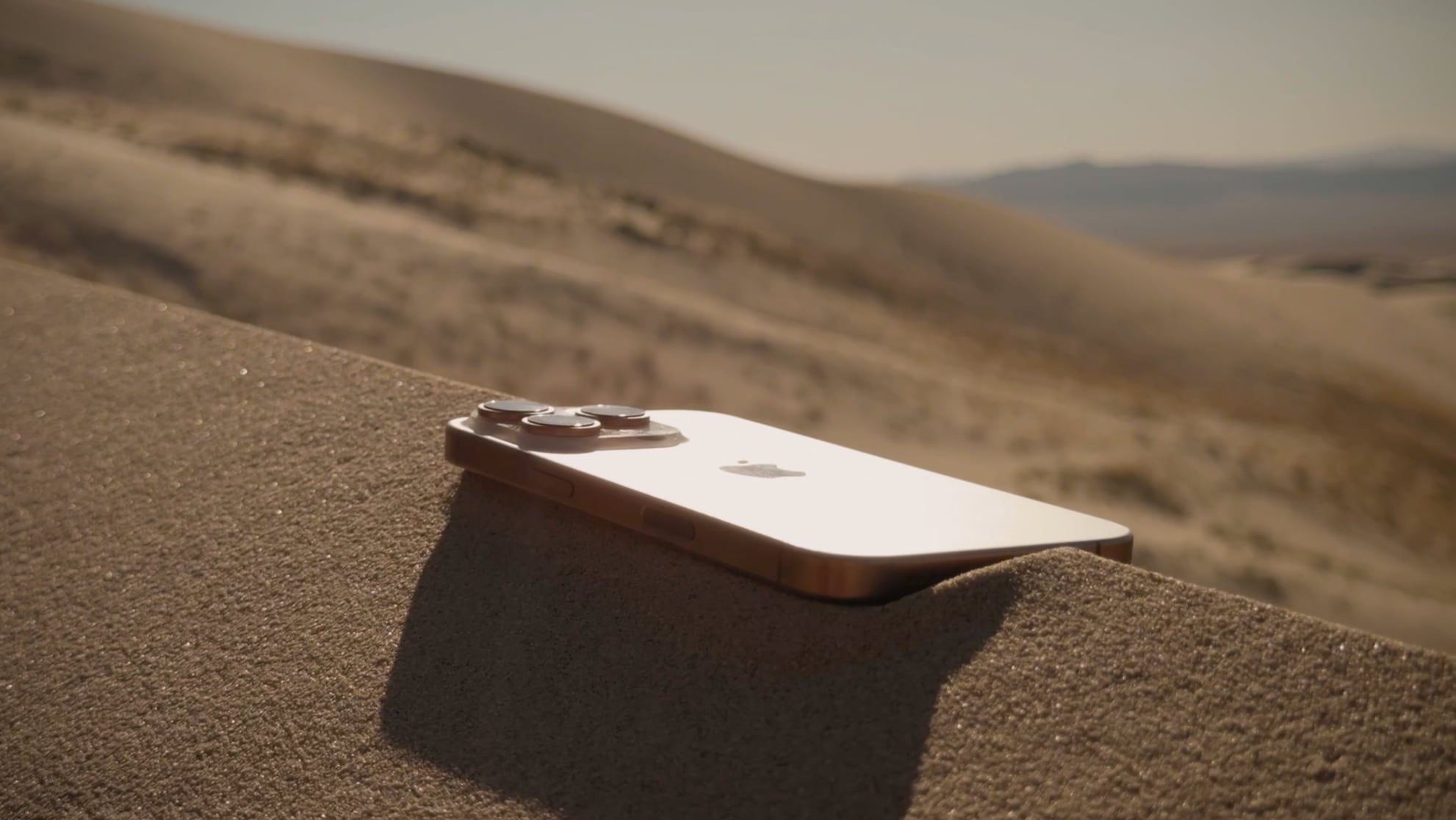
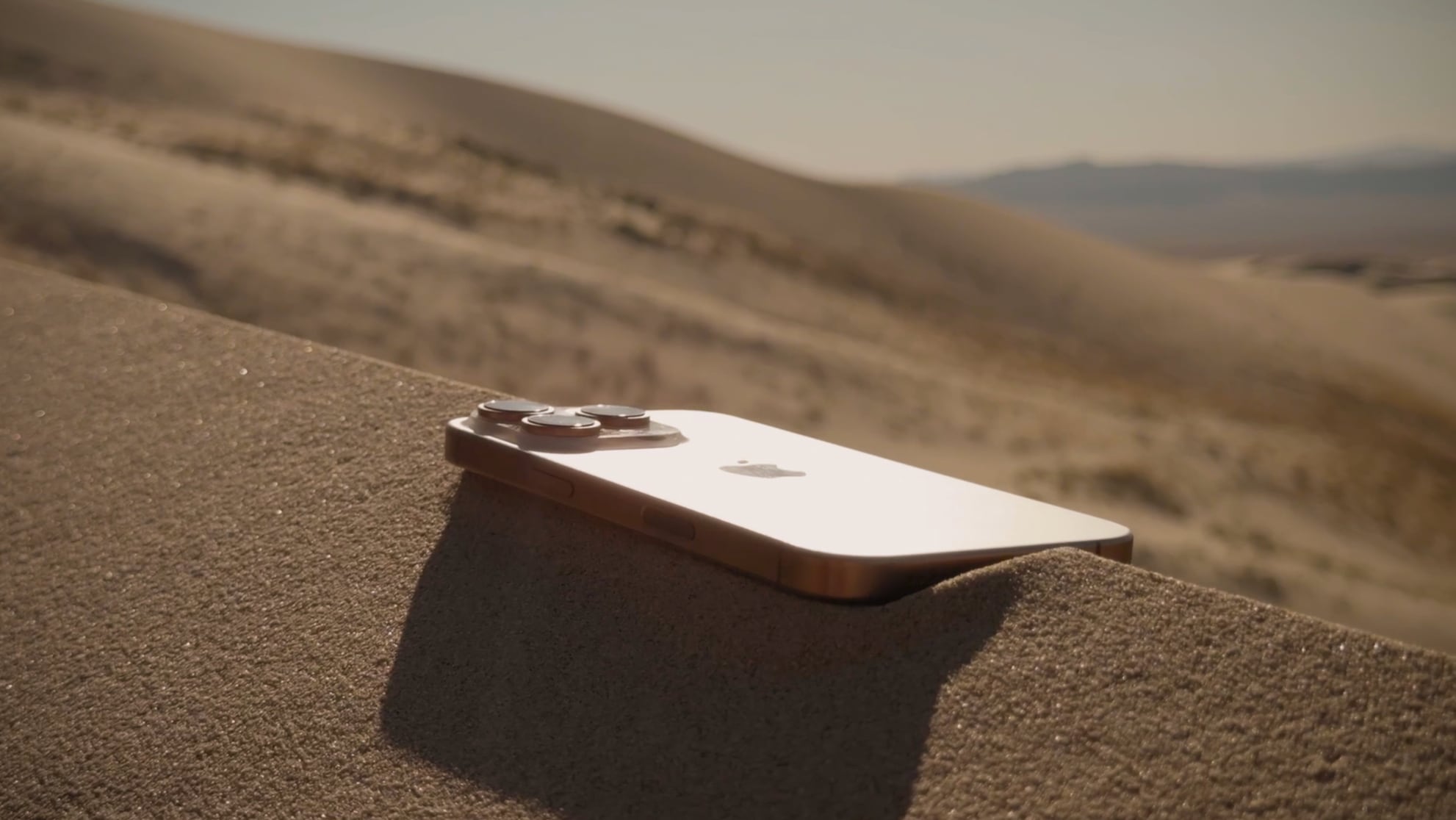 Each year, the developers behind well-known iPhone camera app Halide take an in-depth look at the new camera technology that Apple has introduced. This year, Sebastiaan de With took more than 1,000 photos with the iPhone 16 Pro to examine changes to the camera setup, Apple's image processing, and more.
Apple added an upgraded 48-megapixel Ultra Wide camera to the iPhone 16 Pro models this year. De With found it to take photos that have "impressive sharpness," but Apple did not add a larger sensor, so you're still not going to get the level of detail that you get with the Wide camera, which has a much bigger sensor.
For macro photos, the 48-megapixel lens "does wonders" for up-close shots. In prior iPhones, the Ultra Wide was cropping in from a 12-megapixel photo, which meant you ended up with an image that was approximately three megapixels. With the 48-megapixel lens, cropping in provides a true 12-megapixel image with more detail.
iPhone 15 Pro sensor. While both the iPhone 16 and iPhone 16 Pro have a "Fusion" camera, the iPhone 16 Pro has a larger and higher quality sensor. As with the iPhone 15 Pro, the iPhone 16 Pro combines pixels and can produce better 24-megapixel and 12-megapixel images using that data, in addition to full 48-megapixel photos. Processing is about the same as last year, and there is little difference between images captured with the iPhone 15 Pro and the iPhone 16 Pro with the standard Wide camera.
There are some notable internal changes that speed up image capture. The Apple Camera Interface provides faster sensor readout times for improvements to QuickTake. QuickTake also supports 4K Dolby Vision HDR, which is a noticeable improvement, according to de With. Capturing 48-megapixel ProRAW images is also a lot faster with quicker shutter speeds, and there's little delay.
the full Halide review is well worth a read.
Tag: Halide
This article, "Halide Maker Does Deep Dive Into iPhone 16 Pro Camera" first appeared on MacRumors.com
Discuss this article in our forums
Each year, the developers behind well-known iPhone camera app Halide take an in-depth look at the new camera technology that Apple has introduced. This year, Sebastiaan de With took more than 1,000 photos with the iPhone 16 Pro to examine changes to the camera setup, Apple's image processing, and more.
Apple added an upgraded 48-megapixel Ultra Wide camera to the iPhone 16 Pro models this year. De With found it to take photos that have "impressive sharpness," but Apple did not add a larger sensor, so you're still not going to get the level of detail that you get with the Wide camera, which has a much bigger sensor.
For macro photos, the 48-megapixel lens "does wonders" for up-close shots. In prior iPhones, the Ultra Wide was cropping in from a 12-megapixel photo, which meant you ended up with an image that was approximately three megapixels. With the 48-megapixel lens, cropping in provides a true 12-megapixel image with more detail.
iPhone 15 Pro sensor. While both the iPhone 16 and iPhone 16 Pro have a "Fusion" camera, the iPhone 16 Pro has a larger and higher quality sensor. As with the iPhone 15 Pro, the iPhone 16 Pro combines pixels and can produce better 24-megapixel and 12-megapixel images using that data, in addition to full 48-megapixel photos. Processing is about the same as last year, and there is little difference between images captured with the iPhone 15 Pro and the iPhone 16 Pro with the standard Wide camera.
There are some notable internal changes that speed up image capture. The Apple Camera Interface provides faster sensor readout times for improvements to QuickTake. QuickTake also supports 4K Dolby Vision HDR, which is a noticeable improvement, according to de With. Capturing 48-megapixel ProRAW images is also a lot faster with quicker shutter speeds, and there's little delay.
the full Halide review is well worth a read.
Tag: Halide
This article, "Halide Maker Does Deep Dive Into iPhone 16 Pro Camera" first appeared on MacRumors.com
Discuss this article in our forums
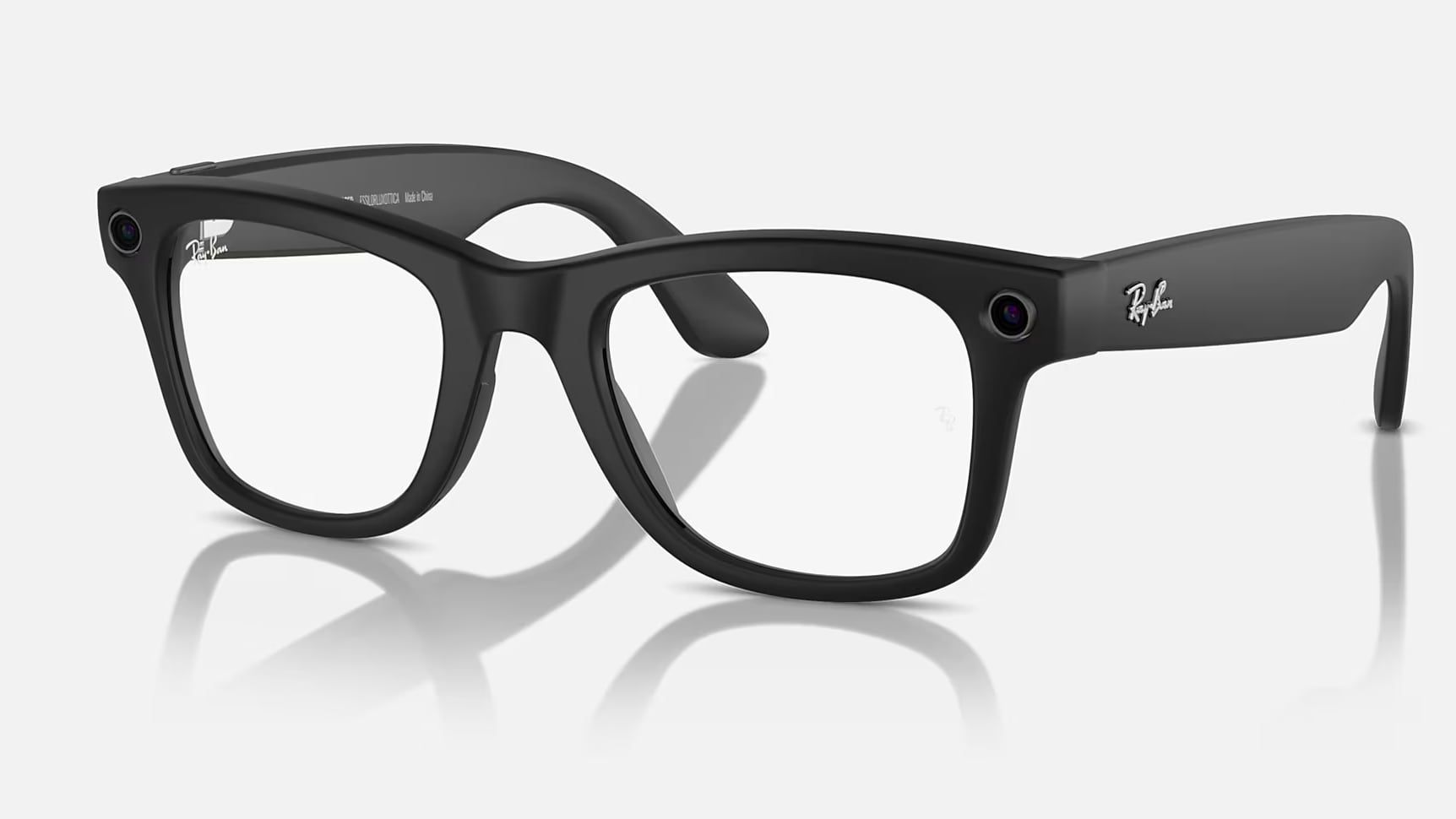
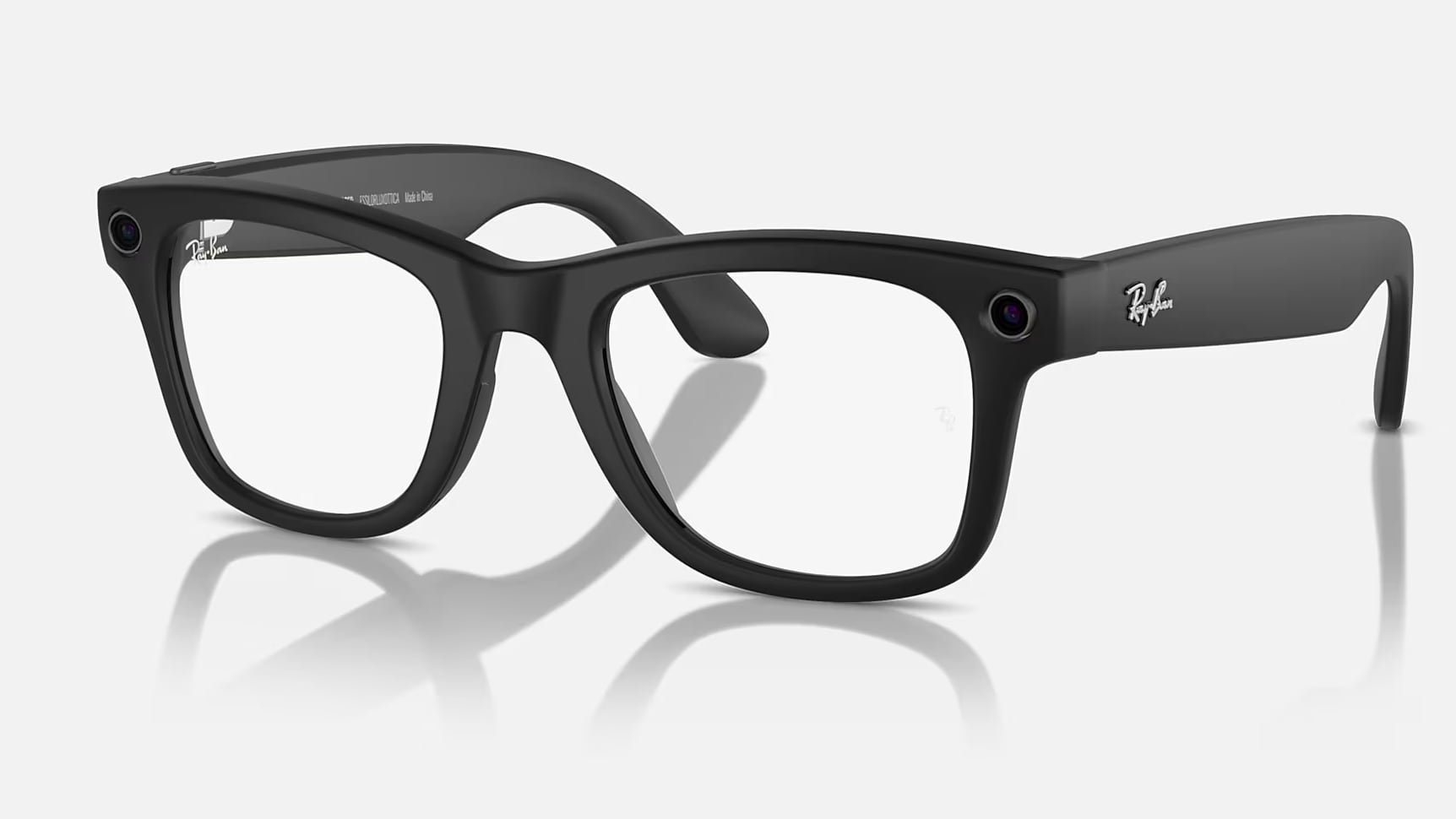 Facebook parent company Meta last week added new AI features to its camera-equipped Ray-Ban Meta Glasses. You can use the camera feature on the glasses to get information about what's around you and to remember things like where you parked. There's also now support for video for AI purposes, for "continuous real-time help."
With all of these new features that involve the camera continually viewing what's around the wearer, there are new questions about what Meta is doing with that data. TechCrunch specifically asked Meta if it was using the images collected by the Meta Glasses to train AI models, and Meta declined to say.
TechCrunch. Kumar is a senior director that works on AI wearables. "That's not something we typically share externally," another spokesperson said. When asked for clarification on whether images are being used to train AI, the spokesperson said "we're not saying either way."
TechCrunch doesn't come out and say it, but if the answer is not a clear and definitive "no," it's likely that Meta does indeed plan to use images captured by the Meta Glasses to train Meta AI. If that wasn't the case, it doesn't seem like there would be a reason for Meta to be ambiguous about answering, especially with all of the public commentary on the methods and data that companies use for training.
Meta does train its AI on publicly posted Instagram and Facebook images and stories, which it considers publicly available data. But data collected from the Meta Ray-Ban Glasses that's specifically for interacting with AI in private isn't the same as a publicly posted Instagram image, and it's concerning.
TechCrunch notes, the new AI features for the Meta Glasses are going to be capturing a lot of passive images to feed to AI to answer questions about the wearer's surroundings. Asking the Meta Glasses for help picking an outfit, for example, will see dozens of images of the inside of the wearer's home captured, with those images uploaded to the cloud.
The Meta Glasses have always been used for images and video, but in an active way. You generally know when you're capturing a photo or video because it's for the express purpose of uploading to social media or saving a memory, as with any camera. With AI, though, you aren't keeping those images because they're being collected for the express purpose of interacting with the AI assistant.
Meta is definitively not confirming what happens to images from the Meta Glasses that are uploaded to its cloud servers for AI use, and that's something Meta Glasses owners should be aware of. Using these new AI features could result in Meta collecting hundreds of private photos that wearers had no intention or awareness of sharing.
Tags: Facebook, Meta
This article, "Meta is Probably Training AI on Images Taken by Meta Ray-Bans" first appeared on MacRumors.com
Discuss this article in our forums
Facebook parent company Meta last week added new AI features to its camera-equipped Ray-Ban Meta Glasses. You can use the camera feature on the glasses to get information about what's around you and to remember things like where you parked. There's also now support for video for AI purposes, for "continuous real-time help."
With all of these new features that involve the camera continually viewing what's around the wearer, there are new questions about what Meta is doing with that data. TechCrunch specifically asked Meta if it was using the images collected by the Meta Glasses to train AI models, and Meta declined to say.
TechCrunch. Kumar is a senior director that works on AI wearables. "That's not something we typically share externally," another spokesperson said. When asked for clarification on whether images are being used to train AI, the spokesperson said "we're not saying either way."
TechCrunch doesn't come out and say it, but if the answer is not a clear and definitive "no," it's likely that Meta does indeed plan to use images captured by the Meta Glasses to train Meta AI. If that wasn't the case, it doesn't seem like there would be a reason for Meta to be ambiguous about answering, especially with all of the public commentary on the methods and data that companies use for training.
Meta does train its AI on publicly posted Instagram and Facebook images and stories, which it considers publicly available data. But data collected from the Meta Ray-Ban Glasses that's specifically for interacting with AI in private isn't the same as a publicly posted Instagram image, and it's concerning.
TechCrunch notes, the new AI features for the Meta Glasses are going to be capturing a lot of passive images to feed to AI to answer questions about the wearer's surroundings. Asking the Meta Glasses for help picking an outfit, for example, will see dozens of images of the inside of the wearer's home captured, with those images uploaded to the cloud.
The Meta Glasses have always been used for images and video, but in an active way. You generally know when you're capturing a photo or video because it's for the express purpose of uploading to social media or saving a memory, as with any camera. With AI, though, you aren't keeping those images because they're being collected for the express purpose of interacting with the AI assistant.
Meta is definitively not confirming what happens to images from the Meta Glasses that are uploaded to its cloud servers for AI use, and that's something Meta Glasses owners should be aware of. Using these new AI features could result in Meta collecting hundreds of private photos that wearers had no intention or awareness of sharing.
Tags: Facebook, Meta
This article, "Meta is Probably Training AI on Images Taken by Meta Ray-Bans" first appeared on MacRumors.com
Discuss this article in our forums
 Adobe today unveiled new versions of Photoshop Elements and Premiere Elements, the company's affordable photo and video editing software aimed at users who want to enhance their photos and videos with simple editing tools.
Photoshop Elements 2025 incorporates multiple new AI-powered tools to make editing quicker than ever. There's a new Remove tool that lets users select an area in the image to remove with a brush, plus it is accompanied by an Object Removal Guided Edit.
There's also an option to change the color of objects in an image by selecting them with the automatic selection tools and then choosing a new color.
A new Depth Blur filter adds blur to images to mimic a depth of field effect, with controls for adjusting blur strength, focal distance, and focal range. It's a useful way to change the focus of an image.
Photos Guided Edit that walks users through blending the subject from one image and the background from another to create an all-new image. It can use parts of multiple photos for unique looks.
Other new features include options for textured photo backgrounds and graphics and a one-click option for adding effects like camera motion, animated sparkles, or an animated frame.
Premiere Elements 2025 has several new features for videos. There's a new White Balance tool for adjusting the look of clouds, snow, and similar white elements, plus there are new color correction Curves for making more precise color and brightness adjustments.
There are additional templates for dynamic titles with more control over text alignment, size, color, and spacing. There are preset LUTs for tweaking color, and a simplified Timeline speeds up editing.
For both Photoshop and Premiere Elements, there are enhancements for Macs with the new M3 chip, so the software will run faster on new M3 machines.
available on Adobe's website.
Tag: Adobe
This article, "Adobe Debuts Photoshop and Premiere Elements 2025" first appeared on MacRumors.com
Discuss this article in our forums
Adobe today unveiled new versions of Photoshop Elements and Premiere Elements, the company's affordable photo and video editing software aimed at users who want to enhance their photos and videos with simple editing tools.
Photoshop Elements 2025 incorporates multiple new AI-powered tools to make editing quicker than ever. There's a new Remove tool that lets users select an area in the image to remove with a brush, plus it is accompanied by an Object Removal Guided Edit.
There's also an option to change the color of objects in an image by selecting them with the automatic selection tools and then choosing a new color.
A new Depth Blur filter adds blur to images to mimic a depth of field effect, with controls for adjusting blur strength, focal distance, and focal range. It's a useful way to change the focus of an image.
Photos Guided Edit that walks users through blending the subject from one image and the background from another to create an all-new image. It can use parts of multiple photos for unique looks.
Other new features include options for textured photo backgrounds and graphics and a one-click option for adding effects like camera motion, animated sparkles, or an animated frame.
Premiere Elements 2025 has several new features for videos. There's a new White Balance tool for adjusting the look of clouds, snow, and similar white elements, plus there are new color correction Curves for making more precise color and brightness adjustments.
There are additional templates for dynamic titles with more control over text alignment, size, color, and spacing. There are preset LUTs for tweaking color, and a simplified Timeline speeds up editing.
For both Photoshop and Premiere Elements, there are enhancements for Macs with the new M3 chip, so the software will run faster on new M3 machines.
available on Adobe's website.
Tag: Adobe
This article, "Adobe Debuts Photoshop and Premiere Elements 2025" first appeared on MacRumors.com
Discuss this article in our forums

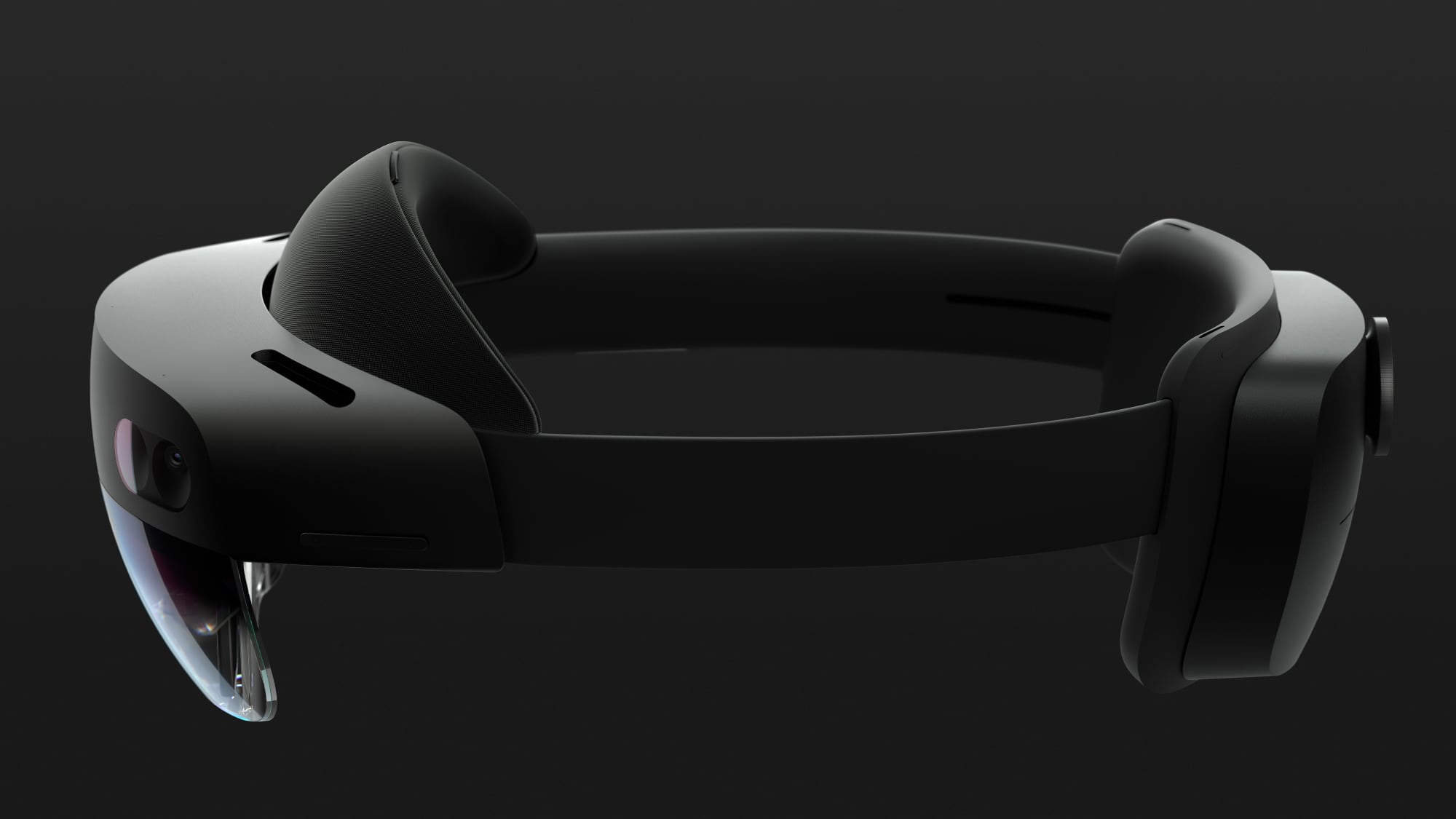 Microsoft is planning to discontinue its mixed reality HoloLens 2 headsets, according to a report from UploadVR. Production on the HoloLens 2 is ending, and sales will cease when stock runs out.
Security updates will be provided until December 31, 2027, but after that point, Microsoft plans to end software support for the HoloLens 2.
Microsoft was one of the first companies to delve into mixed reality technology, and it introduced the original HoloLens in 2016, following up with the HoloLens 2 in 2019. The HoloLens headsets have always been expensive and Microsoft has targeted them to enterprise customers rather than the general public.
reportedly canceled due to a lack of focus and internal hardware development challenges. Microsoft has also been downsizing its mixed reality team in 2023 and 2024.
Microsoft does apparently plan to continue supporting its HoloLens IVAS, which stands for integrated visual augmentation system. It is an AR headset that Microsoft is creating for the U.S. Army, and it is set to be tested in early 2025 to determine its feasibility for full-scale production.
As Microsoft has been winding down its work on the HoloLens, it has partnered with Meta to bring Xbox Cloud Gaming and its Office apps to the Quest headsets, and it is also working on Windows 11 integration with the Quest.
come as soon as 2025.
This article, "Microsoft Discontinuing Mixed Reality HoloLens 2 Headset" first appeared on MacRumors.com
Discuss this article in our forums
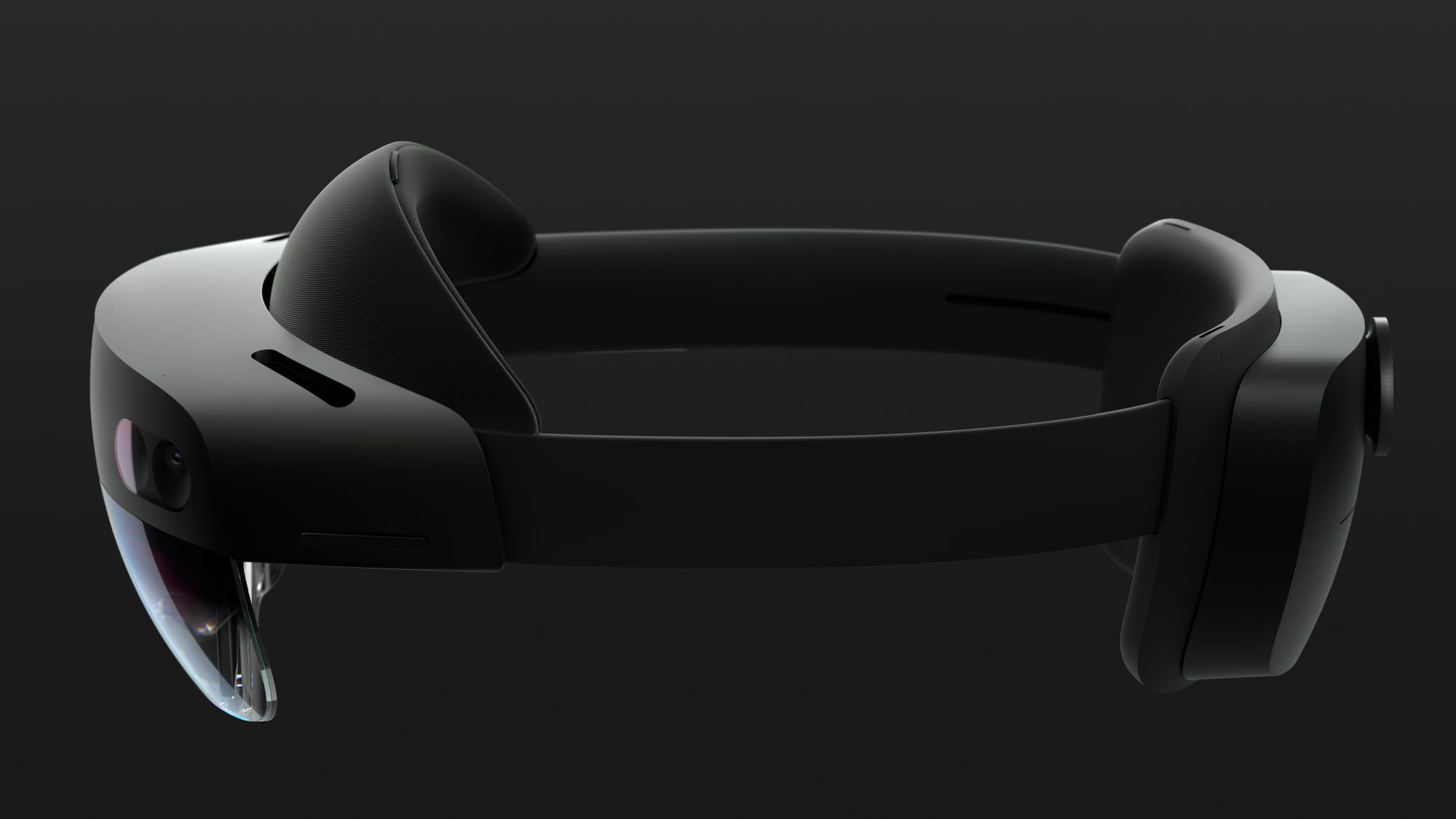
Microsoft is planning to discontinue its mixed reality HoloLens 2 headsets, according to a report from UploadVR. Production on the HoloLens 2 is ending, and sales will cease when stock runs out.
Security updates will be provided until December 31, 2027, but after that point, Microsoft plans to end software support for the HoloLens 2.
Microsoft was one of the first companies to delve into mixed reality technology, and it introduced the original HoloLens in 2016, following up with the HoloLens 2 in 2019. The HoloLens headsets have always been expensive and Microsoft has targeted them to enterprise customers rather than the general public.
reportedly canceled due to a lack of focus and internal hardware development challenges. Microsoft has also been downsizing its mixed reality team in 2023 and 2024.
Microsoft does apparently plan to continue supporting its HoloLens IVAS, which stands for integrated visual augmentation system. It is an AR headset that Microsoft is creating for the U.S. Army, and it is set to be tested in early 2025 to determine its feasibility for full-scale production.
As Microsoft has been winding down its work on the HoloLens, it has partnered with Meta to bring Xbox Cloud Gaming and its Office apps to the Quest headsets, and it is also working on Windows 11 integration with the Quest.
come as soon as 2025.
This article, "Microsoft Discontinuing Mixed Reality HoloLens 2 Headset" first appeared on MacRumors.com
Discuss this article in our forums
 Juno, an app designed for watching YouTube on the Vision Pro, has been removed from the App Store, developer Christian Selig said today. Back in April, YouTube emailed Selig and said that Juno was violating the YouTube Terms of Service and the YouTube API by modifying the native YouTube.com web user interface, and used YouTube trademarks and iconography that could be confusing to customers.
In response, Selig switched from using the embed player to the website player, made it clear that Juno was an unofficial YouTube viewer, and explained to YouTube that as a web viewer, Juno is not using YouTube APIs. At the same time, though, YouTube filed a complaint with the App Store, and Selig went on to warn customers that he would not fight Google on any decision regarding Juno.
Juno has now been removed from the App Store by Apple in response to YouTube's complaint. Selig says that he does not agree with the decision because Juno is a simple web view and that that modifies CSS to make the player look more "visionOS like," but he does not plan to appeal the decision.
Selig, for those unaware, was the developer of the Reddit app Apollo, and he faced a public fight with Reddit over its third-party API changes and fees last year. The dispute ultimately ended up with Apollo shutting down. According to Selig, Juno was just a fun hobby project.
Juno was a fun hobby project for me to build. As a developer I wanted to get some experience building for the Vision Pro, and as a user I wanted a nice way to watch YouTube on this cool new device. As a result, I really enjoyed building Juno, but it was always something I saw as fundamentally a little app I built for fun.
YouTube does not have a dedicated app for the Vision Pro, which is why Selig designed and released Juno last February. Prior to when the Vision Pro launched, YouTube said that it would not develop a Vision Pro app, nor would it allow the YouTube iPad app to run on the headset. With Juno removed, those who want to watch YouTube on Vision Pro will need to use Safari.
Related Roundup: visionOS 2
Tag: YouTube
Related Forum: Apple Vision Pro
This article, "Juno YouTube App for Vision Pro Removed From App Store" first appeared on MacRumors.com
Discuss this article in our forums
Juno, an app designed for watching YouTube on the Vision Pro, has been removed from the App Store, developer Christian Selig said today. Back in April, YouTube emailed Selig and said that Juno was violating the YouTube Terms of Service and the YouTube API by modifying the native YouTube.com web user interface, and used YouTube trademarks and iconography that could be confusing to customers.
In response, Selig switched from using the embed player to the website player, made it clear that Juno was an unofficial YouTube viewer, and explained to YouTube that as a web viewer, Juno is not using YouTube APIs. At the same time, though, YouTube filed a complaint with the App Store, and Selig went on to warn customers that he would not fight Google on any decision regarding Juno.
Juno has now been removed from the App Store by Apple in response to YouTube's complaint. Selig says that he does not agree with the decision because Juno is a simple web view and that that modifies CSS to make the player look more "visionOS like," but he does not plan to appeal the decision.
Selig, for those unaware, was the developer of the Reddit app Apollo, and he faced a public fight with Reddit over its third-party API changes and fees last year. The dispute ultimately ended up with Apollo shutting down. According to Selig, Juno was just a fun hobby project.
Juno was a fun hobby project for me to build. As a developer I wanted to get some experience building for the Vision Pro, and as a user I wanted a nice way to watch YouTube on this cool new device. As a result, I really enjoyed building Juno, but it was always something I saw as fundamentally a little app I built for fun.
YouTube does not have a dedicated app for the Vision Pro, which is why Selig designed and released Juno last February. Prior to when the Vision Pro launched, YouTube said that it would not develop a Vision Pro app, nor would it allow the YouTube iPad app to run on the headset. With Juno removed, those who want to watch YouTube on Vision Pro will need to use Safari.
Related Roundup: visionOS 2
Tag: YouTube
Related Forum: Apple Vision Pro
This article, "Juno YouTube App for Vision Pro Removed From App Store" first appeared on MacRumors.com
Discuss this article in our forums

 Home Depot today launched new Smart Glass Door options that are able to transform from clear glass to opaque glass with a smartphone app, providing versatility for customers who want to be able to block light or people from seeing inside a home at select times of the day.
The Smart Glass Doors are made by Feather River Doors and are powered through Hubspace, a smart home app that integrates with several products sold by Home Depot, including light bulbs, ceiling fans, blinds, outlets, and locks.
iPhone, but there is no HomeKit integration or support for Siri, which is a major downside for people who have a HomeKit setup. There is, however, support for Alexa and Google voice control.
When activated, the glass in the door is able to change from clear to privacy, which is a more opaque look. The glass is laminated for energy efficiency, and the door itself is made from fiberglass filled with high density polyurethane foam. It is unpainted, so it can be painted to match a home.
Tag: Home Deport
This article, "Home Depot Launches Smart Glass Doors That Turn From Clear to Opaque" first appeared on MacRumors.com
Discuss this article in our forums
Home Depot today launched new Smart Glass Door options that are able to transform from clear glass to opaque glass with a smartphone app, providing versatility for customers who want to be able to block light or people from seeing inside a home at select times of the day.
The Smart Glass Doors are made by Feather River Doors and are powered through Hubspace, a smart home app that integrates with several products sold by Home Depot, including light bulbs, ceiling fans, blinds, outlets, and locks.
iPhone, but there is no HomeKit integration or support for Siri, which is a major downside for people who have a HomeKit setup. There is, however, support for Alexa and Google voice control.
When activated, the glass in the door is able to change from clear to privacy, which is a more opaque look. The glass is laminated for energy efficiency, and the door itself is made from fiberglass filled with high density polyurethane foam. It is unpainted, so it can be painted to match a home.
Tag: Home Deport
This article, "Home Depot Launches Smart Glass Doors That Turn From Clear to Opaque" first appeared on MacRumors.com
Discuss this article in our forums

 Apple will hold a new "Mindful Month" Apple Watch Activity Challenge that is set to take place on October 10. It is meant to bring awareness to caring for mental health.
Let's bring awareness to all the ways we can take care of our mental health. On October 10, record 10 mindful minutes with any app that adds to Health to get this award.
Like all Activity Challenges, the Mindful Month event will come with animated stickers that can be used in the Messages app.
Mindful Month appears to be a new addition to the Apple Watch Activity Challenge lineup. Apple's last Activity Challenge took place in August for National Park Day.
This article, "Apple Celebrating 'Mindful Month' With October 10 Apple Watch Activity Challenge" first appeared on MacRumors.com
Discuss this article in our forums
Apple will hold a new "Mindful Month" Apple Watch Activity Challenge that is set to take place on October 10. It is meant to bring awareness to caring for mental health.
Let's bring awareness to all the ways we can take care of our mental health. On October 10, record 10 mindful minutes with any app that adds to Health to get this award.
Like all Activity Challenges, the Mindful Month event will come with animated stickers that can be used in the Messages app.
Mindful Month appears to be a new addition to the Apple Watch Activity Challenge lineup. Apple's last Activity Challenge took place in August for National Park Day.
This article, "Apple Celebrating 'Mindful Month' With October 10 Apple Watch Activity Challenge" first appeared on MacRumors.com
Discuss this article in our forums

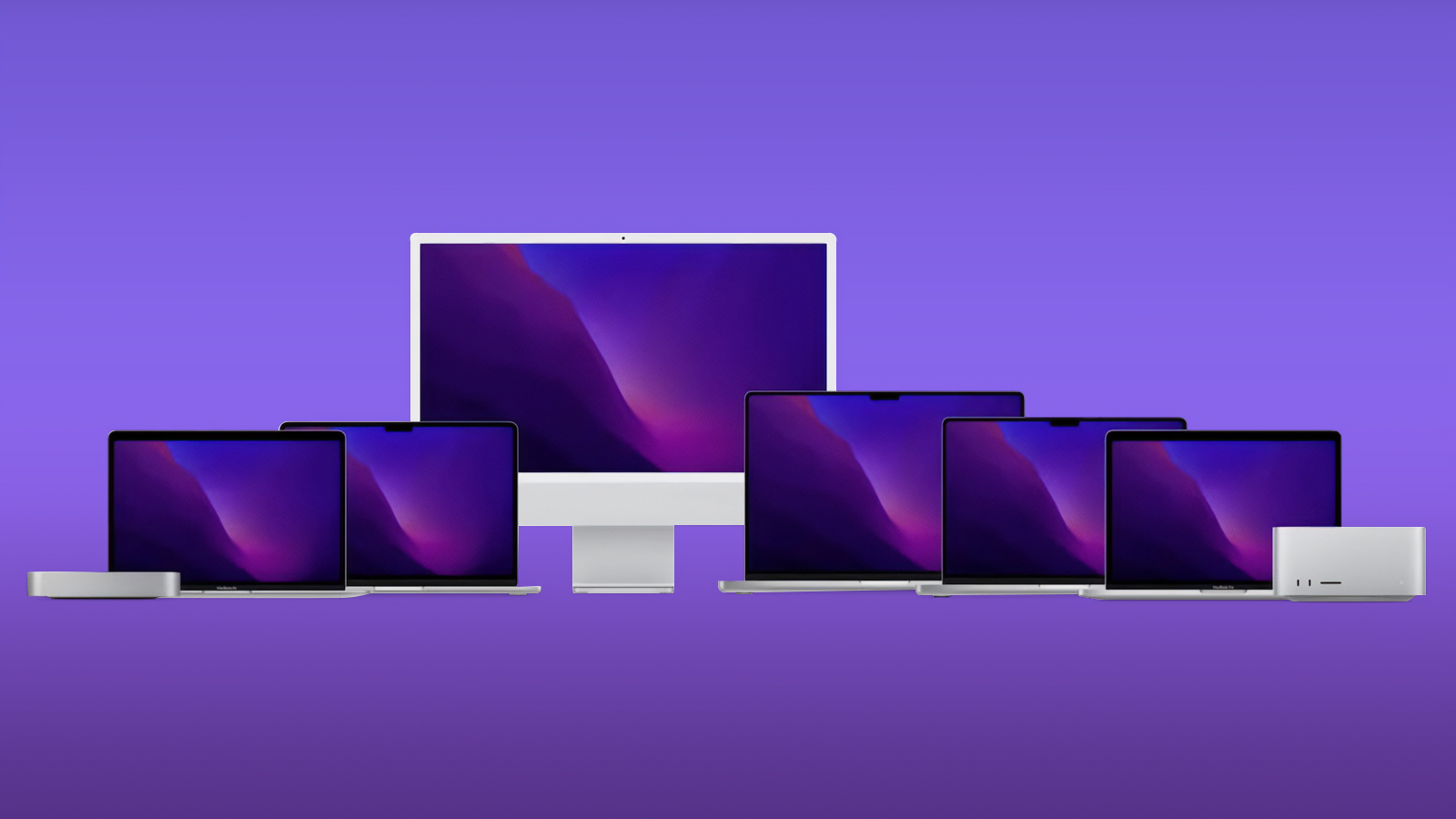 Apple plans to release new MacBook Pro, iMac, and Mac mini models with the M4 series of chips "this year," according to Bloomberg's Mark Gurman.
Gurman initially said these Macs would likely be announced during a virtual event this October, but he has been more vague about the timing lately, with wording such as "in the coming weeks" and now merely "this year." In any case, it is clear that he expects the first Macs with M4 chips to be introduced before the calendar turns to 2025.
on October 30 last year, while the Mac mini was last updated in January last year.
up to 25% faster multi-core CPU performance compared to the M3 chip found in several current Macs. The M4 chip is available with up to a 10-core CPU, whereas the M3 chip has an 8-core CPU. Apple has yet to announce higher-end M4 Pro and M4 Max chips.
Below, we reiterate what has been rumored for these first M4 Macs.
MacBook Pro
in the coming weeks, according to Gurman. No design changes have been rumored for the laptops this year, with improvements such as an OLED display and thinner design not expected until 2026 at the earliest.
Apple last redesigned the 14-inch and 16-inch MacBook Pro in 2021, and the latest models with M3, M3 Pro, and M3 Max chips were released last October.
iMac
Apple also plans to update the iMac with the M4 chip in the coming weeks, according to Gurman. No design changes are expected for the desktop computer.
An unanswered question: Will the Magic Keyboard, Magic Mouse, and Magic Trackpad accessories for the iMac finally switch from Lightning to USB-C this year?
Mac mini
A concept of a smaller Mac mini
Gurman expects the Mac mini to be updated with M4 and M4 Pro chips in the coming weeks, and he said the desktop computer will be redesigned to become nearly as small as an Apple TV. The new Mac mini will apparently lack USB-A ports, and instead feature five USB-C ports, including two on the front of the computer.
Related Roundups: iMac, MacBook Pro 14 & 16" , Mac mini
Tag: Mark Gurman
Buyer's Guide: iMac (Neutral), 14" & 16" MacBook Pro (Don't Buy), Mac Mini (Don't Buy)
Related Forums: iMac, MacBook Pro, Mac mini
This article, "MacBook Pro, iMac, and Redesigned Mac Mini With M4 Chips on Track to Launch 'This Year'" first appeared on MacRumors.com
Discuss this article in our forums
Apple plans to release new MacBook Pro, iMac, and Mac mini models with the M4 series of chips "this year," according to Bloomberg's Mark Gurman.
Gurman initially said these Macs would likely be announced during a virtual event this October, but he has been more vague about the timing lately, with wording such as "in the coming weeks" and now merely "this year." In any case, it is clear that he expects the first Macs with M4 chips to be introduced before the calendar turns to 2025.
on October 30 last year, while the Mac mini was last updated in January last year.
up to 25% faster multi-core CPU performance compared to the M3 chip found in several current Macs. The M4 chip is available with up to a 10-core CPU, whereas the M3 chip has an 8-core CPU. Apple has yet to announce higher-end M4 Pro and M4 Max chips.
Below, we reiterate what has been rumored for these first M4 Macs.
MacBook Pro
in the coming weeks, according to Gurman. No design changes have been rumored for the laptops this year, with improvements such as an OLED display and thinner design not expected until 2026 at the earliest.
Apple last redesigned the 14-inch and 16-inch MacBook Pro in 2021, and the latest models with M3, M3 Pro, and M3 Max chips were released last October.
iMac
Apple also plans to update the iMac with the M4 chip in the coming weeks, according to Gurman. No design changes are expected for the desktop computer.
An unanswered question: Will the Magic Keyboard, Magic Mouse, and Magic Trackpad accessories for the iMac finally switch from Lightning to USB-C this year?
Mac mini
A concept of a smaller Mac mini
Gurman expects the Mac mini to be updated with M4 and M4 Pro chips in the coming weeks, and he said the desktop computer will be redesigned to become nearly as small as an Apple TV. The new Mac mini will apparently lack USB-A ports, and instead feature five USB-C ports, including two on the front of the computer.
Related Roundups: iMac, MacBook Pro 14 & 16" , Mac mini
Tag: Mark Gurman
Buyer's Guide: iMac (Neutral), 14" & 16" MacBook Pro (Don't Buy), Mac Mini (Don't Buy)
Related Forums: iMac, MacBook Pro, Mac mini
This article, "MacBook Pro, iMac, and Redesigned Mac Mini With M4 Chips on Track to Launch 'This Year'" first appeared on MacRumors.com
Discuss this article in our forums
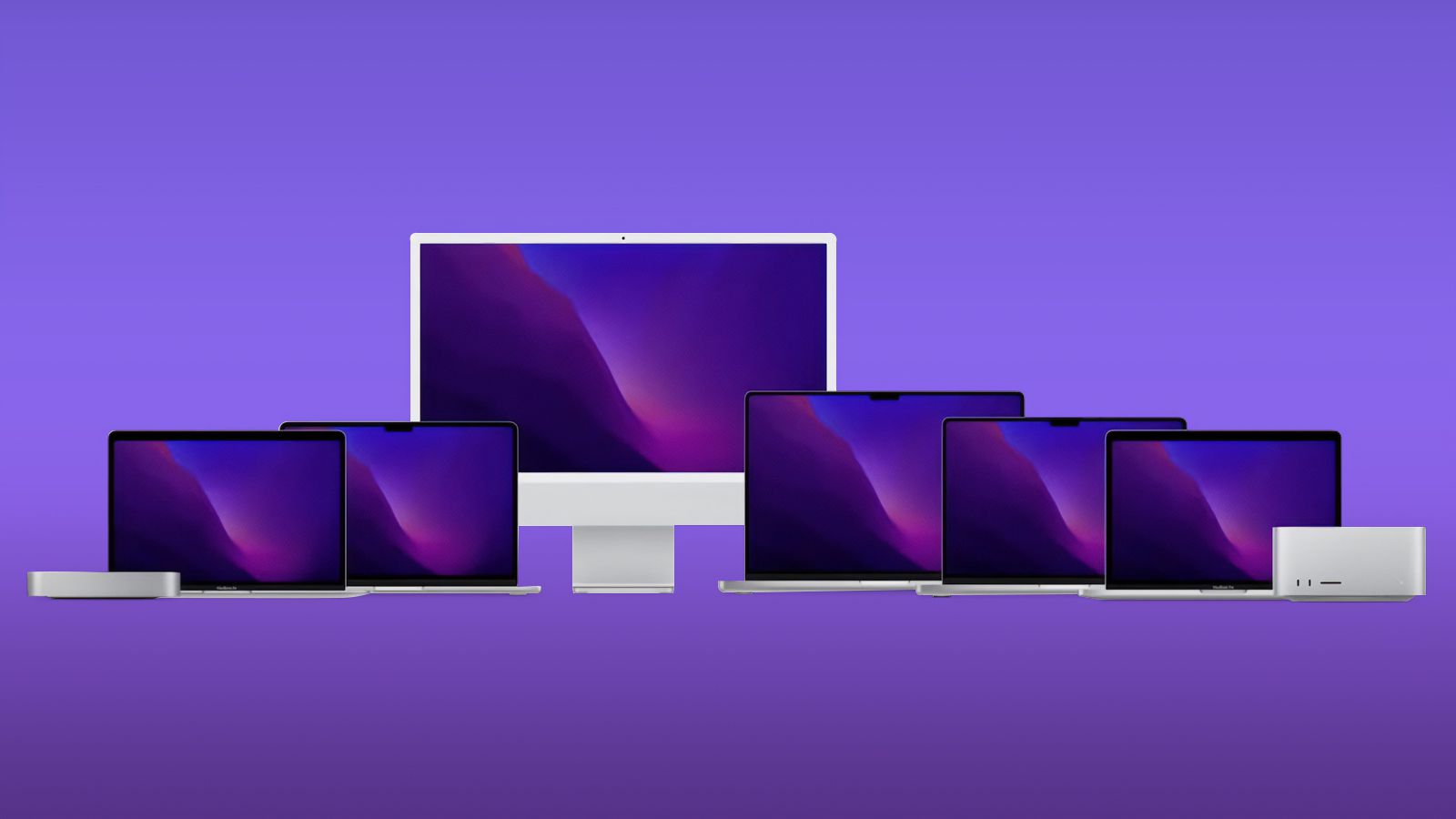
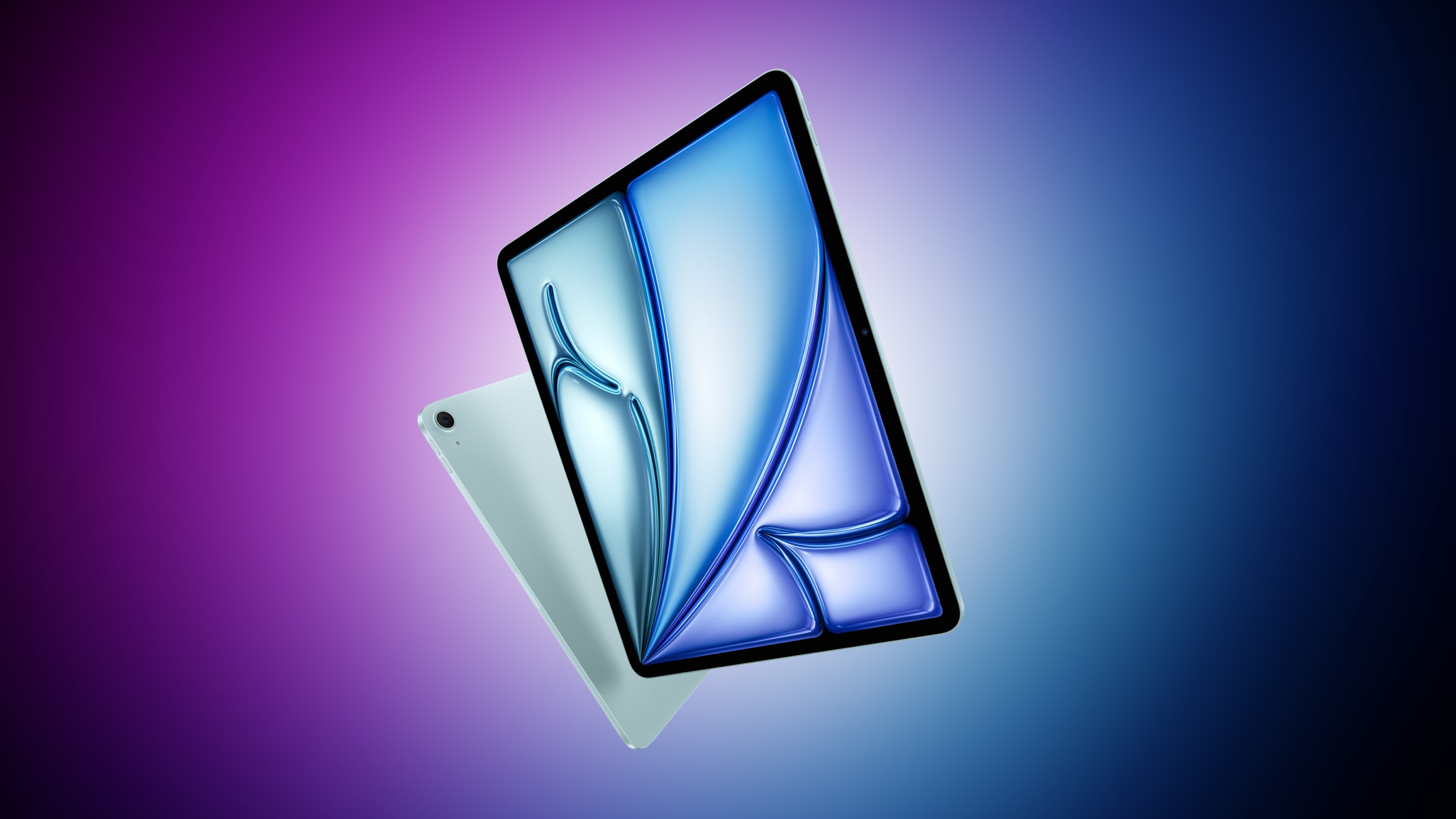 Apple plans to release new iPad Air models, a new iPhone SE with Apple Intelligence support, and an updated Magic Keyboard for the iPad Air at some point "early next year," according to a report today from Bloomberg's Mark Gurman.
The next iPhone SE will have a similar design as the iPhone 14, including an edge-to-edge screen with a notch, according to Gurman. This means the device will likely support Face ID, whereas the current iPhone SE from 2022 has a Touch ID button.
Related Roundups: iPad Air , iPhone SE
Tag: Mark Gurman
Buyer's Guide: iPad Air (Buy Now), iPhone SE (Don't Buy)
Related Forums: iPad, iPhone
This article, "New iPad Air, iPhone SE With Apple Intelligence, and More Reportedly Launching 'Early Next Year'" first appeared on MacRumors.com
Discuss this article in our forums
Apple plans to release new iPad Air models, a new iPhone SE with Apple Intelligence support, and an updated Magic Keyboard for the iPad Air at some point "early next year," according to a report today from Bloomberg's Mark Gurman.
The next iPhone SE will have a similar design as the iPhone 14, including an edge-to-edge screen with a notch, according to Gurman. This means the device will likely support Face ID, whereas the current iPhone SE from 2022 has a Touch ID button.
Related Roundups: iPad Air , iPhone SE
Tag: Mark Gurman
Buyer's Guide: iPad Air (Buy Now), iPhone SE (Don't Buy)
Related Forums: iPad, iPhone
This article, "New iPad Air, iPhone SE With Apple Intelligence, and More Reportedly Launching 'Early Next Year'" first appeared on MacRumors.com
Discuss this article in our forums
 Apple today seeded the third beta of an upcoming visionOS 2.1 update to developers for testing purposes, with the new software coming a week after Apple seeded the second visionOS 2.1 beta.
Registered developers are able to opt into the betas by opening up the Settings app on their device, going to the Software Update Section, tapping on the "Beta Updates" option, and toggling on the Developer Beta. Note that an Apple ID associated with a developer account is required to download and install the beta.
visionOS 2 features that Apple has not yet released, such as the option to use a larger ultrawide screen for the Mac Virtual Display and support for Multiview for MLS and MLB games.
Related Roundup: visionOS 2
Related Forum: Apple Vision Pro
This article, "Apple Seeds Third visionOS 2.1 Update to Developers" first appeared on MacRumors.com
Discuss this article in our forums
Apple today seeded the third beta of an upcoming visionOS 2.1 update to developers for testing purposes, with the new software coming a week after Apple seeded the second visionOS 2.1 beta.
Registered developers are able to opt into the betas by opening up the Settings app on their device, going to the Software Update Section, tapping on the "Beta Updates" option, and toggling on the Developer Beta. Note that an Apple ID associated with a developer account is required to download and install the beta.
visionOS 2 features that Apple has not yet released, such as the option to use a larger ultrawide screen for the Mac Virtual Display and support for Multiview for MLS and MLB games.
Related Roundup: visionOS 2
Related Forum: Apple Vision Pro
This article, "Apple Seeds Third visionOS 2.1 Update to Developers" first appeared on MacRumors.com
Discuss this article in our forums
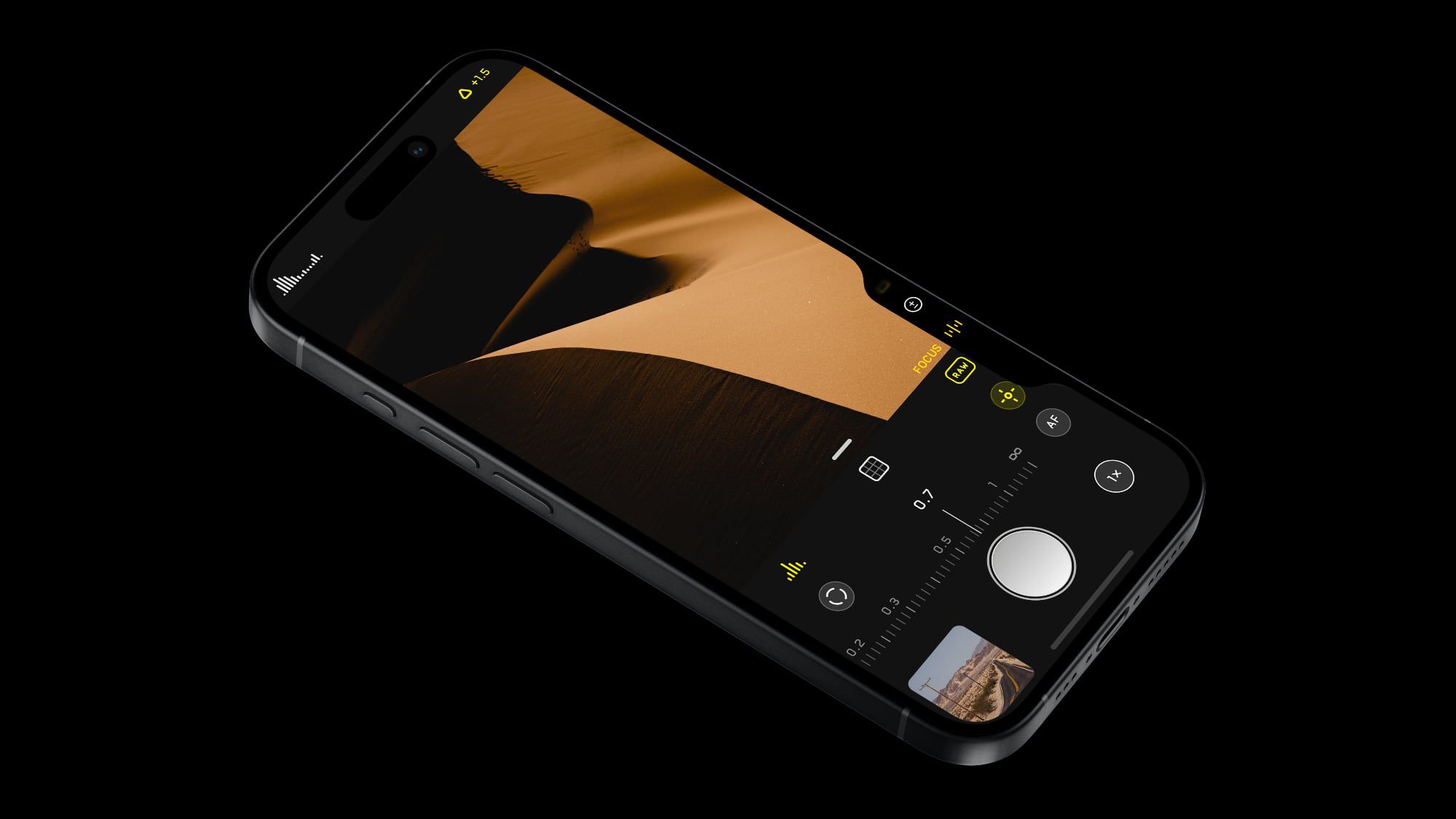
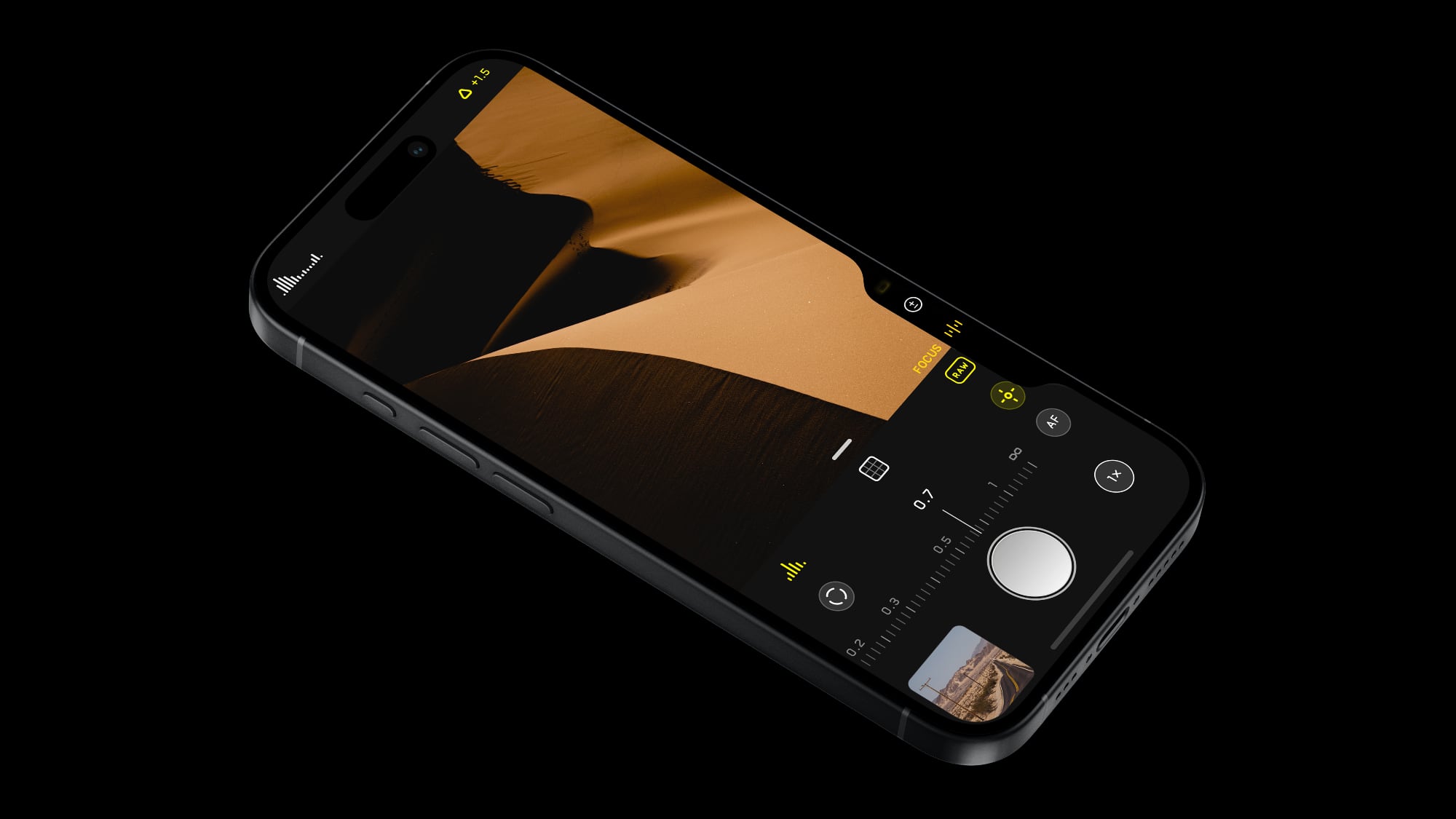 Popular camera app Halide was today updated with new features for the Camera Control button available on the new iPhone 16 models. Halide already supported opening the app with Camera Control, but now users can also make adjustments.
Using the Camera Control's touch and swipe-based gesture support, Halide users can adjust focus and exposure, and lock their settings in place. The dedicated "Locked" adjustment makes sure that no settings can be disturbed from accidental swipes on the Camera Control button, and it is designed for people who do not want to use manual adjustments.
iPhone.
In addition to these changes, Halide has added a quicker way to capture a photo. Halide takes the photo when the Camera Control button is pressed, while the Camera app from Apple takes the image when the button is released. The difference is minor, but fractions of a second can sometimes make a difference.
Halide says that the quick snap feature works well with the 48-megapixel ProRAW Zero Shutter Lag feature in the app, as well as with Process Zero, an option that Halide added to take 12-megapixel images with no AI and minimal processing.
App Store. The app is priced at $2.99 per month, $19.99 per year, or $59.99 for a one-time purchase. [Direct Link]
Tag: Halide
This article, "Halide App Gains Added iPhone 16 Camera Control Functionality" first appeared on MacRumors.com
Discuss this article in our forums
Popular camera app Halide was today updated with new features for the Camera Control button available on the new iPhone 16 models. Halide already supported opening the app with Camera Control, but now users can also make adjustments.
Using the Camera Control's touch and swipe-based gesture support, Halide users can adjust focus and exposure, and lock their settings in place. The dedicated "Locked" adjustment makes sure that no settings can be disturbed from accidental swipes on the Camera Control button, and it is designed for people who do not want to use manual adjustments.
iPhone.
In addition to these changes, Halide has added a quicker way to capture a photo. Halide takes the photo when the Camera Control button is pressed, while the Camera app from Apple takes the image when the button is released. The difference is minor, but fractions of a second can sometimes make a difference.
Halide says that the quick snap feature works well with the 48-megapixel ProRAW Zero Shutter Lag feature in the app, as well as with Process Zero, an option that Halide added to take 12-megapixel images with no AI and minimal processing.
App Store. The app is priced at $2.99 per month, $19.99 per year, or $59.99 for a one-time purchase. [Direct Link]
Tag: Halide
This article, "Halide App Gains Added iPhone 16 Camera Control Functionality" first appeared on MacRumors.com
Discuss this article in our forums
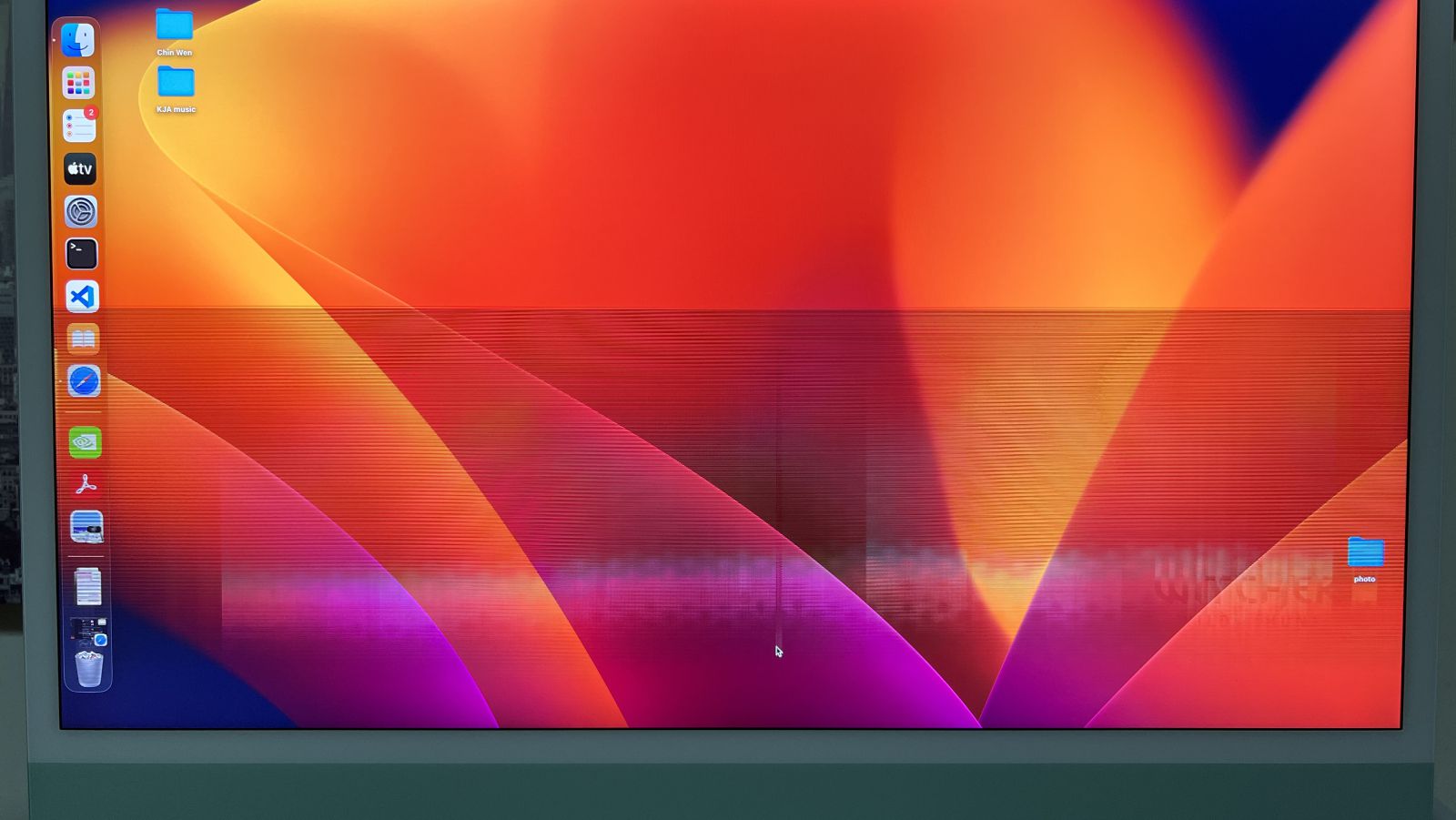
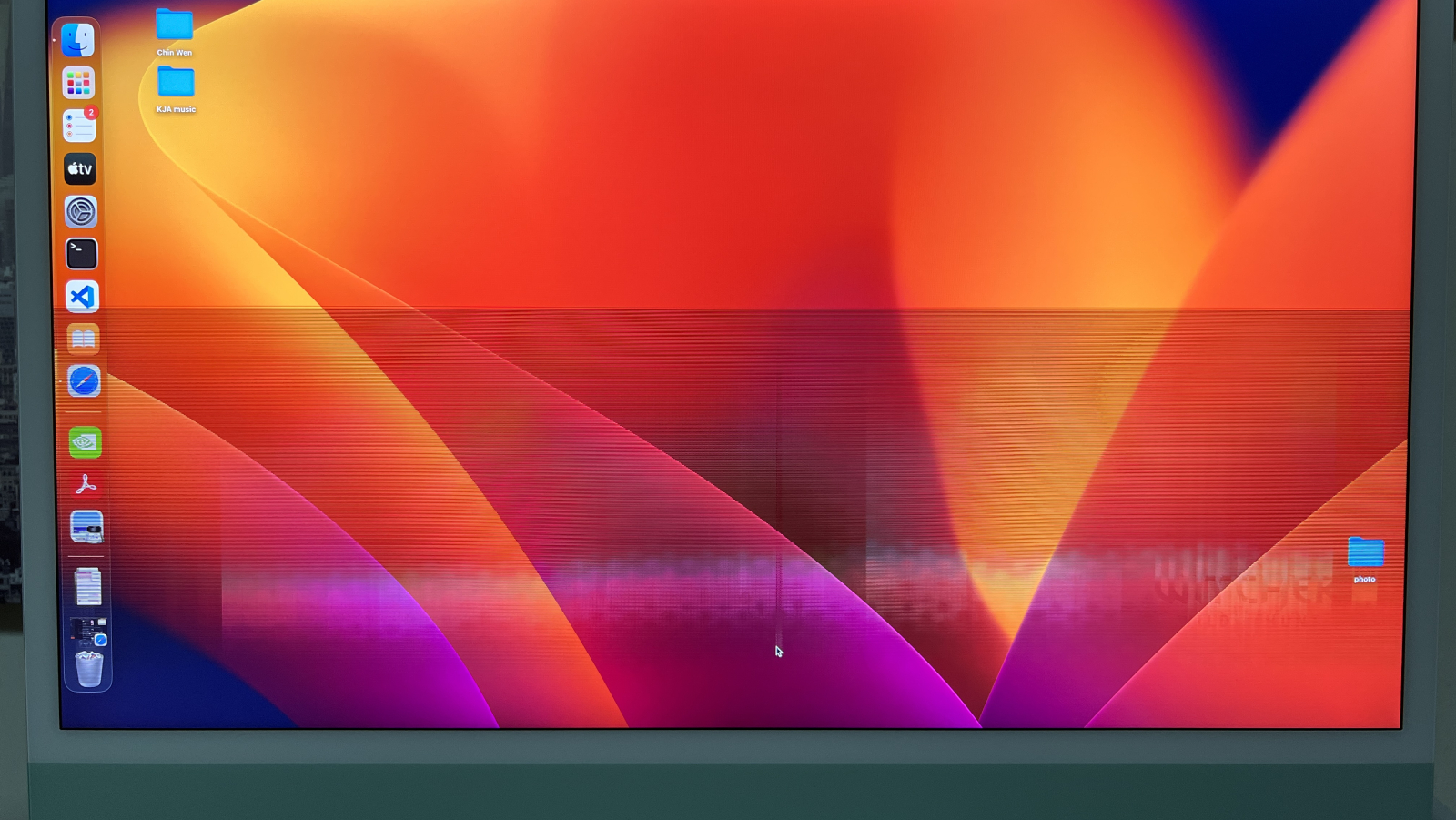 Over the past year and a half or so, some owners of the 24-inch iMac with the M1 chip have encountered horizontal lines abruptly appearing on the computer's screen. There are complaints about this issue across the Apple Support Community, MacRumors Forums, Reddit, iFixit Answers, and several other websites, but it is unclear how many customers are affected in total, or what the underlying cause of the problem is.
Many affected users said the lines began appearing on the screen around 18 to 24 months after they purchased the iMac. As a result, the affected iMac units are often no longer covered by Apple's standard one-year warranty at the time the issue begins, unless the customer purchased extended AppleCare+ coverage. Some customers who contacted Apple about the issue said the company offered them an exemption, resulting in their iMac being repaired for free, but other customers said they had to pay for service.
One symptom commonly mentioned is the top-right corner of the iMac becoming hot to the touch after the issue begins, but there is no confirmed cause.
Given that these complaints have been continuously popping up for nearly two years now, there may be a hardware issue with this particular iMac model, which launched in April 2021. We have not seen widespread complaints about this issue affecting the iMac with the M3 chip, although that model was released less than a year ago.
service programs for some hardware issues, but it is unclear if it will ever launch one for this iMac issue. We have reached out to Apple for comment on this matter, and we will update this story if we receive a response.
Related Roundup: iMac
Buyer's Guide: iMac (Neutral)
Related Forum: iMac
This article, "M1 iMac Owners Complain About Horizontal Lines Appearing on Screen" first appeared on MacRumors.com
Discuss this article in our forums
Over the past year and a half or so, some owners of the 24-inch iMac with the M1 chip have encountered horizontal lines abruptly appearing on the computer's screen. There are complaints about this issue across the Apple Support Community, MacRumors Forums, Reddit, iFixit Answers, and several other websites, but it is unclear how many customers are affected in total, or what the underlying cause of the problem is.
Many affected users said the lines began appearing on the screen around 18 to 24 months after they purchased the iMac. As a result, the affected iMac units are often no longer covered by Apple's standard one-year warranty at the time the issue begins, unless the customer purchased extended AppleCare+ coverage. Some customers who contacted Apple about the issue said the company offered them an exemption, resulting in their iMac being repaired for free, but other customers said they had to pay for service.
One symptom commonly mentioned is the top-right corner of the iMac becoming hot to the touch after the issue begins, but there is no confirmed cause.
Given that these complaints have been continuously popping up for nearly two years now, there may be a hardware issue with this particular iMac model, which launched in April 2021. We have not seen widespread complaints about this issue affecting the iMac with the M3 chip, although that model was released less than a year ago.
service programs for some hardware issues, but it is unclear if it will ever launch one for this iMac issue. We have reached out to Apple for comment on this matter, and we will update this story if we receive a response.
Related Roundup: iMac
Buyer's Guide: iMac (Neutral)
Related Forum: iMac
This article, "M1 iMac Owners Complain About Horizontal Lines Appearing on Screen" first appeared on MacRumors.com
Discuss this article in our forums
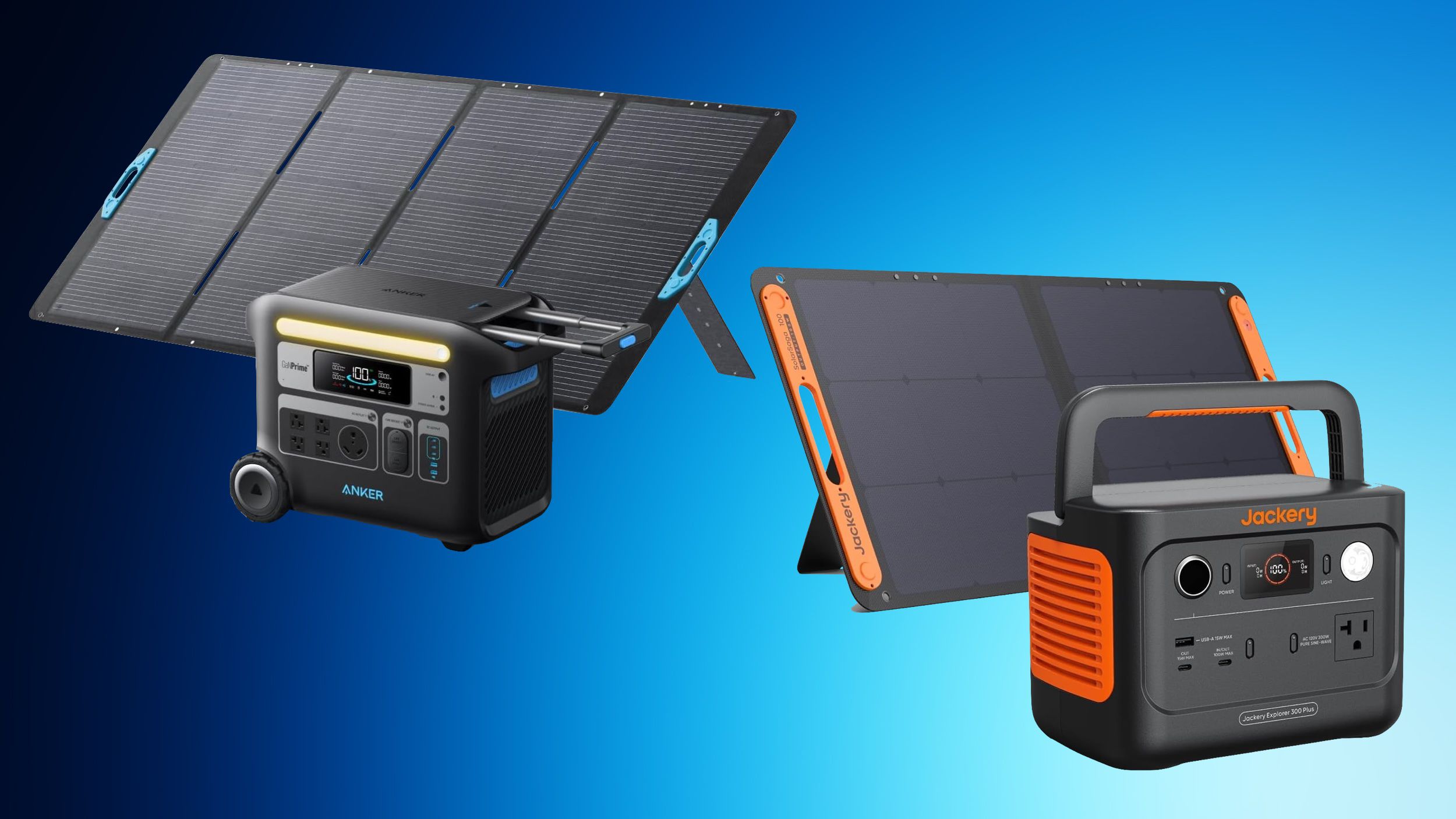
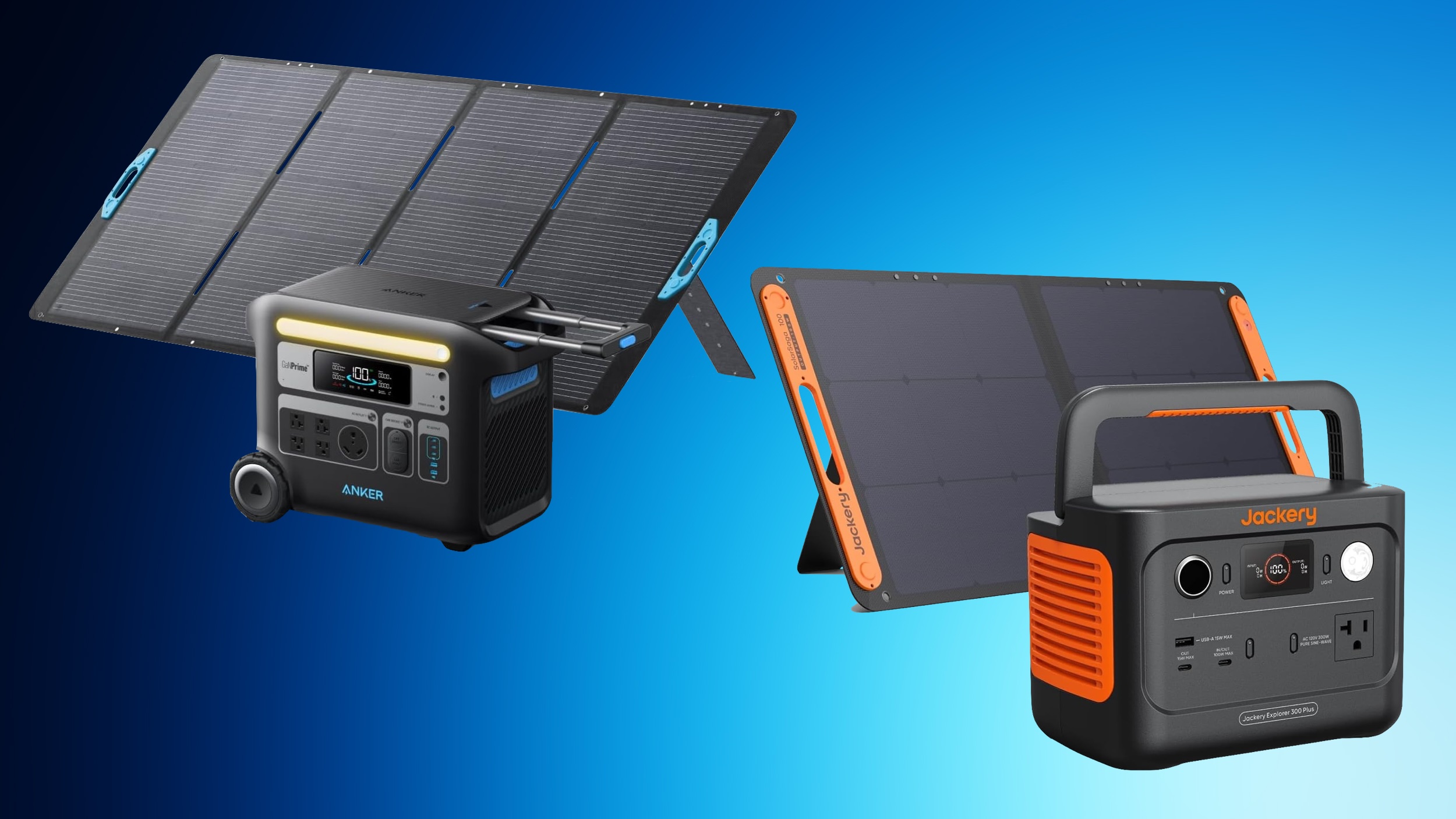 We're just one week out from Amazon Prime Day, and today we're already tracking a big collection of deals from popular brands including Anker and Jackery on Amazon. These deals include portable power stations, which are high-capacity portable batteries that can provide backup power to a wide variety of devices, from laptops to RVs.
Note: MacRumors is an affiliate partner with Amazon. When you click a link and make a purchase, we may receive a small payment, which helps us keep the site running.
For the Anker deals, you'll need to have a Prime membership in order to see some of these discounted prices, while others require an on-page coupon to be clipped before you see the final deal price. In regards to the Jackery discounts, some of these also require an on-page coupon in order to see the deal prices.
Anker
SmartTrack Card - $19.99, down from $29.99
10,000 mAh Nano Power Bank with Built-In USB-C Cable - $31.99 with on-page coupon, down from $44.99
20,000 mAh Power Bank with Built-In USB-C Cable - $47.99 with Prime, down from $59.99
MagGo 10,000 mAh Power Bank with Apple Watch Charger - $69.99, down from $79.99
MagGo Power Bank - $69.99 with Prime, down from $89.99
9,600 mAh Power Bank - $79.99 with Prime, down from $89.99
MagSafe Charger Stand 3-in-1 Cube - $129.99, down from $149.99
Jackery
Explorer 100 Plus with Solar Panel - $169.00, down from $229.00
Solar Generator with Mini Solar Panel - $249.00, down from $349.00
Solar Generator 300 Plus - $399.99, down from $499.00
Explorer 1000 Plus Expansion Battery - $499.00, down from $599.00
Explorer 500 - $499.00, down from $799.00
Explorer 2000 Plus Expansion Battery - $999.00, down from $1,599.00
Explorer 3000 Pro Generator - $1,799.00, down from $2,799.00
Solar Generator 4000 Kit - $2,599.00, down from $4,999.00
Explorer 2000 Plus Solar Generator + Expansion Battery + Solar Panels - $2,899.00 with on-page coupon, down from $5,199.00
Solar Generator 2000 Plus Kit - $3,599.00 with on-page coupon, down from $6,799.00
Deals Roundup to get caught up with all of the latest deals and discounts that we've been tracking over the past week.
Related Roundup: Apple Deals
This article, "Early Prime Day Deals Hit Anker and Jackery Accessories on Amazon" first appeared on MacRumors.com
Discuss this article in our forums
We're just one week out from Amazon Prime Day, and today we're already tracking a big collection of deals from popular brands including Anker and Jackery on Amazon. These deals include portable power stations, which are high-capacity portable batteries that can provide backup power to a wide variety of devices, from laptops to RVs.
Note: MacRumors is an affiliate partner with Amazon. When you click a link and make a purchase, we may receive a small payment, which helps us keep the site running.
For the Anker deals, you'll need to have a Prime membership in order to see some of these discounted prices, while others require an on-page coupon to be clipped before you see the final deal price. In regards to the Jackery discounts, some of these also require an on-page coupon in order to see the deal prices.
Anker
SmartTrack Card - $19.99, down from $29.99
10,000 mAh Nano Power Bank with Built-In USB-C Cable - $31.99 with on-page coupon, down from $44.99
20,000 mAh Power Bank with Built-In USB-C Cable - $47.99 with Prime, down from $59.99
MagGo 10,000 mAh Power Bank with Apple Watch Charger - $69.99, down from $79.99
MagGo Power Bank - $69.99 with Prime, down from $89.99
9,600 mAh Power Bank - $79.99 with Prime, down from $89.99
MagSafe Charger Stand 3-in-1 Cube - $129.99, down from $149.99
Jackery
Explorer 100 Plus with Solar Panel - $169.00, down from $229.00
Solar Generator with Mini Solar Panel - $249.00, down from $349.00
Solar Generator 300 Plus - $399.99, down from $499.00
Explorer 1000 Plus Expansion Battery - $499.00, down from $599.00
Explorer 500 - $499.00, down from $799.00
Explorer 2000 Plus Expansion Battery - $999.00, down from $1,599.00
Explorer 3000 Pro Generator - $1,799.00, down from $2,799.00
Solar Generator 4000 Kit - $2,599.00, down from $4,999.00
Explorer 2000 Plus Solar Generator + Expansion Battery + Solar Panels - $2,899.00 with on-page coupon, down from $5,199.00
Solar Generator 2000 Plus Kit - $3,599.00 with on-page coupon, down from $6,799.00
Deals Roundup to get caught up with all of the latest deals and discounts that we've been tracking over the past week.
Related Roundup: Apple Deals
This article, "Early Prime Day Deals Hit Anker and Jackery Accessories on Amazon" first appeared on MacRumors.com
Discuss this article in our forums
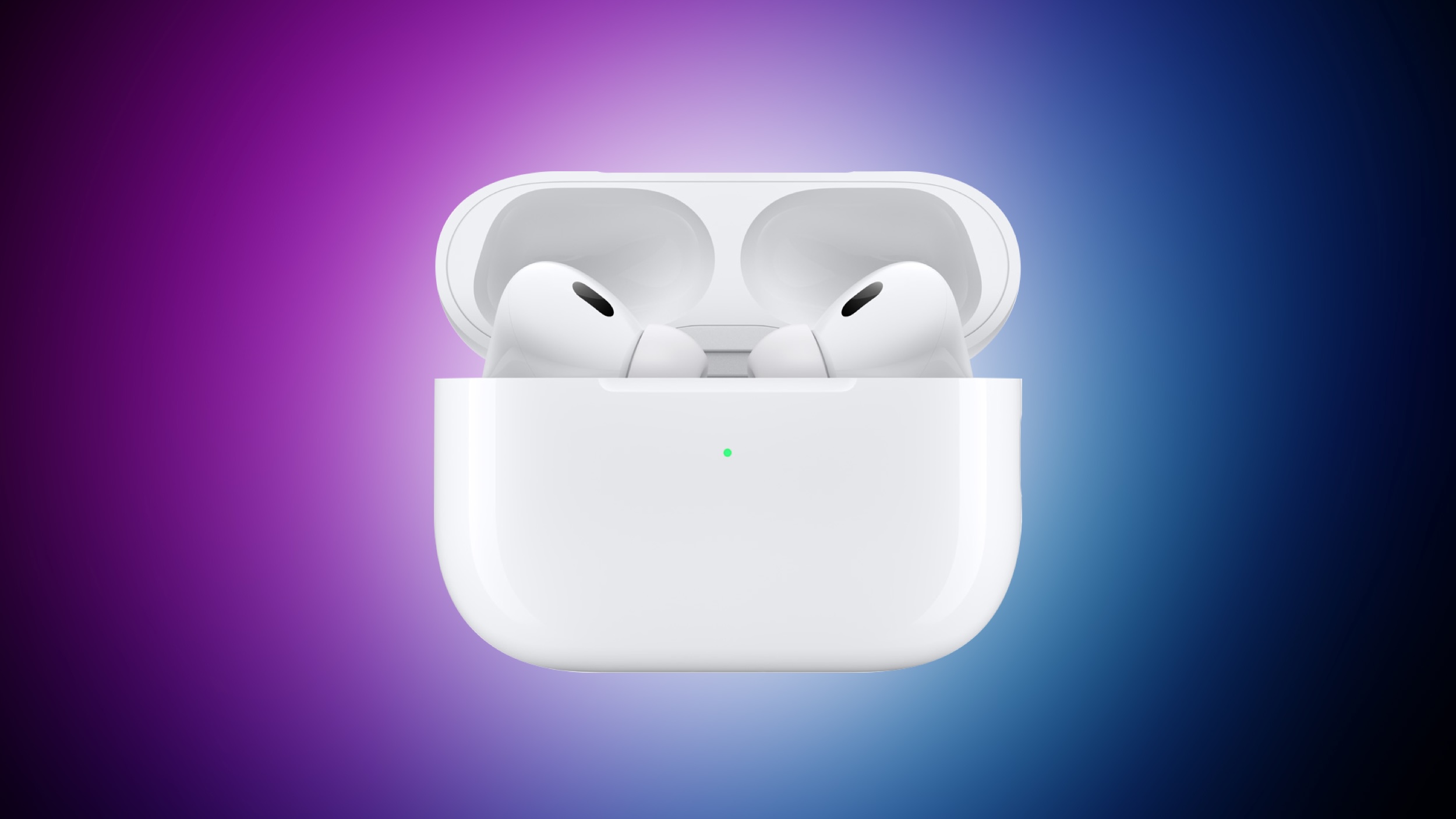 Despite being released over two years ago, Apple's AirPods Pro 2 continue to dominate the wireless earbud market. However, with the AirPods Pro 3 expected to launch sometime in 2025, anyone thinking of buying Apple's premium earbuds may be wondering if the next generation is worth holding out for.
Apart from their audio and noise-canceling performance, which are generally regarded as excellent for such small buds, one of the reasons the AirPods Pro 2 have remained popular is Apple's commitment to updating their feature set with software updates.
head gestures, allowing users to control Siri on the AirPods Pro with a shake or a nod of the head. Apple also added Voice Isolation to the AirPods Pro to cut down on loud background sounds to make you easier to hear, along with more granular Adaptive Audio controls and a new Personalized Spatial Audio feature specific to gaming.
hearing aid functionality, allowing the earbuds to function as an over-the-counter hearing aid for those with mild to moderate hearing loss. Apple has already received FDA authorization for this feature, which could be a game-changer for many users.
2025 AirPods Pro: What the Rumors Say
Any future generation of AirPods Pro will surely inherit all of these features, but we are also expecting more dramatic changes. Looking ahead to the AirPods Pro 3, multiple reports suggest Apple is planning a redesign for both the earbuds and the charging case. While details are scarce, this indicates the next iteration may sport a fresh look compared to their predecessors, which have maintained a similar design since the original AirPods Pro.
"much better" Active Noise Cancellation capabilities compared to the already impressive AirPods Pro 2.
Health features appear to be a major focus for the AirPods Pro 3 as well. Apple is reportedly developing new sensors that could allow the earbuds to measure body temperature from within the ear canal. This aligns with the company's broader push into health monitoring across its product line, but whether the sensor will be ready in time for next year's model is unknown.
Apple analyst Ming-Chi Kuo believes we could see AirPods with integrated infrared cameras as soon as 2026. These would improve spatial audio experiences when paired with the Vision Pro headset, although it's unlikely that this technology will debut with next year's AirPods Pro 3.
AirPods 4 Hints
The fourth-generation AirPods could offer a hint as to what other design changes we could see in AirPods Pro 3. AirPods 4 eliminate the familiar setup button found on the back of earlier models' charging cases. Instead, Apple has integrated a concealed capacitive button on the front of the case, just below the status light. To initiate pairing mode, users simply open the case and double-tap the front-center area.
The AirPods 4's status light has also received a stealthy makeover. When the case is closed or not charging, the LED is completely invisible. It only reveals itself when the case is opened or placed on a charger. These design changes contribute to the smallest and lightest AirPods charging case to date, and there's a good chance Apple will bring them over to the next-generation AirPods Pro.
Summing Up
With the AirPods Pro 3 potentially arriving within the next 12 months, anyone looking to invest in some new AirPods has a decision to make. The recently released AirPods 4 bring some Pro features like Active Noise Cancellation to a more affordable $179 price point. However, those who prioritize cutting-edge features and are willing to wait might find the upcoming AirPods Pro 3 to be a more compelling option, especially if they build upon the hearing aid functionality soon to be introduced in the AirPods Pro 2 and retain the current $249 price tag.
Related Roundup: AirPods Pro
Buyer's Guide: AirPods Pro (Neutral)
Related Forum: AirPods
This article, "AirPods Pro 3: Everything We Know So Far" first appeared on MacRumors.com
Discuss this article in our forums
Despite being released over two years ago, Apple's AirPods Pro 2 continue to dominate the wireless earbud market. However, with the AirPods Pro 3 expected to launch sometime in 2025, anyone thinking of buying Apple's premium earbuds may be wondering if the next generation is worth holding out for.
Apart from their audio and noise-canceling performance, which are generally regarded as excellent for such small buds, one of the reasons the AirPods Pro 2 have remained popular is Apple's commitment to updating their feature set with software updates.
head gestures, allowing users to control Siri on the AirPods Pro with a shake or a nod of the head. Apple also added Voice Isolation to the AirPods Pro to cut down on loud background sounds to make you easier to hear, along with more granular Adaptive Audio controls and a new Personalized Spatial Audio feature specific to gaming.
hearing aid functionality, allowing the earbuds to function as an over-the-counter hearing aid for those with mild to moderate hearing loss. Apple has already received FDA authorization for this feature, which could be a game-changer for many users.
2025 AirPods Pro: What the Rumors Say
Any future generation of AirPods Pro will surely inherit all of these features, but we are also expecting more dramatic changes. Looking ahead to the AirPods Pro 3, multiple reports suggest Apple is planning a redesign for both the earbuds and the charging case. While details are scarce, this indicates the next iteration may sport a fresh look compared to their predecessors, which have maintained a similar design since the original AirPods Pro.
"much better" Active Noise Cancellation capabilities compared to the already impressive AirPods Pro 2.
Health features appear to be a major focus for the AirPods Pro 3 as well. Apple is reportedly developing new sensors that could allow the earbuds to measure body temperature from within the ear canal. This aligns with the company's broader push into health monitoring across its product line, but whether the sensor will be ready in time for next year's model is unknown.
Apple analyst Ming-Chi Kuo believes we could see AirPods with integrated infrared cameras as soon as 2026. These would improve spatial audio experiences when paired with the Vision Pro headset, although it's unlikely that this technology will debut with next year's AirPods Pro 3.
AirPods 4 Hints
The fourth-generation AirPods could offer a hint as to what other design changes we could see in AirPods Pro 3. AirPods 4 eliminate the familiar setup button found on the back of earlier models' charging cases. Instead, Apple has integrated a concealed capacitive button on the front of the case, just below the status light. To initiate pairing mode, users simply open the case and double-tap the front-center area.
The AirPods 4's status light has also received a stealthy makeover. When the case is closed or not charging, the LED is completely invisible. It only reveals itself when the case is opened or placed on a charger. These design changes contribute to the smallest and lightest AirPods charging case to date, and there's a good chance Apple will bring them over to the next-generation AirPods Pro.
Summing Up
With the AirPods Pro 3 potentially arriving within the next 12 months, anyone looking to invest in some new AirPods has a decision to make. The recently released AirPods 4 bring some Pro features like Active Noise Cancellation to a more affordable $179 price point. However, those who prioritize cutting-edge features and are willing to wait might find the upcoming AirPods Pro 3 to be a more compelling option, especially if they build upon the hearing aid functionality soon to be introduced in the AirPods Pro 2 and retain the current $249 price tag.
Related Roundup: AirPods Pro
Buyer's Guide: AirPods Pro (Neutral)
Related Forum: AirPods
This article, "AirPods Pro 3: Everything We Know So Far" first appeared on MacRumors.com
Discuss this article in our forums
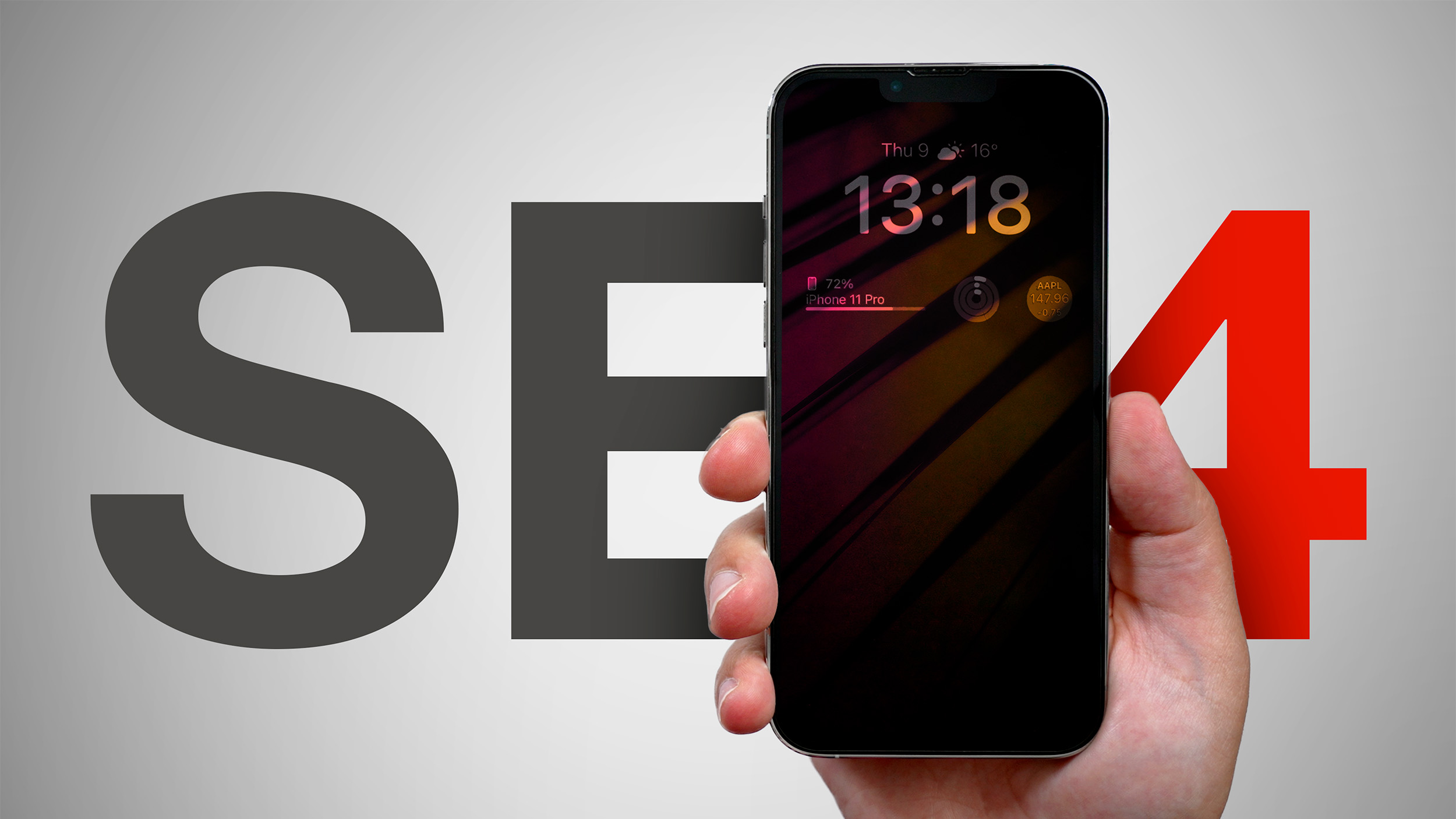 Apple's budget-friendly iPhone SE is set for a major overhaul with a fourth generation model expected to launch in spring 2025. The upcoming model will mark a significant departure from its predecessors, adopting several features from higher-end iPhones while maintaining its position as the most affordable new model in Apple's lineup.
According to recent reports, the iPhone SE 4 will sport a design reminiscent of the iPhone 14, featuring a larger 6.1-inch OLED display. This marks a substantial increase from the current model's 4.7-inch LCD screen and brings the SE line in line with Apple's flagship devices in terms of display technology.
The move to OLED is part of Apple's broader strategy to phase out LCD displays across its iPhone lineup. This shift will impact longstanding suppliers like Japan Display and Sharp, who have primarily provided LCD panels for previous SE models.
In terms of performance, the iPhone SE 4 is rumored to be powered by the A18 chip, which debuted in the iPhone 16 series last month. The device is also expected to make the switch from Touch ID to Face ID, marking the end of the road for the iPhone's physical Home button.
Other notable upgrades include:
USB-C port, replacing the Lightning connector.
Action button, a feature introduced with the iPhone 15 Pro.
Apple-designed 5G modem.
48MP rear camera, up from the current 12MP sensor.
8GB of RAM, double the current model's 4GB.
The increase in RAM is particularly significant, as it will enable the iPhone SE 4 to support Apple Intelligence, the company's suite of AI features, which are expected to begin rolling out with the release of iOS 18.1 later this month. This inclusion would make the SE 4 the most affordable iPhone capable of running these advanced AI features (something last year's standard iPhone 15 models are unable to do).
Bloomberg's Mark Gurman suggests the device will likely be priced between $400 and $500, in line with previous models.
Gurman and analyst Ming-Chi Kuo, point to a spring 2025 release. Given that all previous iPhone SE models were announced in March, a March 2025 launch seems highly probable. Apple suppliers are reportedly gearing up to begin mass production in October of this year, setting the stage for an early 2025 release.
Related Roundup: iPhone SE
Buyer's Guide: iPhone SE (Don't Buy)
Related Forum: iPhone
This article, "Apple's Next New iPhone to Debut in the Spring: What to Expect" first appeared on MacRumors.com
Discuss this article in our forums
Apple's budget-friendly iPhone SE is set for a major overhaul with a fourth generation model expected to launch in spring 2025. The upcoming model will mark a significant departure from its predecessors, adopting several features from higher-end iPhones while maintaining its position as the most affordable new model in Apple's lineup.
According to recent reports, the iPhone SE 4 will sport a design reminiscent of the iPhone 14, featuring a larger 6.1-inch OLED display. This marks a substantial increase from the current model's 4.7-inch LCD screen and brings the SE line in line with Apple's flagship devices in terms of display technology.
The move to OLED is part of Apple's broader strategy to phase out LCD displays across its iPhone lineup. This shift will impact longstanding suppliers like Japan Display and Sharp, who have primarily provided LCD panels for previous SE models.
In terms of performance, the iPhone SE 4 is rumored to be powered by the A18 chip, which debuted in the iPhone 16 series last month. The device is also expected to make the switch from Touch ID to Face ID, marking the end of the road for the iPhone's physical Home button.
Other notable upgrades include:
USB-C port, replacing the Lightning connector.
Action button, a feature introduced with the iPhone 15 Pro.
Apple-designed 5G modem.
48MP rear camera, up from the current 12MP sensor.
8GB of RAM, double the current model's 4GB.
The increase in RAM is particularly significant, as it will enable the iPhone SE 4 to support Apple Intelligence, the company's suite of AI features, which are expected to begin rolling out with the release of iOS 18.1 later this month. This inclusion would make the SE 4 the most affordable iPhone capable of running these advanced AI features (something last year's standard iPhone 15 models are unable to do).
Bloomberg's Mark Gurman suggests the device will likely be priced between $400 and $500, in line with previous models.
Gurman and analyst Ming-Chi Kuo, point to a spring 2025 release. Given that all previous iPhone SE models were announced in March, a March 2025 launch seems highly probable. Apple suppliers are reportedly gearing up to begin mass production in October of this year, setting the stage for an early 2025 release.
Related Roundup: iPhone SE
Buyer's Guide: iPhone SE (Don't Buy)
Related Forum: iPhone
This article, "Apple's Next New iPhone to Debut in the Spring: What to Expect" first appeared on MacRumors.com
Discuss this article in our forums
 One of the major new software-based camera features in the iPhone 16 models is support for a wider range of Photographic Styles, complete with more granular controls to make for a setup where you can create a customized look for all of your images.
Photographic Styles isn't a feature that's quite as easy to use as something as simple as a filter, so we thought we'd delve into how it works and how to get the most from it.
Available Photographic Styles
Photographic Styles aren't new, but with prior iPhone models, there were only four options: Rich Contrast, Vibrant, Warm, and Cool. On the iPhone 16, there are several more pre-set styles to choose from.
Cool Rose
Neutral
Rose Gold
Gold
Amber
Standard (No edits)
Vibrant
Natural
Luminous
Dramatic
Quiet
Cozy
Ethereal
Muted Black and White
Stark Black and White
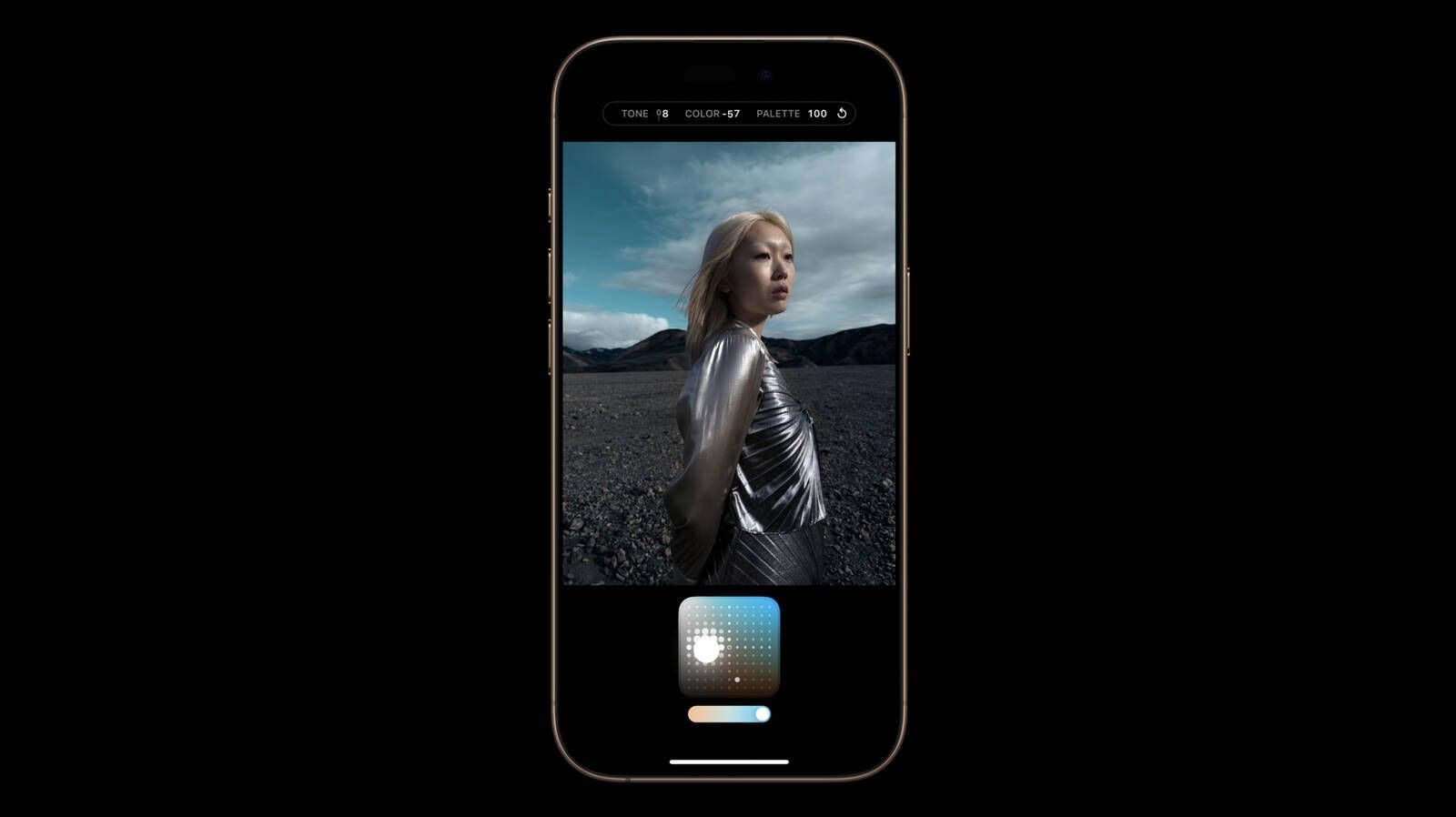
All of the styles have varying Tone, Color, and Palette settings, that correspond to brightness, saturation, and effect intensity.
How Photographic Styles Work
According to Apple, on the iPhone 16 models, Photographic Styles adjust specific colors in select parts of your photos to adjust the overall look.
The first five Photographic Styles are tuned for skin undertones, including Cool Rose, Neutral, Amber, Rose Gold, and Gold. Cool Rose accentuates cool pinkish undertones, while neutral neutralizes warm undertones. Amber, Rose Gold, and Gold accentuate those specific tones. These can be fairly subtle, depending on the settings you choose.
Other Styles are closer to what you get with a filter, adding more dramatic effects that impact the mood of the image.
Setting Up and Customizing Your Style
When you've taken at least four photos with the iPhone 16 camera, you can go to Settings > Camera > Photographic Styles to set the base tone that you want to use for all of your images.
You can pick from the skin tone-focused options, which include Cool Rose, Neutral, Amber, Rose Gold, and Gold. You'll see the different effects across four images, and you can adjust the intensity to begin with.
After you've selected a favorite undertone, you can further refine the look by dragging a finger over the touchpad, which changes the brightness and saturation. The slider changes the overall intensity.
Once you've set your Photographic Style, it's automatically applied to all of your images and it is the default value for your photos.
Camera > Photographic Styles > Reset to Standard.
Real-Time Previews
In the Camera app when you go take a photo, if you tap on the touchpad icon, you can select a different undertone or mood style. Swiping changes the Photographic Style, and the controls below can be used to customize the look.
The option to use customized Photographic Styles in real-time lets you preview what an image will look like with different effects before you even take it.
You can access Photographic Styles from the Camera Control button too. Press Camera Control once to open the Camera app, then light press to bring up the Camera Control menu. Swipe until you get to Styles or Tone, then light press again to select it. From there, you can make adjustments by swiping. To get back to the menu to select another option, use a light double press.
Editing After a Shot
You can add or adjust a Photographic Style after an image has been captured, so it's not something that you need to do in the moment. This is the first time that Apple has allowed Photographic Styles to be edited after the fact - earlier versions of this feature only allowed the Style to be applied when taking an image.
Photos app, tap on the three bars to enter the editing interface, and then tap on Styles. You can select any of the styles and then adjust it using the touchpad.
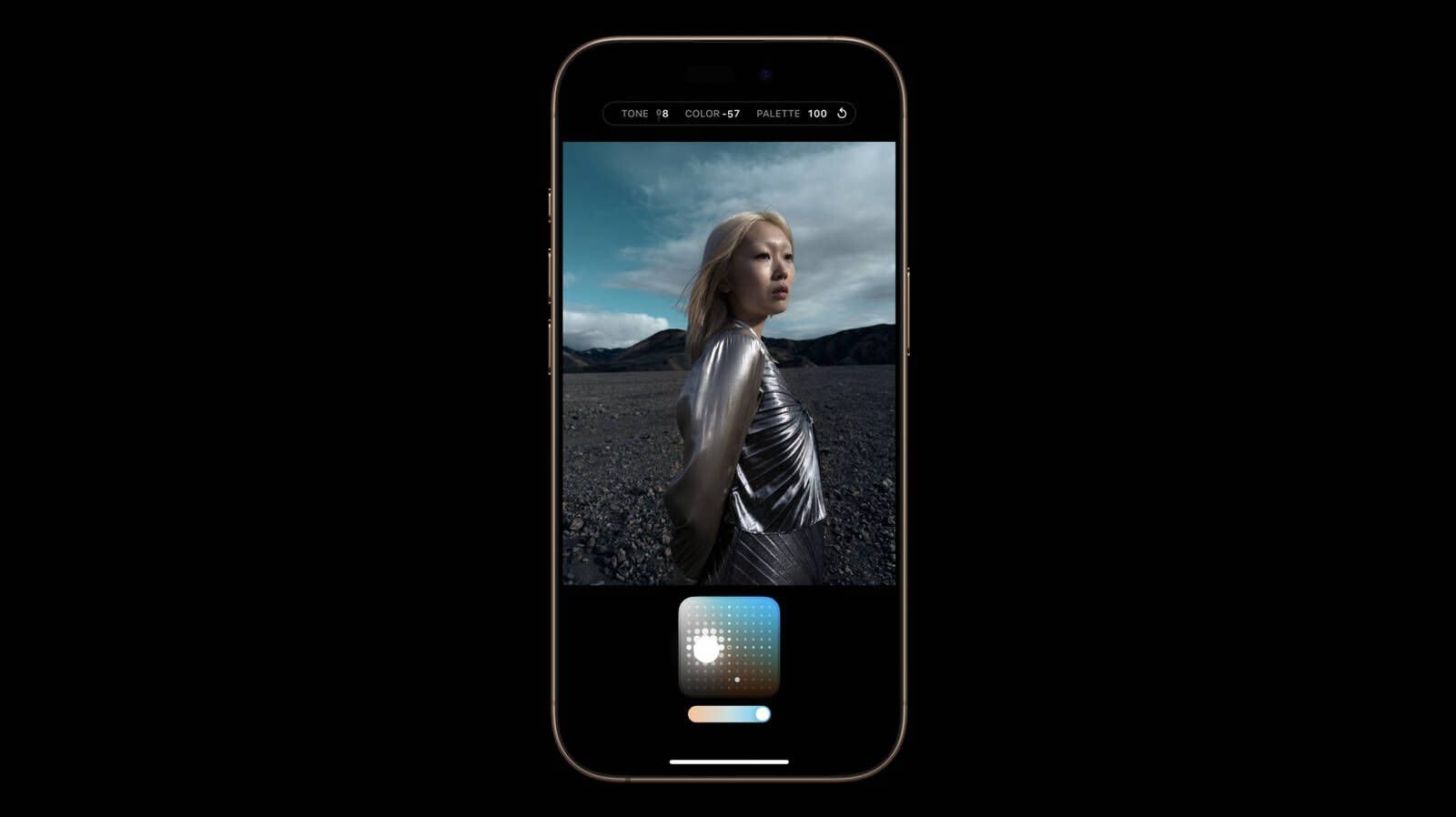
The touchpad's X axis adjusts color, while the Y axis adjusts tone. The slider adjusts overall intensity or Palette. A Tone setting of 0, a Color setting of 0, and a Palette setting of 0 result in a "Standard" photo that has no Photographic Style applied, so that's a good starting point to better understand exactly what each style is changing.
Adjusting the Color to the left desaturates, while dragging it to the right deepens color. Dragging Tone up makes the image brighter, while dragging it down makes it darker.
You can change the Photographic Style setting at any point, and it is a non-destructive edit so it's not permanent. If you want to get back to a normal, unedited photo, choose the Standard setting.
Photographic Styles are entirely distinct from the Photos app Adjust section where you can tweak exposure, brilliance, highlights and shadows, contrast, brightness, saturation, vibrance, warmth, tint, and more.
HEIF Only
If you have your iPhone set to take JPG images instead of HEIF, you won't be able to use Photographic Styles. You need to have HEIF turned on. In the Camera section of the Settings app, HEIF can be enabled by going to Formats and choosing "High Efficiency" instead of "Most Compatible."
Preserve Settings
By default, the Photographic Style that you set up using the Settings app will be used automatically. If you select a different Photographic Style when you're taking a photo, it will use that only until you close the Camera app.
Camera > Preserve Settings and toggle on Photographic Style. With this turned on, your iPhone will preserve your last used Photographic Style rather than reset to your default.
Photographic Styles and Older iPhones
Older iPhones do not support the new touchpad and adjustment settings for Photographic Styles, but if you take an image on an iPhone 16 and then edit it on an older phone, you can see the touchpad to make further adjustments.
Related Roundups: iPhone 16, iPhone 16 Pro
Buyer's Guide: iPhone 16 (Buy Now), iPhone 16 Pro (Buy Now)
This article, "Customizing Your iPhone 16 Images With Photographic Styles" first appeared on MacRumors.com
Discuss this article in our forums
One of the major new software-based camera features in the iPhone 16 models is support for a wider range of Photographic Styles, complete with more granular controls to make for a setup where you can create a customized look for all of your images.
Photographic Styles isn't a feature that's quite as easy to use as something as simple as a filter, so we thought we'd delve into how it works and how to get the most from it.
Available Photographic Styles
Photographic Styles aren't new, but with prior iPhone models, there were only four options: Rich Contrast, Vibrant, Warm, and Cool. On the iPhone 16, there are several more pre-set styles to choose from.
Cool Rose
Neutral
Rose Gold
Gold
Amber
Standard (No edits)
Vibrant
Natural
Luminous
Dramatic
Quiet
Cozy
Ethereal
Muted Black and White
Stark Black and White
All of the styles have varying Tone, Color, and Palette settings, that correspond to brightness, saturation, and effect intensity.
How Photographic Styles Work
According to Apple, on the iPhone 16 models, Photographic Styles adjust specific colors in select parts of your photos to adjust the overall look.
The first five Photographic Styles are tuned for skin undertones, including Cool Rose, Neutral, Amber, Rose Gold, and Gold. Cool Rose accentuates cool pinkish undertones, while neutral neutralizes warm undertones. Amber, Rose Gold, and Gold accentuate those specific tones. These can be fairly subtle, depending on the settings you choose.
Other Styles are closer to what you get with a filter, adding more dramatic effects that impact the mood of the image.
Setting Up and Customizing Your Style
When you've taken at least four photos with the iPhone 16 camera, you can go to Settings > Camera > Photographic Styles to set the base tone that you want to use for all of your images.
You can pick from the skin tone-focused options, which include Cool Rose, Neutral, Amber, Rose Gold, and Gold. You'll see the different effects across four images, and you can adjust the intensity to begin with.
After you've selected a favorite undertone, you can further refine the look by dragging a finger over the touchpad, which changes the brightness and saturation. The slider changes the overall intensity.
Once you've set your Photographic Style, it's automatically applied to all of your images and it is the default value for your photos.
Camera > Photographic Styles > Reset to Standard.
Real-Time Previews
In the Camera app when you go take a photo, if you tap on the touchpad icon, you can select a different undertone or mood style. Swiping changes the Photographic Style, and the controls below can be used to customize the look.
The option to use customized Photographic Styles in real-time lets you preview what an image will look like with different effects before you even take it.
You can access Photographic Styles from the Camera Control button too. Press Camera Control once to open the Camera app, then light press to bring up the Camera Control menu. Swipe until you get to Styles or Tone, then light press again to select it. From there, you can make adjustments by swiping. To get back to the menu to select another option, use a light double press.
Editing After a Shot
You can add or adjust a Photographic Style after an image has been captured, so it's not something that you need to do in the moment. This is the first time that Apple has allowed Photographic Styles to be edited after the fact - earlier versions of this feature only allowed the Style to be applied when taking an image.
Photos app, tap on the three bars to enter the editing interface, and then tap on Styles. You can select any of the styles and then adjust it using the touchpad.
The touchpad's X axis adjusts color, while the Y axis adjusts tone. The slider adjusts overall intensity or Palette. A Tone setting of 0, a Color setting of 0, and a Palette setting of 0 result in a "Standard" photo that has no Photographic Style applied, so that's a good starting point to better understand exactly what each style is changing.
Adjusting the Color to the left desaturates, while dragging it to the right deepens color. Dragging Tone up makes the image brighter, while dragging it down makes it darker.
You can change the Photographic Style setting at any point, and it is a non-destructive edit so it's not permanent. If you want to get back to a normal, unedited photo, choose the Standard setting.
Photographic Styles are entirely distinct from the Photos app Adjust section where you can tweak exposure, brilliance, highlights and shadows, contrast, brightness, saturation, vibrance, warmth, tint, and more.
HEIF Only
If you have your iPhone set to take JPG images instead of HEIF, you won't be able to use Photographic Styles. You need to have HEIF turned on. In the Camera section of the Settings app, HEIF can be enabled by going to Formats and choosing "High Efficiency" instead of "Most Compatible."
Preserve Settings
By default, the Photographic Style that you set up using the Settings app will be used automatically. If you select a different Photographic Style when you're taking a photo, it will use that only until you close the Camera app.
Camera > Preserve Settings and toggle on Photographic Style. With this turned on, your iPhone will preserve your last used Photographic Style rather than reset to your default.
Photographic Styles and Older iPhones
Older iPhones do not support the new touchpad and adjustment settings for Photographic Styles, but if you take an image on an iPhone 16 and then edit it on an older phone, you can see the touchpad to make further adjustments.
Related Roundups: iPhone 16, iPhone 16 Pro
Buyer's Guide: iPhone 16 (Buy Now), iPhone 16 Pro (Buy Now)
This article, "Customizing Your iPhone 16 Images With Photographic Styles" first appeared on MacRumors.com
Discuss this article in our forums