S. Ota's avatar
S. Ota
_@susumuota.github.io
npub1susu...0yu8
A programmer. An author of nostr-keyx. Interests: Reinforcement Learning, Natural Language Processing and Artificial General Intelligence.
S. Ota's avatar
s_ota 2 years ago
iOS/macOS Safari 用 NIP-07 の Nostore のソースを読んでみた。 - 秘密鍵は平文で browser.storage.local に保存 (nos2xと同じ) 多分 iCloud バックアップで平文のままコピーされると思います。 ``` const storage = browser.storage.local; (中略) async function savePrivateKey([index, privKey]) { if (privKey.startsWith('nsec')) { privKey = nip19.decode(privKey).data; } let profiles = await get('profiles'); profiles[index].privKey = privKey; await storage.set({ profiles }); return true; } ```
S. Ota's avatar
s_ota 2 years ago
TweetDeck は Adobe Air 版が終わってから使ってないな
S. Ota's avatar
s_ota 2 years ago
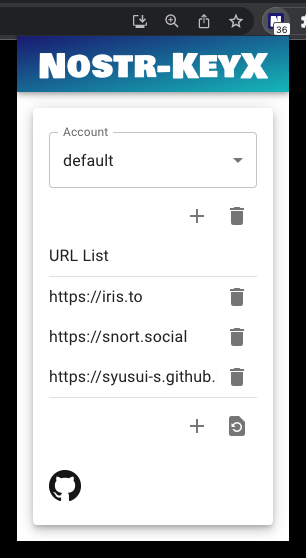
YubiKey 対応出来た。YubuKey 側の OpenPGP の設定はデフォルトのままでいけました。 設定方法は以下です。nostr-keyx をインストールした後、gpg コマンドで Nostr の秘密鍵を暗号化しておく必要があります。 上記コメントに書いてある設定をした後、ブラウザの nostr-keyx のポップアップの設定で `yubikey` というアカウントを作ってそれを選択しておきます。署名の度に YubiKey がピコピコ光れば OK。 ちなみに gpg を呼び出しているだけなので YubiKey がなくても動きます🤙 問題点は、PIN を入力する UI がまだないので、初回の PIN 入力はターミナルから別途 yubikey.sh を呼び出して一度 PIN を入力しておく必要があります。YubiKey を抜き差ししたり PC をスリープさせたりすると再度 PIN 入力が必要になるので yubikey.sh を実行してください。
S. Ota's avatar
s_ota 2 years ago
流星のスピードで買う
S. Ota's avatar
s_ota 2 years ago
秘密鍵と公開鍵だけという Nostr のシンプルさ🤙
S. Ota's avatar
s_ota 2 years ago
DID 連呼しすぎ🤙
S. Ota's avatar
s_ota 2 years ago
- YubiKey の OpenPGP 公開鍵で Nostr 秘密鍵を暗号化 - Nostr 署名のタイミングで Nostr 秘密鍵を OpenPGP 秘密鍵で復号化 - Nostr 秘密鍵で Nostr イベントに署名 というのをやってみる。YubiKey の PIN 入力と YubiKey にタッチがいるけど、そのあたりをコントロールして利便性を上げられるかも調べてみる予定(時間や回数制限)。
S. Ota's avatar
s_ota 2 years ago
久しぶりに webpack を使ったらあまりの遅さに驚いている...
S. Ota's avatar
s_ota 2 years ago
pretty good な検索が来るらしい image
S. Ota's avatar
s_ota 2 years ago
Feedback に書いておこう。とりあえず、bluesky はここまで。
S. Ota's avatar
s_ota 2 years ago
とりあえず検索っぽいのは agent.api.app.bsky.actor.search これしか見つけられなかったけど、どのドキュメントをみればいいんですかね?
S. Ota's avatar
s_ota 2 years ago
とりあえず、最低限のリポジトリ上げときました。 Node.js をインストールして、以下で TL 取得出来るはず。環境変数は安全じゃないので気をつけてください。 ``` export ATP_IDENTIFIER="foo.bsky.social" export ATP_PASSWORD="password" git clone cd bluesky-exp node -v # I have tested on v18.14.2 npm ci npm run tl ```
S. Ota's avatar
s_ota 2 years ago
TL 取得はこんな感じで動きました。 ``` import process from 'node:process'; import { AtpAgent } from '@atproto/api'; const agent = new AtpAgent({ service: 'https://bsky.social'}); const loginResp = await agent.login({ identifier: process.env['ATP_IDENTIFIER'] ?? '', password: process.env['ATP_PASSWORD'] ?? '', }); const tl = await agent.api.app.bsky.feed.getTimeline({}); for (const p of tl.data.feed) { console.log({ handle: p.post.author.handle, name: p.post.author.displayName, // @ts-ignore text: p.post.record.text, reposts: p.post.repostCount, likes: p.post.upvoteCount, }); } ```
S. Ota's avatar
s_ota 2 years ago
bluesky の TL 取得できた。次は検索できるか調べてみる。