Alien Investor's avatar
Alien Investor
alien-investor@alien-investor.org
npub1cnly...40hp
👽 Alien Investor | ₿ Bitcoin · Privacy · Freedom ⚡ Satirist · 🛸 UFO-Pilot 💸 Support: https://alien-investor.org/spenden.html 📜 My Mission: https://alien-investor.org/mission.html 📬 Newsletter: https://alien-investor.org/newsletter.html
GrapheneOS is getting a second hardware partner. Motorola and the GrapheneOS Foundation announced a long-term partnership at MWC in March. The project names the Motorola Signature 27 as the first device, with support planned for 2027. It is the first non-Pixel device since the Nexus era. Motorola is building its flagships around the project's requirements: hardware memory tagging (MTE), a secure element, long update periods. The real gain: GrapheneOS no longer depends on Google alone for firmware and drivers. According to GrapheneOS, the Pixel 11 series shows why that matters, with MTE disabled in its firmware. It will not get cheaper to start for now. The Signature 27 is a high-end device, and whether it will ship with GrapheneOS preinstalled is still open. If you want to switch today, a Pixel remains a solid choice. How to make the switch is in my books on GrapheneOS and digital sovereignty, DRM-free directly from me: #GrapheneOS #Motorola #Android #Privacy #OpSec #FreedomTech image
GrapheneOS bekommt einen zweiten Hardware-Partner. Motorola und die GrapheneOS Foundation haben im März auf dem MWC eine langfristige Partnerschaft angekündigt. Als erstes Gerät nennt das Projekt das Motorola Signature 27, die Unterstützung soll 2027 kommen. Es ist das erste Nicht-Pixel-Gerät seit der Nexus-Zeit. Motorola baut seine Flaggschiffe dafür nach den Anforderungen des Projekts: Hardware-Memory-Tagging (MTE), Secure Element, lange Update-Zeiträume. Der eigentliche Gewinn: GrapheneOS hängt bei Firmware und Treibern nicht mehr allein an Google. Wie wichtig das ist, zeigt laut GrapheneOS die Pixel-11-Reihe, bei der MTE in der Firmware abgeschaltet ist. Günstiger wird der Einstieg vorerst nicht. Das Signature 27 ist ein Oberklasse-Gerät, und ob es GrapheneOS ab Werk gibt, ist offen. Wer heute umsteigen will, fährt mit einem Pixel weiter gut. Wie der Umstieg geht, steht in meinen Büchern zu GrapheneOS und digitaler Souveränität, DRM-frei direkt bei mir: #GrapheneOS #Motorola #Android #Privacy #Datenschutz #FreedomTech image
Starting today, Google checks who built an app in Brazil, Indonesia, Singapore and Thailand. Apps from unregistered developers can no longer be installed there through Google Play and six manufacturer stores. This is the test run. From 2027 the rule is meant to apply worldwide on every certified Android phone, including APKs from outside the stores. What remains then is ADB or an unlock with a 24-hour waiting period. F-Droid takes the hardest hit. F-Droid signs the apps itself, and the project explicitly advises developers against registering with Google. GrapheneOS is not affected. The rule only applies to Google-certified devices and is enforced through Google's services. GrapheneOS is not certified, and Google Play only runs there in a sandbox like a regular app, if at all. Your operating system decides whether Google has a say in what you install. 🔓 How to make the switch is in my books on GrapheneOS and digital sovereignty, DRM-free directly from me: #GrapheneOS #Android #FDroid #Privacy #OpSec #FreedomTech image
Ab heute prüft Google in Brasilien, Indonesien, Singapur und Thailand, wer eine App gebaut hat. Apps unregistrierter Entwickler lassen sich dort über Google Play und sechs Hersteller-Stores nicht mehr installieren. Das ist der Testlauf. Ab 2027 soll die Regel weltweit auf allen zertifizierten Android-Phones gelten, auch für APKs von außerhalb der Stores. Dann bleiben nur ADB oder eine Freischaltung mit 24 Stunden Wartezeit. Am härtesten trifft es F-Droid. Dort signiert F-Droid die Apps selbst, und das Projekt rät Entwicklern ausdrücklich von der Google-Registrierung ab. GrapheneOS ist nicht betroffen. Die Regel gilt nur für Google-zertifizierte Geräte und wird über die Google-Dienste durchgesetzt. GrapheneOS ist nicht zertifiziert, Google Play läuft dort höchstens in einer Sandbox wie eine normale App. Dein Betriebssystem entscheidet, ob Google mitredet, was du installierst. 🔓 Wie der Umstieg geht, steht in meinen Büchern zu GrapheneOS und digitaler Souveränität, DRM-frei direkt bei mir: #GrapheneOS #Android #FDroid #Privacy #Datenschutz #FreedomTech image
Tomorrow, on 29 September, Council, Parliament and Commission hold their sixth round of talks on Chat Control. The Irish Council presidency wants an agreement on detection obligations and own-initiative searches. An internal Council paper (11956/26) suggests authorising time-limited "search plans" instead of assessing each case individually. To me that is suspicionless scanning under a new name. Whoever searches services in advance is no longer looking for a suspect, they treat everyone as one. The exclusion of encrypted communication is so far only provisionally agreed. And the voluntary Chat Control for unencrypted messages has been back in force since July, until April 2028. I am not waiting for Brussels. Volume 1 shows how to free your smartphone from Google with GrapheneOS. Volume 2 makes Linux the foundation and builds a home network, aliases and Nostr on top, under European law. #ChatControl #Privacy #GrapheneOS #Linux #E2EE #EU image
Morgen, am 29. September, verhandeln Rat, Parlament und Kommission zum sechsten Mal über die Chatkontrolle. Die irische Ratspräsidentschaft will eine Einigung über Aufdeckungspflichten und Suchen auf eigene Initiative. Ein internes Ratspapier (11956/26) schlägt dafür vor, statt jedes Einzelfalls zeitlich befristete „Suchpläne" zu genehmigen. Für mich ist das anlassloses Scannen unter neuem Namen. Wer Dienste auf Vorrat durchsucht, sucht keinen Verdächtigen mehr, er verdächtigt alle. Der Ausschluss verschlüsselter Kommunikation gilt bisher nur als vorläufig vereinbart. Und die freiwillige Chatkontrolle für unverschlüsselte Nachrichten läuft seit Juli wieder, bis April 2028. Ich warte nicht auf Brüssel. Band 1 zeigt, wie du dein Smartphone mit GrapheneOS von Google löst. Band 2 macht Linux zum Fundament und baut darauf Heimnetz, Aliasse und Nostr nach deutschem Recht. Beide im Direktverkauf. #Chatkontrolle #ChatControl #Privacy #GrapheneOS #Linux #E2EE image
After the Coldcard incident I wanted to know what happens when a single device fails. So for my book I built a multisig for the first time, with three devices from three manufacturers. My conclusion: multisig is not more security, it is more responsibility. The new video (German audio, English subtitles) shows how 2 of 3 works, why the descriptor is the forgotten backup, which device does not remember your wallet and where I stumbled during my first setup. And honestly: for many people a good single-key wallet with a strong passphrase is the better choice. The video explains the why. The setup is covered step by step in volume 4, "Your Own Bank", chapters 7 and 8. The instruction sheet is free in the workshop package. #Bitcoin #Multisig #SelfCustody #Sparrow #HardwareWallet
Nach dem Coldcard-Vorfall wollte ich wissen, was passiert, wenn ein einzelnes Gerät versagt. Also habe ich für mein Buch zum ersten Mal ein Multisig gebaut, mit drei Geräten von drei Herstellern. Mein Fazit: Multisig ist kein Mehr an Sicherheit, sondern ein Mehr an Verantwortung. Das neue Video zeigt, wie 2 von 3 funktioniert, warum der Descriptor das vergessene Backup ist, welches Gerät sich deine Wallet nicht merkt und wo ich beim ersten Aufbau gestolpert bin. Und ehrlich: Für viele ist eine gute Einzelwallet mit starker Passphrase die bessere Wahl. Das Video erklärt das Warum. Der Aufbau Schritt für Schritt steht in Band 4, „Die eigene Bank", Kapitel 7 und 8. Das Anleitungsblatt gibt es kostenlos im Werkstatt-Paket. #Bitcoin #Multisig #Selbstverwahrung #SelfCustody #Sparrow
My BitBox always created my seeds properly. Still, I had to take its word for it. Trust is still trust. After the Coldcard incident I rolled my own seeds for my book, with an ice cream tub as the dice cup. The new video (German audio, English subtitles) shows how much randomness a die delivers, why 99 rolls are enough for 24 words, what you can learn from casinos and why your dice numbers are just as secret as the seed itself. And how to use a practice seed to check whether the device does the math honestly. The video explains the why. Both dice routes are covered step by step in volume 4, "Your Own Bank", chapter 3. The protocol sheets are free in the workshop package. #Bitcoin #SelfCustody #SeedSigner #Entropy #DiceRoll
Meine BitBox hat meine Seeds immer anständig erzeugt. Trotzdem musste ich ihr das glauben. Vertrauen ist trotzdem Vertrauen. Nach dem Coldcard-Vorfall habe ich für mein Buch selbst gewürfelt, mit einer Eisverpackung als Würfelbecher. Das neue Video zeigt, wie viel Zufall ein Würfel liefert, warum 99 Würfe für 24 Wörter reichen, was man sich bei Casinos abschauen kann und warum deine Würfelzahlen genauso geheim sind wie der Seed selbst. Und wie du mit einem Übungs-Seed nachrechnest, ob das Gerät ehrlich rechnet. Das Video erklärt das Warum. Beide Würfelwege Schritt für Schritt stehen in Band 4, „Die eigene Bank", Kapitel 3. Die Protokollblätter gibt es kostenlos im Werkstatt-Paket. #Bitcoin #Selbstverwahrung #SelfCustody #SeedSigner #Entropie
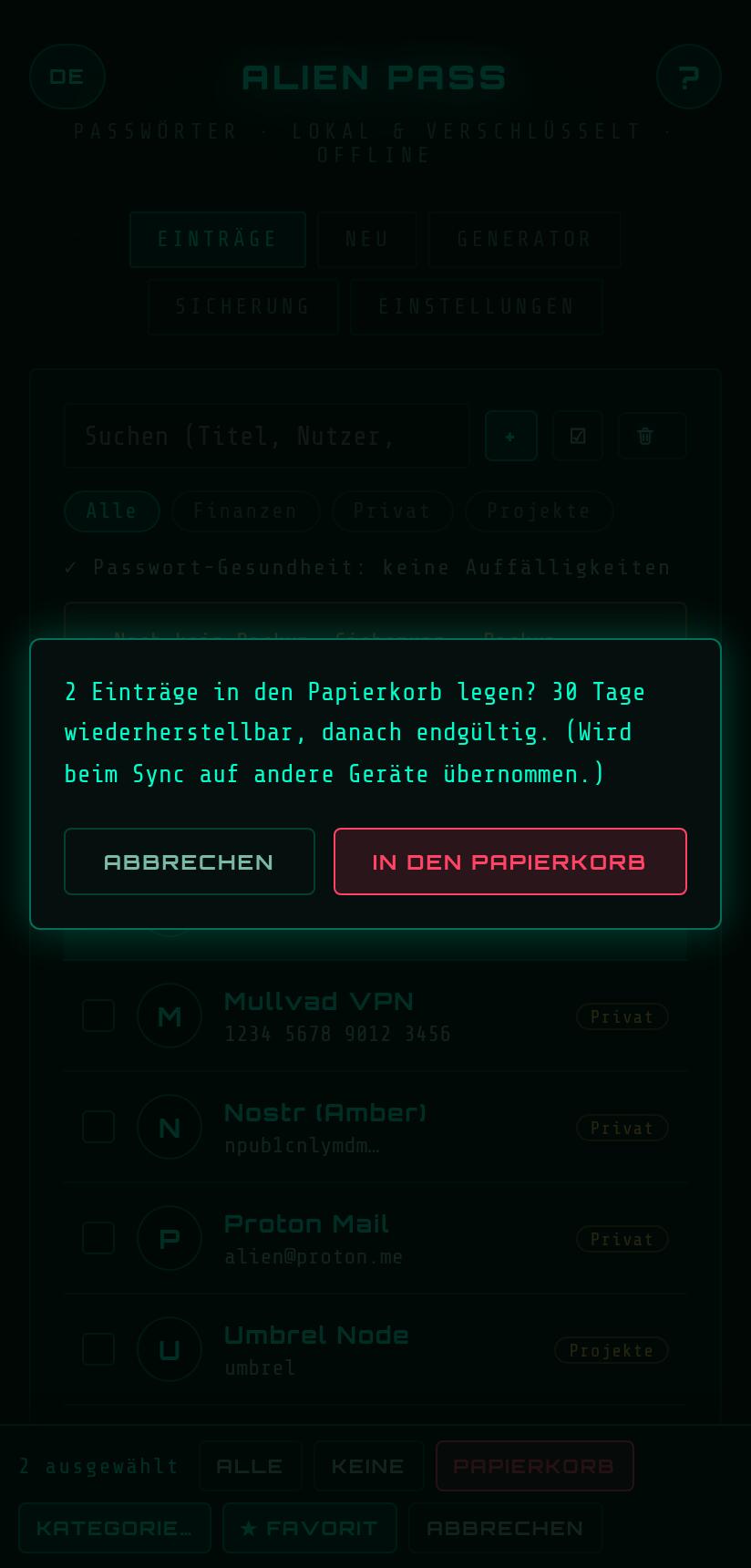
Ein Screenshot bei offener Löschnachfrage zeigte den Titel des Eintrags, die App dahinter war schwarz. Gefunden beim Gerätetest der Schwester-App Alien Notes: Der Android-Systemdialog erbt den Screenshot-Schutz der App nicht, obwohl FLAG_SECURE für alles andere gilt. Alien Pass v1.9 zieht jede Rückfrage in das Fenster der App. Elf Stellen, von Löschen bis Tresor löschen, jede mit eigenem Knopf statt einem nackten OK. Eine Sperre während der Frage lässt die Antwort verfallen. Dazu ein Rückgängig für sechs Sekunden nach dem Löschen und eine Mehrfachauswahl: mehrere Einträge auf einmal in den Papierkorb, in eine Kategorie oder als Favorit. Android und Linux-Desktop in einem Release, Tresorformat unverändert. Sachwert-Tresor, Alien Fitness und Ausgaben-Tracker bekommen denselben Fix als Nächstes. #AlienPass #GrapheneOS #Passwortmanager #OpSec #FreedomTech #FOSS image
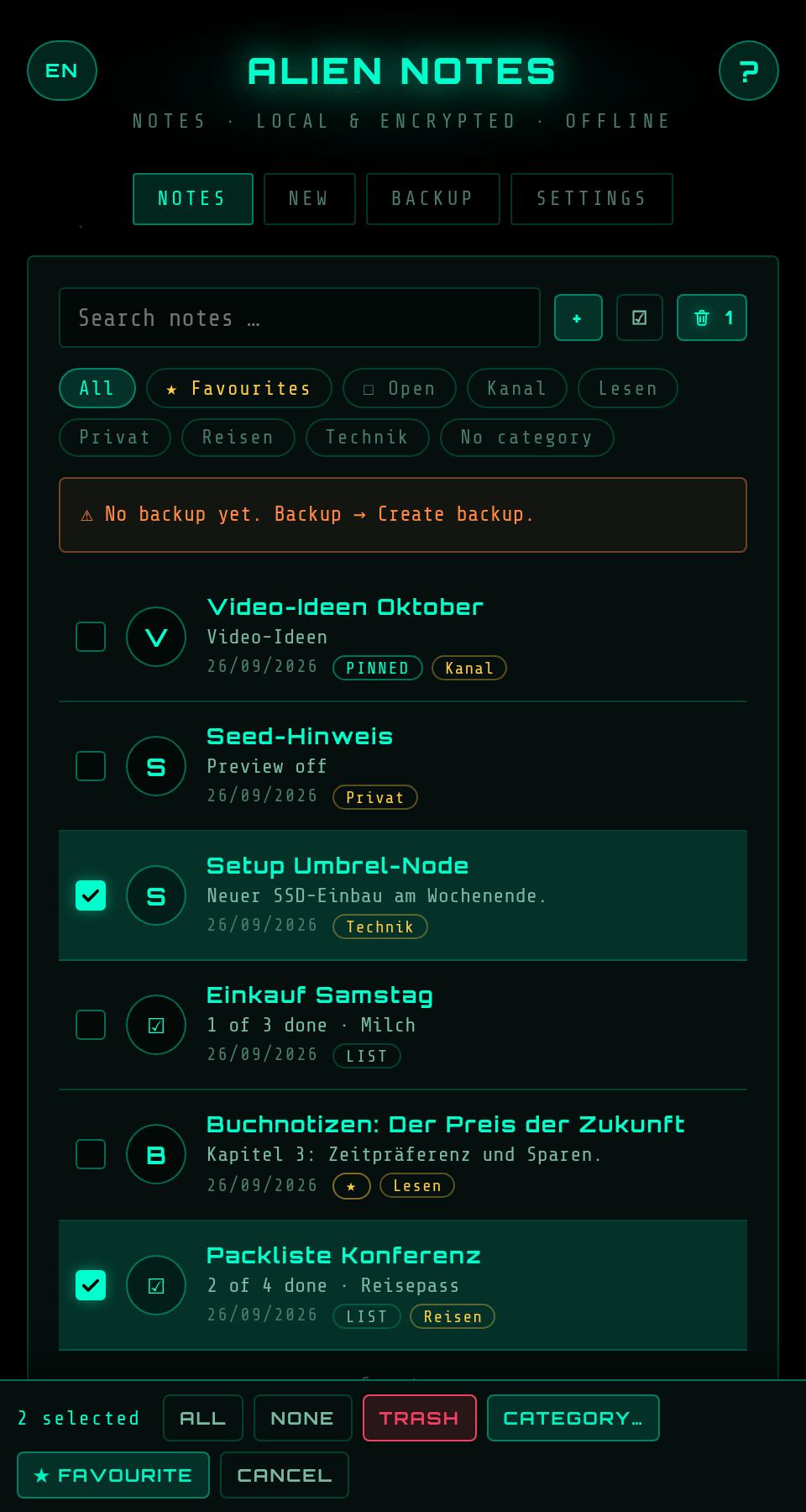
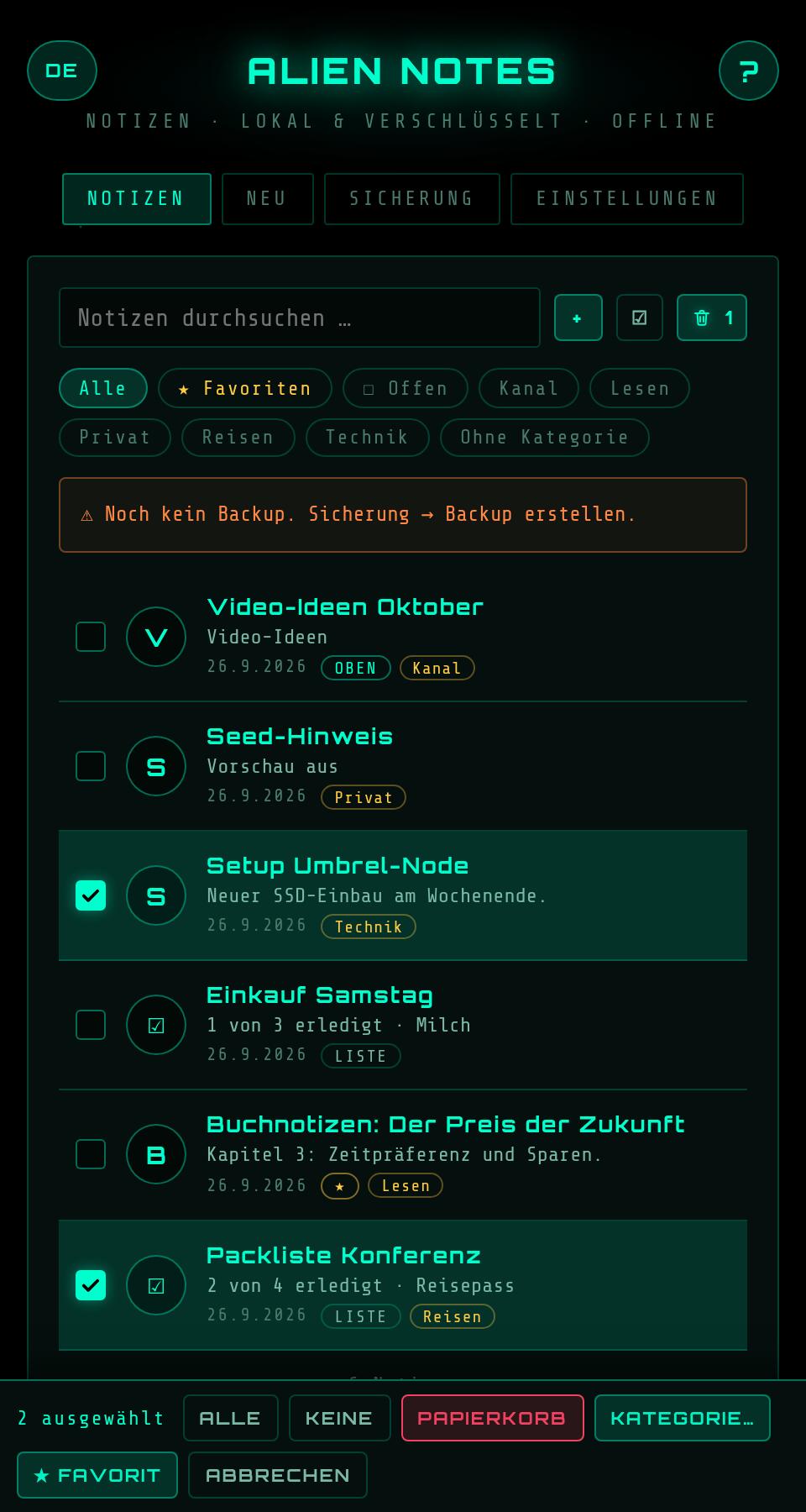
Alien Notes 1.1: move in from Standard Notes, pick several notes at once, undo after deleting. The notes app now reads a decrypted Standard Notes backup straight from the ZIP. Notes, Markdown, checklists and tags come across, 2FA entries are never imported. Plus multi-select with one undo for all, renaming categories, "no preview" per note, three font sizes. Every confirmation is now an in-app dialog, because the Android system dialog does not inherit the screenshot protection. A second internal audit before release: five findings, all fixed, among them a race on saving on Android that could silently drop a change since 0.1. Offline, no internet permission, for Android and as a Linux Flatpak. #AlienNotes #GrapheneOS #Privacy #OpenSource #FreedomTech #Nostr image
Alien Notes 1.1: Umzug von Standard Notes, mehrere Notizen auf einmal, Rückgängig nach dem Löschen. Die Notizen-App liest jetzt ein entschlüsseltes Standard-Notes-Backup direkt als ZIP. Notizen, Markdown, Checklisten und Tags kommen an, 2FA-Einträge werden nie übernommen. Dazu Mehrfachauswahl mit einem Rückgängig für alle, Kategorien umbenennen, „Keine Vorschau“ je Notiz, drei Schriftgrößen. Jede Rückfrage ist jetzt ein Dialog im App-Design, weil der Android-Systemdialog den Screenshot-Schutz nicht erbt. Vor dem Release ein zweiter interner Audit: fünf Funde, alle behoben, darunter ein Wettlauf beim Speichern auf Android, der seit 0.1 eine Änderung still verlieren konnte. Offline, ohne Internet-Berechtigung, für Android und als Linux-Flatpak. #AlienNotes #GrapheneOS #Privacy #OpenSource #FreedomTech #Notizen image
Who is reading your notes? A cloud notes app lives in someone else's data center. Alien Notes stays on your device: no account, no server, no telemetry. The app does not even have an internet permission. The app trailer in one minute: notes and checklists with categories like folders, no save button, Markdown preview per note, checklists with boxes, a trash that never shows the content, auto-lock and a clipboard that clears itself, encrypted backup with merge between phone and Linux desktop. Argon2id and AES-256-GCM, open source, auditable. Also a Flatpak for Linux. Cut without a voice, music and text cards, the images are screenshots of the app with demo data. Free and open source. Get the app on Zap Store, via Obtainium or as an APK from Codeberg: #GrapheneOS #Notes #FreedomTech #OpSec #Zapstore
Wer liest deine Notizen mit? Eine Notiz-App in der Cloud liegt in einem fremden Rechenzentrum. Alien Notes bleibt auf deinem Gerät: kein Konto, kein Server, keine Telemetrie. Die App hat nicht einmal eine Internet-Berechtigung. Der App-Trailer in einer Minute: Notizen und Checklisten mit Kategorien wie Ordner, kein Speichern-Knopf, Markdown-Ansicht je Notiz, Checklisten mit Haken, Papierkorb, der nie den Inhalt zeigt, Auto-Sperre und Zwischenablage, die sich selbst löscht, verschlüsseltes Backup mit Zusammenführen zwischen Handy und Linux-Desktop. Argon2id und AES-256-GCM, Open Source, einsehbar. Auch als Flatpak für Linux. Wortlos geschnitten, Musik und Textkarten, die Bilder sind Screenshots der App mit Demo-Daten. Kostenlos und Open Source. Die App gibt es im Zap Store, per Obtainium oder als APK von Codeberg: #GrapheneOS #Notizen #FreedomTech #OpSec #Zapstore
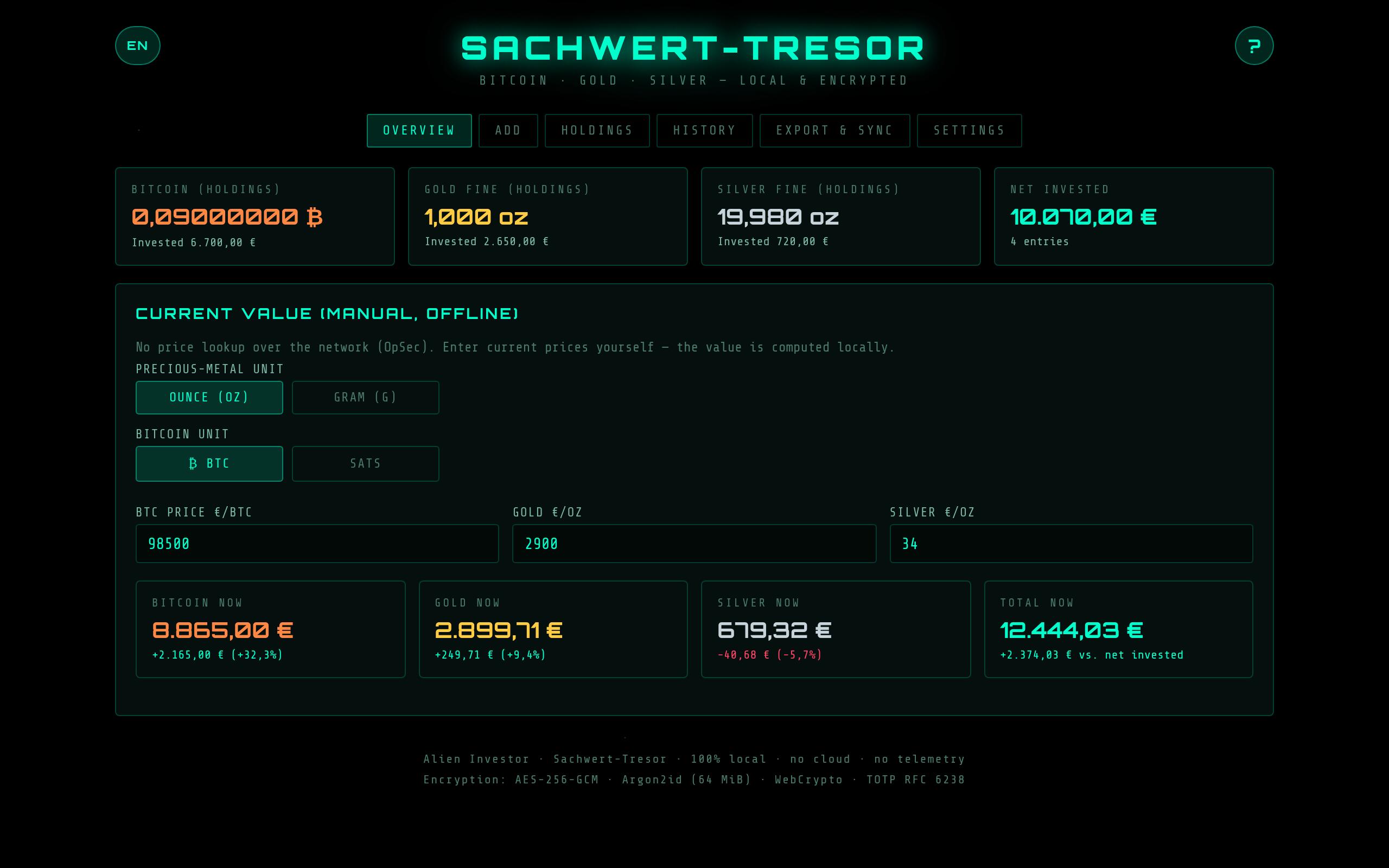
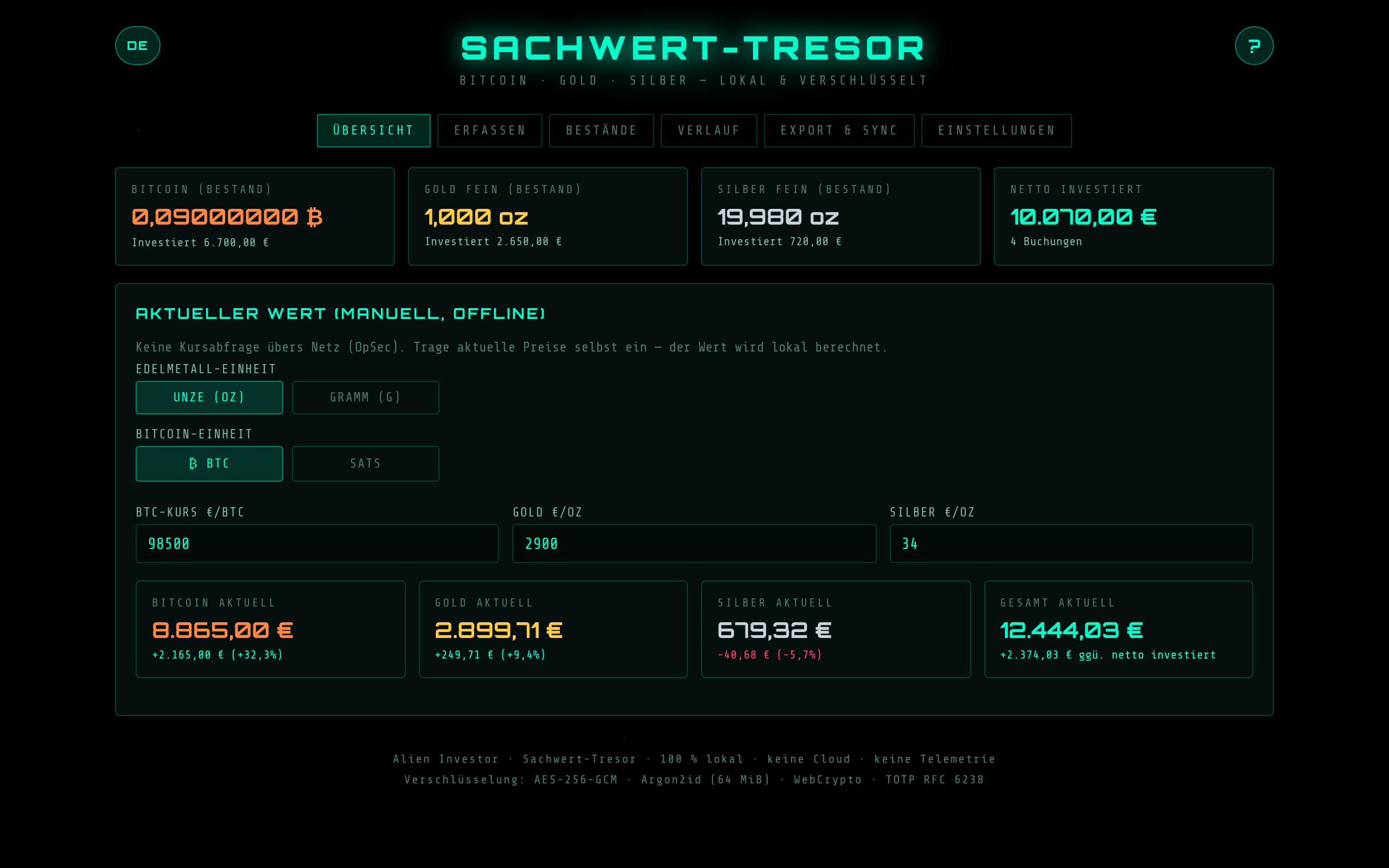
The Sachwert-Tresor now runs on the Linux desktop too. The same code as the Android app, packaged as a Flatpak without network permission and without file access. Backup, import and exports only go through the system file dialog, verifiable with flatpak info --show-permissions. Import a backup from the phone on the desktop and vice versa, for example via Syncthing. Right behind it v3.4 with a fix from real use: a backup used to carry the Aegis hurdle along. Anyone who no longer had the Aegis entry locked themselves out while restoring. Now 2FA applies only to the device where you set it up. A backup always stays the way out, no code required. Desktop packages ship with a GPG-signed checksum, the same release key as Alien Pass: 100F 9E25 BFAE A807 DBC3 57D7 50C0 D785 83BF CB81 #SachwertTresor #Bitcoin #Gold #Linux #OpSec #FreedomTech image
Der Sachwert-Tresor läuft jetzt auch am Linux-Desktop. Derselbe Code wie in der Android-App, verpackt als Flatpak ohne Netzwerk-Berechtigung und ohne Dateizugriff. Backup, Import und Exporte laufen nur über den Dateidialog des Systems, nachprüfbar mit flatpak info --show-permissions. Ein Backup vom Handy importierst du am Desktop und umgekehrt, zum Beispiel über Syncthing. Gleich hinterher v3.4 mit einer Korrektur aus der Praxis: Ein Backup brachte bisher die Aegis-Hürde mit. Wer den Aegis-Eintrag nicht mehr hatte, sperrte sich beim Wiederherstellen selbst aus. Jetzt gilt 2FA nur auf dem Gerät, auf dem du sie einrichtest. Ein Backup bleibt damit immer der Notausgang ohne Code. Die Desktop-Pakete kommen mit GPG-signierter Prüfsumme, Release-Schlüssel wie bei Alien Pass: 100F 9E25 BFAE A807 DBC3 57D7 50C0 D785 83BF CB81 #SachwertTresor #Bitcoin #Gold #Linux #OpSec #FreedomTech image
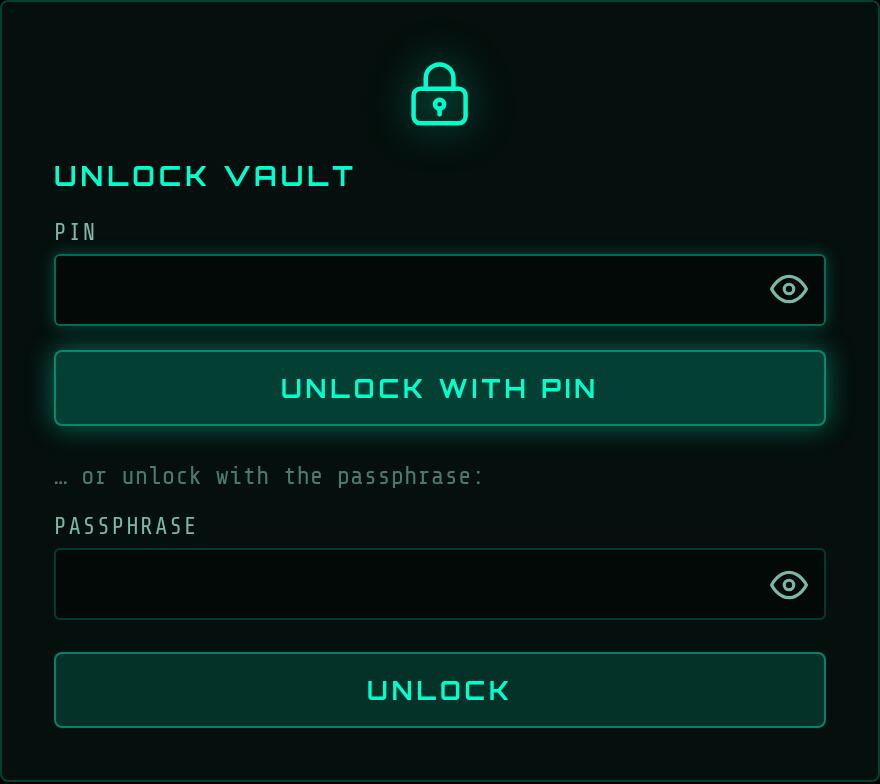
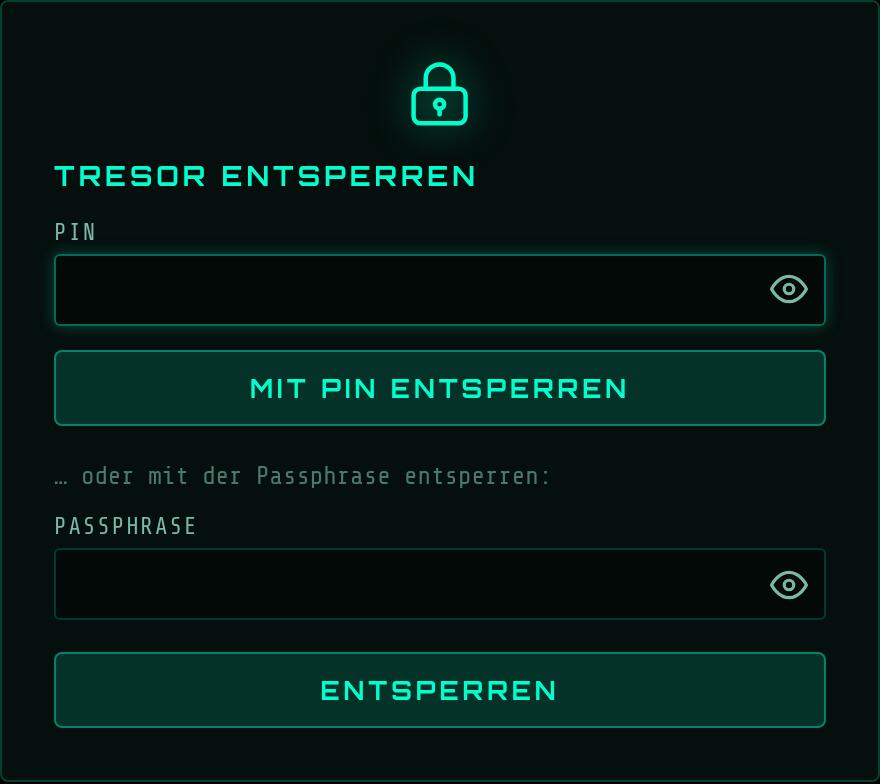
After 18 hours locked, GrapheneOS reboots on its own. If you set that timer shorter, Alien Pass asked for the passphrase every single time afterwards. Since v1.8 there is a box for that: fingerprint also after a restart, off by default, the choice is authenticated inside the key slot and cannot be rewritten later. The Linux desktop gets quick unlock with a PIN, after a lock instead of the passphrase, in memory only, at most 24 hours. Honestly: the PIN never protects the vault file, six digits fall in roughly ten minutes on a graphics card. It only protects the copy of the key in RAM. Third internal audit of the desktop branch, no medium or severe findings. Desktop packages ship with a GPG-signed checksum, release key: 100F 9E25 BFAE A807 DBC3 57D7 50C0 D785 83BF CB81 #AlienPass #GrapheneOS #PasswordManager #Linux #OpSec #FreedomTech image
Nach 18 Stunden Sperre startet GrapheneOS von selbst neu. Wer den Zähler kürzer stellt, tippte in Alien Pass danach jedes Mal die Passphrase. Seit v1.8 gibt es dafür einen Haken: Fingerabdruck auch nach dem Neustart, ab Werk aus, die Wahl steckt authentisiert im Schlüssel-Slot und lässt sich nicht nachträglich umschreiben. Am Linux-Desktop kommt ein Schnell-Entsperren per PIN dazu, nach einer Sperre statt der Passphrase, nur im Arbeitsspeicher, höchstens 24 Stunden. Ehrlich dazu: Die PIN schützt nie die Tresordatei, sechs Ziffern fallen auf einer Grafikkarte in etwa zehn Minuten. Sie schützt nur die Kopie des Schlüssels im RAM. Drittes internes Audit am Desktop-Zweig, keine mittleren oder schweren Funde. Die Desktop-Pakete kommen mit GPG-signierter Prüfsumme, Release-Schlüssel: 100F 9E25 BFAE A807 DBC3 57D7 50C0 D785 83BF CB81 #AlienPass #GrapheneOS #Passwortmanager #Linux #OpSec #FreedomTech image
If you want to reach out to the Alien securely, you can find me here. 👽✨🛸 -White Noise Messenger image
↑