Replies (93)
Can you first define everything?
🦞
I really wanna know what it is you use your lobster for. I only dabbled a bit recently, but gather you're something of a power user. Maybe it's lack of imagination on my part, but would love some ideas
Start69 🦞
Run what locally?
A good type writer is how I do it
🤔
Exactly.
Me too. I ran it for about 3 hours until I ficked something up. 😂
I got a nice deal for a minipc, I'd take a look at some of those
I've had a Start9 for a long time if that's what you mean...
I'm glad I bought a UGreen NAS last year but I wish I had filled it with larger drives from the start. Now I'm running low on free space and really not liking the current price of larger drives.
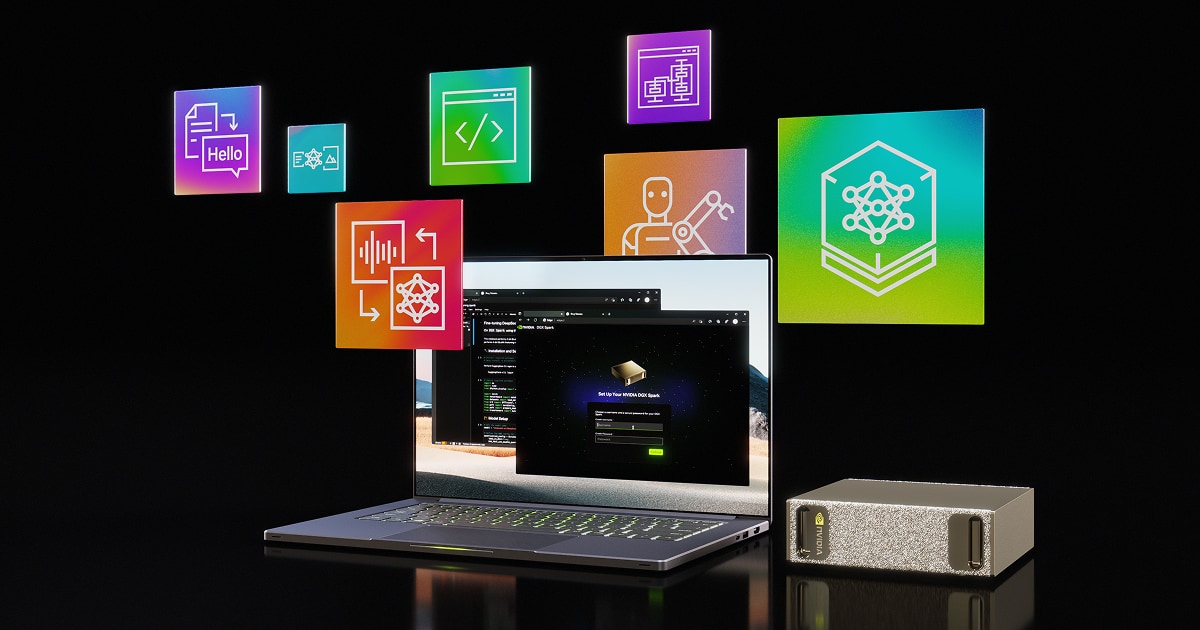
Having my eye on the ThinkStation PGX (GB10 / 128GB / 1TB). Should be able to run some of the more capable models quite well.
Having the same consideration actually.
What about Mac mini + openclaw + shakespeare? 🤔
Just to fool around with agents, automantions & trying to build useful stuff to make my life easier.
All I want to do is run models. Nothing else.
What do you have currently?
What’s your budget? Ryzen AI Max+ 395 APUs offer UMA, which you’ll need to a decent model. I like Framework’s desktop offering. A bit more expensive than some chinesium builds, but you’re going to get solid firmware and driver support in linux - and that is king.
Set 1 or more up as an inference “appliance” and that’s all it does. Have everything else run on a different machine.
Stick with Ubuntu Server to start with - just easier support. Go ROCm + llama.cpp first, then fall back to vulkan if there’s issues. Can go Ollama when things are looking good.
I aim to build a Nix port once it’s all stable, making rebuilds of these “appliances” simple.
I have multiple NAS and plenty of disk space. What I'm talking about is running LLMs locally.
Solid setup.
Yes, Framework Max+ 395 (128GB) is definitely an option.
Might be worth waiting for the M5?
You’re self hosting reality already 🤷🏼♂️
more than a year ago I bought 2 used RTX3090 and put them in a used 128GB RAM core i9 machine.. I have to say it runs great, but it is quite power hungry 😅
You're deflecting.
@M was very clear. 🤣
That would be decent.
Any experience with it?
Used 3090s. or a cluster of dgx spark or equivalent. Lenovo also has a good gb10 mini desktop.
Absolutely! If privacy is priority, thats a good move..
I have yet to mess with any (good) local LLMs but spec wise that lines up with what ive been seeing for a local LLM box.
"sloppedy slop slop but make it all lowercase"
Thanks for the link though, good to see some experience reports.
llms
Buy a used nvidia rtx titan v (24 GB).
Yes.
Everything locally.
If "everything" includes LLMs, don't ask printer. 🤣
Very happy with my refurbed Server, for my self hosting needs, but it wouldn't be able to run any meaningful LLMs. Tried Ollama but it's meh.

Spotify
OpenClaw Explained: Baby AGI, Security Threats, and How a Mac Mini Became Everyone's Supercomputer | #237
Moonshots with Peter Diamandis · Episode
Somewhere in this episode Alex Finn describes his 24/7 coding OpenClaws with opensource models. Of course the latency for conversations will be terrible, but tasks without time pressure can be handled well by this setup.
LLM extraction:
"
Mac mini he uses: almost certainly base M4 Mac mini, 16 GB
Mac Studios he uses: effectively 3 × M3 Ultra Mac Studio, 512 GB unified memory
Main local models discussed: Qwen 3.5-35B-A3B on 32 GB-class machines, and MiniMax 2.5 on the 512 GB Studios
Parameter sizes: Qwen 3.5-35B-A3B = 35B total / 3B active; MiniMax 2.5 = 230B total / 10B active
"
macbook pro with as much ram as you can justify. if you're putting it on a desk / in a server room, mac studio with the same. it sounds like a fanboy take, but nvidia cards carry a stiff premium right now and are somewhat skimpy on memory, while people keep finding ways to get more out of mac hardware.
apple was way ahead of the game here
ThinkStation P620 Threadripper PRO, 128GB ECC RAM
Yeah, true. Although that also means I’ll be waiting to actually start testing agents 🤷🏻♂️
Tried Replit last year, but quickly found out I wasn’t technical enough for the troubleshooting.
will listen to it at my "night shift" 👶

r/LocalLlama is the best resource for this question
tldr: For agentic-type tasks in the background, probably an apple M series with lots of VRAM. And Qwen 3.5 27b has reached a level of agentic effectiveness that can run on a single 3090 that is kinda staggering (something like opus 4.1)
rough breakdown:
For most cost effective+fastest, stack 3090s until you have enough VRAM to run the model size class you want.
For most cost effective/easiest/most power efficient, buy an M1 Max with as much VRAM as you need to run the models you want (I recently got a 64gb M1 Max for $1200 that runs Qwen 3.5 122b at about 200 t/s prompt processing, 20 t/s generation. Running continuous openclaw cron jobs in the background, sipping power, not heating up the room or making any noise, love it)
For a bigger budget+fastest, stack 5090s (32gb), or if you don't want so many gpus to physically manage, NVIDIA RTX Pro 6000 Blackwell (96gb).
For bigger budget+easiest, M3 Ultra or M4 Max with lots of VRAM, or wait for M5 Ultra/max. Performance comparison:

GitHub
Performance of llama.cpp on Apple Silicon M-series · ggml-org/llama.cpp · Discussion #4167
Summary LLaMA 7B BW [GB/s] GPU Cores F16 PP [t/s] F16 TG [t/s] Q8_0 PP [t/s] Q8_0 TG [t/s] Q4_0 PP [t/s] Q4_0 TG [t/s] ✅ M1 1 68 7 108.21 7.92 10...
AMD is a place to go to increase cost effectiveness in exchange for more software management headache. Ryzen AI Max+ 395 128gb is an interesting alternative to large-vram mac setups for running big models with minimal hardware and max power efficiency.
comparison of relevant models:

Comparison of AI Models across Intelligence, Performance, and Price
Comparison and analysis of AI models across key performance metrics including quality, price, output speed, latency, context window & others.
mac mini or ryzen ai mini pc. running local models is empowering. ben says he got this for gaming but i see a server
Good idea 🤝
Agreed - 128GB is the only way to go. Running a 72B Q4 is definitely doable while still allowing a decent amount of headroom for context/kV cache.
Recommend checking out the latest gemma 4 offerings. You can get a lot done with the E4EB model handling tooling, routing, compaction, and other tasks. The 31B is also great for better reasoning.
I would NOT use this machine for anything besides inference. Save all memory for context (target 128k tokens). I really meant it when I said to treat it like an "inference appliance".
Offload everything else to whatever you have laying around, including openclaw. Keep it separate so you have a stable substrate.
So one of those is enough to get you started. It is well supported by AMD and there's even guides out there for how to ccluster 4 of them together (definitely ad a later phase).
Stay away from Mac minis. Its a good toy, but you lose a good bit of memory to osx and your limited in config options. If you want a large-ish model, you're forced to cluster and that opens up a whole other can of worms.
💜
Used server off eBay.
Mini pc lot + rack mount
Oh, ai. DGX Spark. Maybe 2
I neglected to mention, the most practical path for many people is to use their existing gaming rig and maybe add some more RAM (not VRAM).
With the preponderance of MOE models (mixture of experts), it actually makes a lot of sense to offload experts to CPU ram and only run part of the model on the gpu. Llama.cpp does this very natively, not hard to configure. This slows things down, but not nearly as much as if everything was running on cpu alone. And you can install crazy amounts of normal RAM and run very large models at very slow speeds if you want to.
👀
He uses one openclaw on Opus 4.6 to oversee the others (needs the high intellegence and reasoning)
intel is seriously competitive for price-to-VRAM, but i don't know about compatibility
NVIDIA is usually the clear winner for performance, 5xxx series/blackwell has support for NVFP4 quantized models

NVIDIA Technical Blog
Introducing NVFP4 for Efficient and Accurate Low-Precision Inference | NVIDIA Technical Blog
To get the most out of AI, optimizations are critical. When developers think about optimizing AI models for inference, model compression techniques...
but you could also do like, multiple 3090s or something
hope this helps
you can also go the CPU route with tons of RAM, but inference speed will be terrible compared to GPU accellerated
This is true, GPUs are faster for inference. But you'll also be consuming 1500 watts, have to deal with those thermal issues, and still struggle to fit a model larger than 32B with decent quantization.
Alternatively, the 395 chips and their NPU are doing pretty good. Combine 2 of them and you're looking at low GPU level inference AND you get 256MB for a larger model and plenty of context and STILL under 1000 watts.
Nvidia DGX Spark hardware or any OEM version with GB10 Blackwell superchip!
The community is growing and every week a new LLM with a better recipe is topping the leaderboard in performance:
Spark Arena - LLM Leaderboard
LLM benchmark leaderboard for NVIDIA DGX Spark
How much $$ you looking to spend?
How much VRAM? You think you need? Because more is always better.
A Time Machine !
RAM and SSD manufacturers be like

Even going back to January will probably pay back for the Time Machine 😆
A lot of Bitcoin people love Start9, I would personally recommend an Umbrel even though I don’t have one
people don't read
No lies detected.
reading comprehension is trending down. too much screen time.
Even old hardware would do. I’m using an MSI laptop from 2016 and it works really fine, although I’m running several containers on it, including Jellyfin which is for streaming.
I haven’t got down to organizing my photos yet, but they require more processing power. So for something like Immich, you’ll need something stronger.
If you wanna run your AI locally too, I’d recommend at least a Mac Mini M4.
Get a blackwell Max-Q 96 gb vram. Its on the edge of what you can run on retail electricity if you get 2 you will be able to run any model in the world. You'll probably be good for lifetime in terms of AI models because they're hitting scaling laws on larger VRAM and are actually decreasing in size, but the VRAM would still be good for ultra large contexts.

You'd think the industry got the message by now its worth it to re-architect their chips to optimize for large pools of RAM for single/small/personal systems. I think Apple stumbled into this corner semi by accident.
Ive been digging into this from time to time, and there are plenty of things that could be done, and the research for these techniques exist, they just never made it to market thusfar. Probably because the focus has been on large scale datacenters, and that it would imply some latency and other trade-offs.
Thing is, for the personal local A.I. usecase, the large memory pool and power efficiency are most important; you want to be able to run the most capable models, not draw silly amounts of power, and you don't care if its "slow", since it can just work on your stuff 24/7 anyway. The bottleneck now is that people just run out of their token budgets, they want something that can just keep grinding away.
But it will probably take a while (lets say 1.5 years), before such stuff is on the shelves, which seems like an eternity given the speed things are going, so i understand not wanting to wait on such a thing (and that new mac by the looks of it will already get you what you want it seems).
Giggidy
- Mac Pro M2 with a maximum 192GB of memory
- Frame desktop with a maximum 128GB of memory
hi,
i am building proofofprice.
and I am fixing bugs or issues on the way.
i tell my agent inside Telegram to fix this while I am not able to be at the laptop.
and it is fixing it very, very well.
I also coded a Easter Egg Hunting game while being on the playground just via telegram.
Whats "everything"?
At this point I think I have at least 5 different machines running of various sizes from a rpi 3b to an older gamer PC of decent (but old) hardware to a high end (consumer) AI inference machine.
Is it just self hosting everyday services? AI inference?
Im currently testing out an Nvidia DGX spark for AI inference. Openclaw agent is called Sky, and im getting around 10 tokens/s on qwen3.5:27b.
Its not great (yet) but it works.
Whats the first service you want to move to local?
I think dual 3090s would be preferable to fx a dgx spark with regards to inference speed, no?
vRAM speed is higher I believe. Downside is model size limit is obviously lower on 48 gb vRAM than 128gb unified of the dgx spark.
My goal is to run EVERYTHING locally on my GrapheneOS device ✌
I'd buy a computer because a chainsaw and a big bag of nails perform horribly when it comes to running software on them.
I have a 3090 Ti and a fuckload of RAM, and I still have not found a model that would not be too slow or too weak. I guess I'm not a good specimen at giving advice in this case.
canirun.ai here you can see what models you can run with different hardware, it's very useful
Shoes?
Agreed
Whoa, looks cool. I've created some automated reports that kick out a summary of some things weekly after doing some webscraping. It's work-related, so not very exciting, nor is it very complicated. I also got it so I can play TTS for the notes sent by my Claude, as well as join it in a voice channel on Discord. But that's about it.
I don't know that developing an ap through it is effective, as I haven't really tried, but I can't imagine it would be better than just using something like Claude Code directly (there's an extra agent in the mix, and Claw is kinda token-expensive I'm told). Was hoping to hear from Gigi as he seems like a power user.
Maybe check into system76.com if Linux is an option. I picked up a Thelio system with 98GB of memory after returning their MeerKat mini. The USB ports on the Mini after several days would just lose power and require a reboot.
I spread various applications across different Virtual Machines. Like one for Bitcoin nodes and etc..., one for dev, one for prod, one for testing new stuff and so forth.
I suppose one could even build a Start9 VM if desired.
just any x86 hardware
maybe prefer AMD CPU before Intel,
64GB RAM
Raid SSD or mirror boot SSD
and for file storage lots of mechanical drives
for non technical people #StartOS firmware would be best
But you can also install everything on your own!
you also need a Tunnel software on a decoy server
so that i dont see your IP if you want to bring services online

Here's a summary of the YouTube video comparing the performance of the DeepSeek R1 14B model on an Apple M4 Mac Mini versus a Dell R250 system:
**Video Overview**
The video compares the performance of the DeepSeek R1 14B model running on an Apple M4 Mac Mini (10-core CPU, 10-core GPU, 16 GB unified memory) against a Dell R250 system equipped with an NVIDIA RTX A100 8 GB GPU. The presenter, Jamie Goodier from Savar Labs, runs benchmarks using the Ollama benchmark tool to evaluate token generation speeds for various models.
---
**Key Findings**
**1. Model Performance on Apple M4 Mac Mini**
• Llama 3.2: 42.2 tokens/sec
• Mistral: 23 tokens/sec
• DeepSeek R1 Models:
- 1.5B: ~80 tokens/sec
- 8B: ~19.1 tokens/sec
- 14B: ~11 tokens/sec
**2. Comparison with Dell R250 System**
• The Dell system (NVIDIA RTX A100 8 GB) generally outperforms the Apple M4 Mac Mini in raw throughput for smaller models.
• However, the Apple M4 Mac Mini shows slightly better performance for the DeepSeek R1 14B model due to its unified memory architecture, which allows it to fully load the model into memory (16 GB).
---
**Efficiency Considerations**
• Power Consumption: The Dell R250 system, being a rack-mounted unit with additional hardware (extra GPU, RAM), consumes more electricity than the compact Apple M4 Mac Mini.
• Cost: The Dell system is more expensive to purchase and configure compared to the Mac Mini.
• Use Case: The Apple M4 Mac Mini is a fun and efficient system for running smaller models, while the Dell system excels in raw throughput for smaller models.
---
**Conclusion**
The Apple M4 Mac Mini is a capable system for running LLMs, especially leveraging its unified memory to handle larger models like the DeepSeek R1 14B. However, the Dell R250 system with an NVIDIA RTX A100 still leads in raw performance for smaller models. The choice between the two depends on whether you prioritize raw speed, power efficiency, or cost-effectiveness.

Telegram
free OpenClaw @baopenbot
You can contact @BAopenbot right away.
Raspberry pi5 ⚡️
Great choice! Even a used Intel or M1 Mac mini can easily handle several AI agents with OpenClaw + MCP + #ShakespeareDIY.
macbook pro with 128 gb, cranking deepseek 2bit at 17 t/s